-
![]()
How to Download 1080P YouTube Videos in 3 Ways [Full Guide]
Do you want to save your favorite YouTube videos or movies in 1080P for offline viewing? Here, you will learn powerful software and online tools to save YouTube videos in 1080p.
Gorilla. Jun 25, 2026
3 min read
-
![]()
Best YouTube Video Downloader for PC Windows 11/10 [for Personal Use Only]
Looking for the best YouTube video downloader for Windows 11/10? This guide will walk you through a third-party YouTube video downloader for PC Windows 10, 11 and how to use it to download and save videos from YouTube on your Windows computer. Let's dive in!
Gorilla. Jun 25, 2026
3 min read
-
![]()
5 Simple Ways to Download YouTube Audio in High Quality
In this guide, we are going to introduce five simple methods to download YouTube audio in high quality. Each of the methods will be detailed with its features. Then, you can choose the way you prefer.
Gorilla. Jun 25, 2026
3 min read
-
![]()
4 Effective Ways to Download YouTube Playlist to MP3
If you found or created a playlist of YouTube music videos and would like to get them on your PC in MP3, you can use a YouTube playlist to MP3 converter or downloader to download YouTube playlist to MP3.
Gorilla. Jun 25, 2026
3 min read
Page Table of Contents


Jun 25, 2026 0 mins read
⚠️ Disclaimer: The tools mentioned here are intended for legal use only, such as downloading copyright-free or self-owned content. Always ensure you have the necessary rights before downloading videos from YouTube or other streaming platforms.
Downloading videos from YouTube for personal offline viewing is a common need, but many free instant YouTube downloaders come with usage limitations, ads, or platform restrictions. Whether you're using tools like youtube-dl or browsing online downloaders, you may eventually find yourself looking for better, safer, or more feature-rich youtube-dl alternatives.
In this article, we'll introduce the top 8 YouTube downloader alternatives you can't miss in 2025, covering desktop software, mobile apps, and browser-based tools.
Quick Overview of All YouTube Downloader Alternatives
🧭Here's a quick comparison table of the top 8 YouTube downloader alternatives, including supported platforms, key features, and our brief recommendations.
| YT Downloader | Platform | Key Features | Rating |
| EaseUS Video Downloader | Win/Mac | Batch download, 4K/8K support, 320 kbps | ⚝⚝⚝⚝⚝👍 |
| 4K Video Downloader | Win/Mac/Linux | Playlist support, HD/UHD, 360° videos | ⚝⚝⚝⚝ |
| Any Video Converter | Win/Mac | Format conversion, basic editing | ⚝⚝⚝⚝ |
| Apowersoft Downloader | Mac | Editor built-in, high-quality video/audio output | ⚝⚝⚝⚝ |
| FoxFM | iOS | Offline playback, ringtone convert, file security | ⚝⚝⚝ |
| Total Files | iOS | File manager, browser-based downloading | ⚝⚝ |
| VidMate | Android | Download from multiple platforms, fast speed | ⚝⚝⚝ |
| NewPipe | Android | Open-source, no ads, privacy-focused | ⚝⚝⚝ |
Secure Download
Secure Download
Understand YouTube's Terms Before Downloading Anything
Before using any YouTube downloader alternative, it's important to understand what's allowed under YouTube's Terms of Service.
According to YouTube's policies, users are not permitted to download videos unless a download button or link is clearly provided by the platform itself. This means downloading copyrighted content — including music videos, TV shows, or movies — without proper authorization may violate YouTube's terms and possibly copyright law.
Use These Tools Responsibly and Legally
This article is intended for informational purposes only. We do not encourage or support downloading any copyrighted content without permission from the content owner. Please use the recommended tools only for personal, fair, and legal use, such as downloading videos you created, have rights to, or those that are clearly in the public domain.
Always make sure to read the terms and conditions of each platform and tool before proceeding with any downloads.
1. EaseUS Video Downloader
- Pricing: $23.99 per year (Free trial)
- Availability: Windows / Mac
- Batch Download: Yes
EaseUS Video Downloader is one of the best paid YouTube downloaders. With many great features like batch download, multiformat support, video to MP3 conversion, and 3X faster download speed, it is considered one of the most popular video downloaders for Windows 10. The most impressive capability of this YouTube multi downloader is that it can batch download YouTube videos from 4K or 8K efficiently, which could be great if you need to save tons of high-resolution videos.
Another feature that makes it notable is the ability to customize the download settings and organize your downloads. Thus, you can select the output format, resolution, language, and whether or not to include the original subtitles. If needed, you can save the current settings by default.
😄Pros:
- All popular video sites support
- Batch downloads
- Built-in video player
- Video to MP3 conversion
☹️Cons:
- Requires installation on PC or Mac
- Only two videos can be downloaded for free trial
Now, get EaseUS Video Downloader for free here!👇🏽
Secure Download
Secure Download
Step 1. Open EaseUS Video Downloader and select your desired output format (MP4 or MP3) and quality based on your needs.
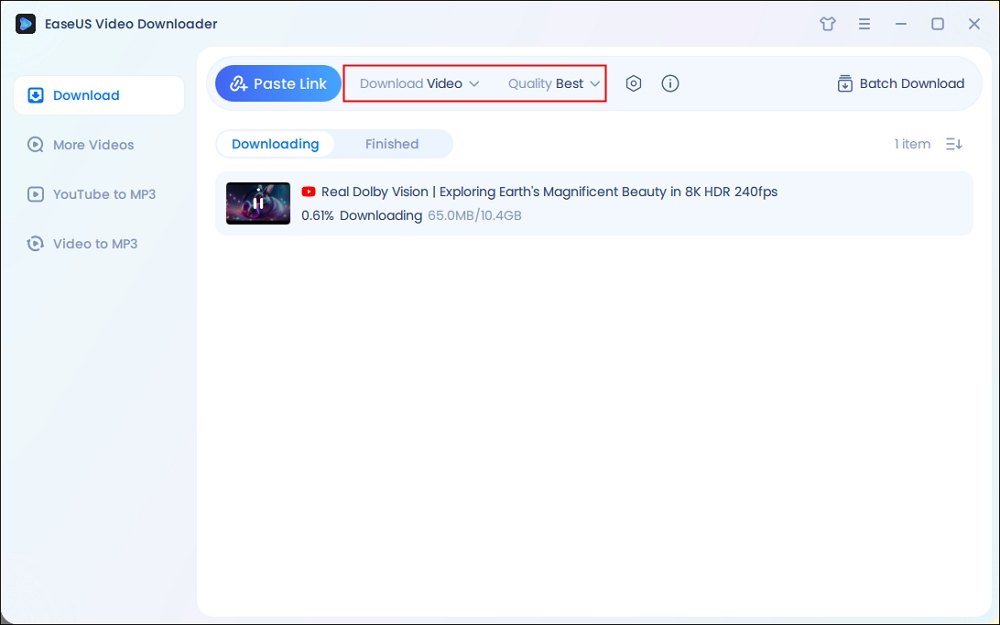
Step 2. Then copy the URL of the YouTube video to this program and click "Paste Link."
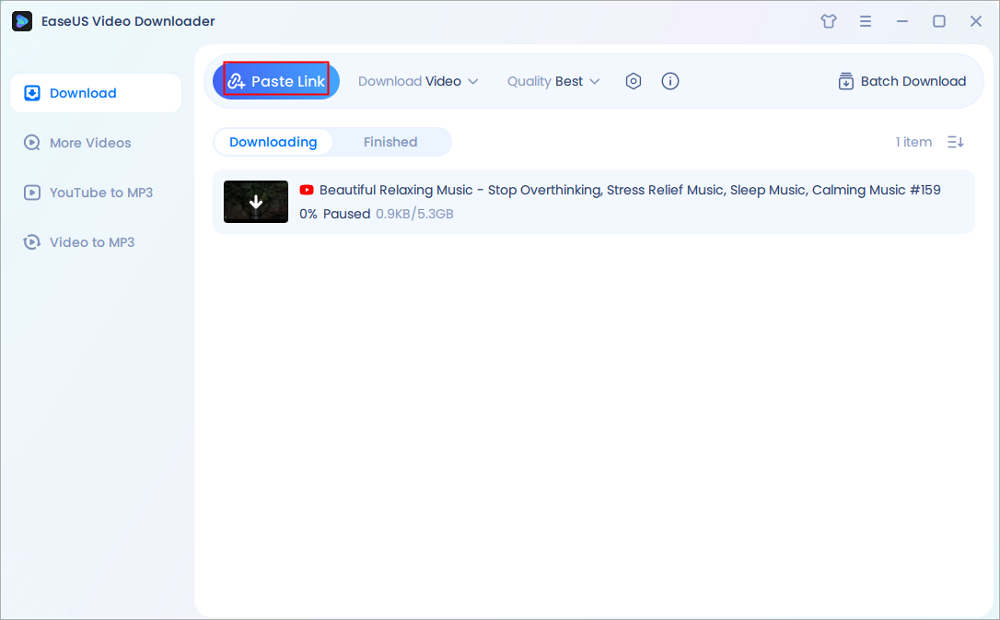
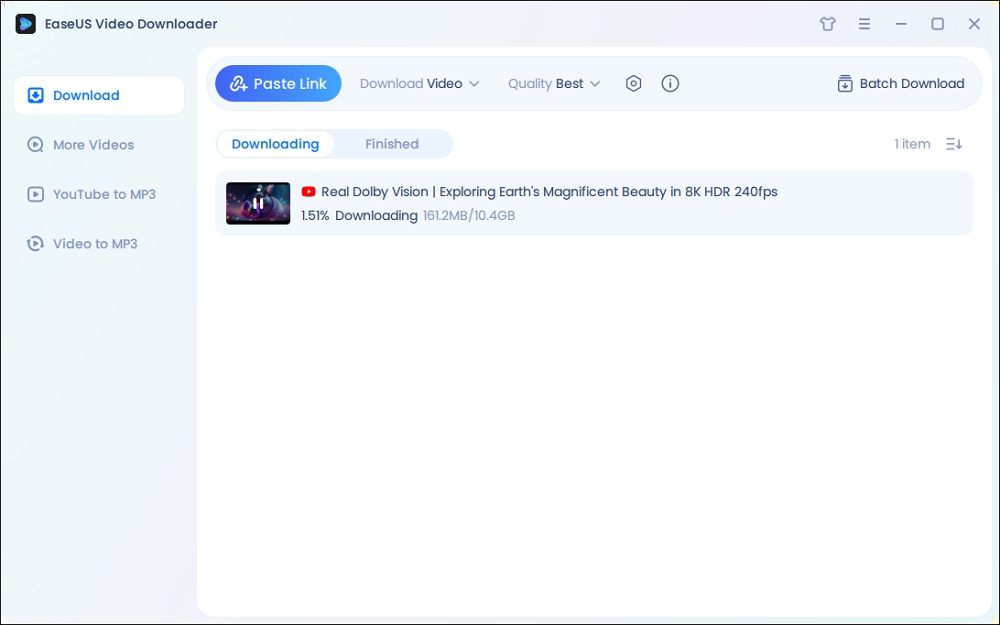
Step 3. Wait for the downloading to finish. When it has done, click "Open File Location" to check the downloaded file.
Disclaimer: This guide is compiled for personal fair use ONLY. EaseUS is in no way collaborated or affiliated with YouTube and never advocates any copyright infringement action, please confirm the copyright before use.
Secure Download
Secure Download
2. 4K Video Downloader
- Pricing: Freemium, $15 per year for Lite, $42 for Lifetime
- Availability: Windows/Mac/Linux
- Batch Download: No (Free version), Yes (Paid version)
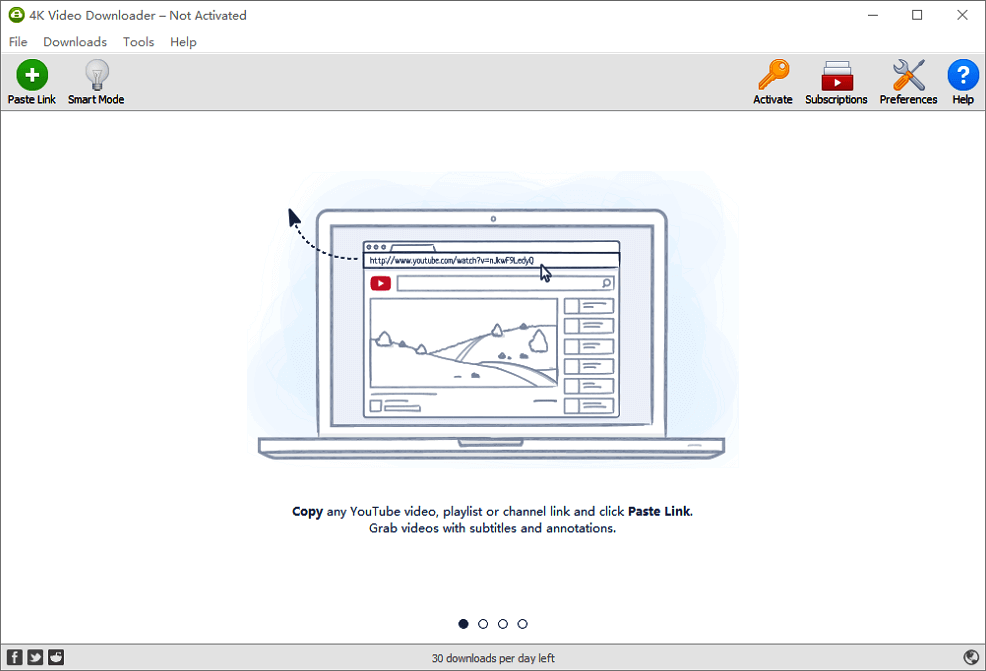
Another YouTube downloader alternative is 4K Video Downloader, which offers free and paid versions. Both versions come with a list of features that include downloading videos, YouTube playlists, HD/UHD videos, 360° VR videos, and video to MP3 conversion. The difference between the two versions is the number of videos supported for download and the available customer support.
And more specifically, the free version supports 30 single video downloads per day, 10 video downloads per playlist, and 5 video downloads per channel. Note that the free version doesn't support batch downloads. The pro version supports unlimited video downloads and batch downloads on PC.
😄Pros:
- Simple and clean interface
- Support high-resolution videos and 360° VR videos
- Supports a wide variety of output formats
☹️Cons:
- The batch download feature is not available on its free version
Updated Info:
Now, 4K Video Downloader Plus is the newest and fully supported version of the popular media downloader. It continues to allow high-quality downloads from YouTube, TikTok, Facebook, Vimeo, and other platforms. The old 4K Video Downloader(without plus) may still work, but it is unreliable with YouTube links after the 2025 changes in video data structures. Users should uninstall outdated builds and download the current one directly from the official site to avoid parsing or YouTube download errors.
3. Any Video Converter
- Pricing: Ad-supported Free (limited), $39.95 per year for Pro version
- Availability: Windows, macOS
- Batch Download: Yes
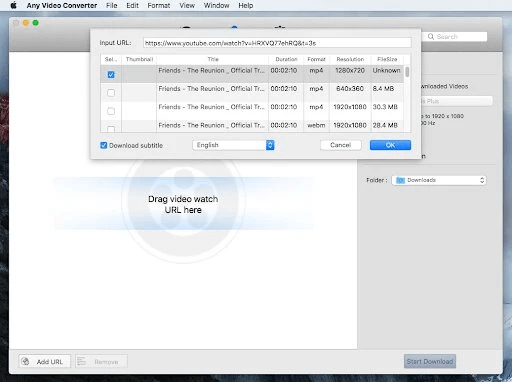
Any Video Converter is another YouTube downloader program. Equipped with all the basic functionalities of a video downloader, it is one of the most comprehensive video downloaders on this list. You can use it to download videos from more than 1000 popular video sites, convert downloaded videos or audio between different formats, or even edit the downloaded videos if needed. That's not all. Its paid version offers far more functions than those listed here. Anyway, this is an excellent option for users who require some advanced download options.
😄Pros:
- All popular sites are supported
- A wide variety of output formats is available for both video and audio
- No download limitations
☹️Cons:
- Limited functions on its free version
- The paid version is pricey

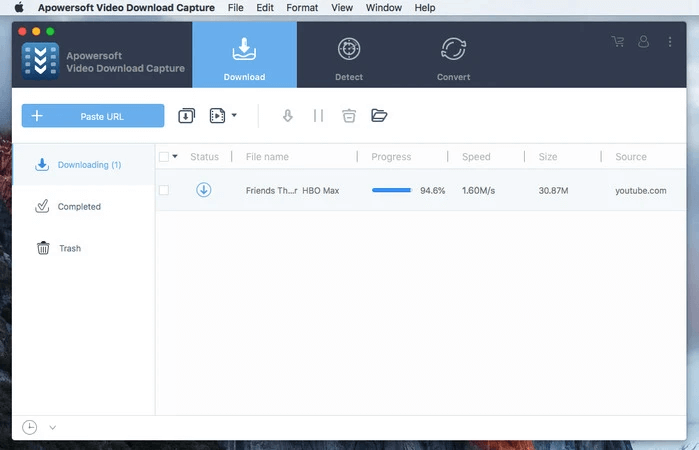
4. Apowersoft Video Downloader for Mac
- Pricing: 7-day free trial, $39.95 per year
- Availability: Mac
- Batch Download: Yes
Apowersoft Video Downloader is one of the best YouTube downloaders to download YouTube videos on Mac. It is capable of downloading online videos from popular sites, converting videos between different video formats, and extracting audio from videos in various formats. What makes it superior to other YouTube video downloader apps is its built-in video editor, which allows you to edit your video.
😄Pros:
- Download videos in bulk
- Built-in auto video detector and iTunes integration
- Edit downloaded videos without hassle
☹️Cons:
- It isn't available for Windows
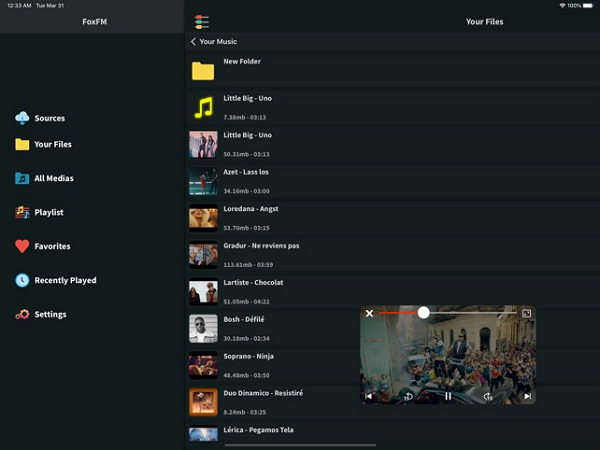
5. FoxFM
- Pricing: Free version supported by ads, a Premium subscription is available via the App Store.
- Availability: iOS (iPhone & iPad)
- Batch Download: No
FoxFM is an offline video player designed for iPhone users, offering a range of features that enhance the video viewing experience. It allows users to download and play videos without an internet connection, making it ideal for areas with limited connectivity. It seamlessly integrates with the device's media library, supporting various video formats like MP4, AVI, and MKV. Features include adaptive bitrate streaming, subtitles, and customizable playback controls. Users can also convert videos to audio or ringtones and manage files with a built-in file manager.
😄Pros:
- The free version does not display ads
- Listen to the audio or watch videos while using other apps
- Convert videos to audio or ringtones
- Protect files with a passcode
☹️Cons:
- Limited customization options for themes and settings
- Limited cloud integration for the free version
- Infrequent updates
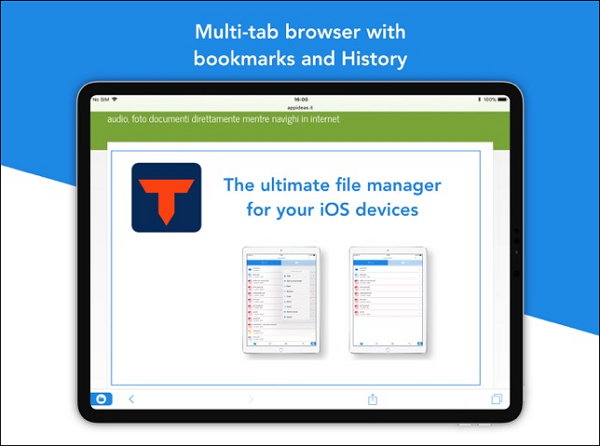
6. Total Files
- Pricing: Free / $4.99 for Pro
- Availability: iOS (iPhone & iPad)
- Batch Download: No
Total Files is a comprehensive file manager for iOS devices, functioning as a one-stop solution for organizing and managing files. It supports integration with major cloud storage services such as Dropbox, Google Drive, OneDrive, and iCloud, enabling users to access and manage their files across multiple platforms. Also, you can use it to download videos on your mobile device. It comes with a built-in web browser that allows you to search and download videos easily. It is available for free, but you can upgrade to its full version for $4.99.
😄Pros:
- Seamless downloading and uploading from other apps
- Convenient file management
- Built-in PDF editor
☹️Cons:
- May encounter update issues
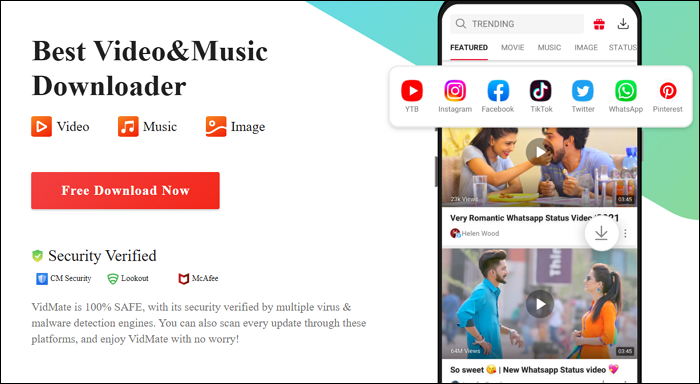
7. VidMate
- Pricing: Free
- Availability: Android
- Batch Download: Yes
VidMate is another youtube-dl alternatives. It is a popular Android app known for its ability to download videos and music from various platforms, including YouTube, Facebook, Instagram, TikTok, and more. It supports multiple video formats (e.g., MP4, 3GP, FLV) and resolutions (up to 4K), allowing users to choose the best quality for their needs. With it, you can access various live TV channels and download films you like.
😄Pros:
- Fast download speeds
- Multiple format options
- Support background downloading
☹️Cons:
- Only available for Android users via APK sideloading, which may present security risks if sourced improperly
- No official app store presence on Google Play
- Ad-supported in-app
8. NewPipe
- Pricing: Free (Open Source)
- Availability: Android
- Batch Download: Yes
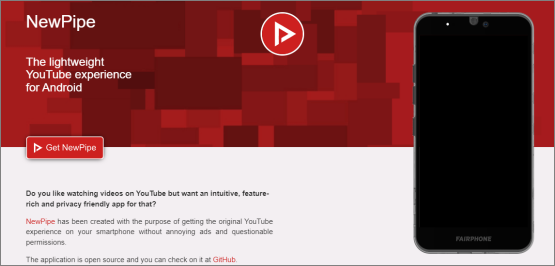
NewPipe is an open-source, lightweight video player and downloader app primarily designed for Android devices. It offers a unique alternative to the YouTube download app by providing an ad-free experience, offline viewing capabilities, and enhanced privacy features. NewPipe does not require Google Play Services or a Google account, making it appealing to users concerned about data privacy.
😄Pros:
- Download audio and video in various formats
- Support background playback
- Support for YouTube Shorts
☹️Cons:
- Compared to VidMate, NewPipe's download speed is average
Bonus Tip: Web-Based YouTube Downloaders (Proceed with Caution)
Web-based YouTube downloaders may seem convenient at first glance. They are often free, require no installation, and work across various browsers and devices. However, these platforms come with serious downsides that users should not overlook:
- ❗ Security concerns: Many online downloaders are filled with deceptive ads, pop-ups, or potentially harmful malware. Some may even redirect users to phishing pages.
- ❗ Lack of transparency: These sites rarely disclose how your data is used, posing privacy risks.
- ❗ Unstable performance: Download speeds can be slow or inconsistent, and some tools fail to support high-resolution or batch downloads.
- ❗ Legal and ethical issues: Using such platforms may violate YouTube’s Terms of Service, especially when downloading copyrighted content without permission.
If you still decide to try a web-based downloader, do so with extreme caution. Make sure to:
- Avoid clicking on unknown ads or pop-ups
- Use a trusted antivirus or ad-blocker
- Never enter personal or payment information
Here are a few widely used web-based downloaders (not officially endorsed and shared for informational purposes only):
- Cobalt.tools (open-sourced)
- Catchvideo.net (web)
- GetVideo (web)
- FlyDownloader (web)
- Video DownloadHelper (plugin)
🔒 Disclaimer: We do not promote or encourage the use of these tools. This section is provided to raise awareness about their risks and for informational purposes only. Always ensure you're complying with YouTube's Terms of Service and local copyright laws.
Conclusion
These are all alternatives to YouTube downloaders. As you can see, every tool has its pros and cons. Of these tools, EaseUS Video Downloader is the most recommended because it provides almost all the functions needed for downloading and has a fast download speed. If it can't meet your needs, try 4K Video Downloader. Both work well when saving videos from YouTube. But if you want some advanced options, you can either use Any Video Converter Free or Apowersoft Video Downloader instead. As for those who don't like computer-based applications, using online downloader apps is a great choice.
Now, you can get started from EaseUS Video Downloader!
Secure Download
Secure Download
FAQs on YouTube downloader alternatives
Here are some questions frequently asked by our users about this topic, so keep reading to get more information.
1. What's the difference between desktop, mobile, and online YouTube downloaders?
- Desktop tools (e.g., EaseUS, 4K Video Downloader) support batch downloads, higher resolutions, and more formats.
- Mobile apps (e.g., NewPipe, FoxFM) are convenient but sometimes restricted by the OS (especially iOS).
- Online tools (e.g., 9convert) are web-based and installation-free but may contain ads or malware.
2. What is the safest YouTube downloader in 2025?
Tools from well-known developers like EaseUS Video Downloader and 4K Video Downloader are considered safe to download 4K and even 8K videos, especially when downloaded from official websites. Be cautious with web-based tools, as they may display misleading ads or contain hidden malware.
3. Is youtube-dl down?
youtube-dl is not entirely down but has faced challenges. Its last official release was in 2021. For practical use, yt-dlp is widely recommended as youtube-dl alternative. It is actively updated and supports downloading videos from YouTube and other platforms. Other alternatives include NewPipe for Android and Tartube as a GUI front-end for yt-dlp.
4. What's the difference between youtube-dl and yt-dlp?
youtube-dl and yt-dlp are both command-line tools designed to download videos and audio from streaming websites, but there are some important differences between them that make yt-dlp the preferred choice for many users.
youtube-dl is the original project, but it has seen very little maintenance and few updates since 2021. yt-dlp is a modern fork of youtube-dl, and it has added many new features and improvements while actively maintaining compatibility and fixing bugs.
One major improvement of yt-dlp is its support for multi-threaded downloads, which significantly speeds up the downloading of media. It also offers enhanced format selection, allowing users to prioritize downloads based on codec, resolution, or other criteria rather than just average bitrate, providing more control over output quality.