Download Any Video in High Quality, Anytime
Download publicly available videos from YouTube, Facebook, Twitter, Instagram and more for personal use.
Affiliate
Earn commissions when you drive sales through your affiliate links.
Resellers
Sell EaseUS products as a distributor.

Creators & Influencers
Partner with us on YouTube, TikTok, Twitch to earn commissions.
OEM & Outsourcing Service
Put your brand on EaseUS software, or get custom solutions.

Refer & Earn
Earn rewards when you refer others to EaseUS solutions.

Education
Verified students and teachers get exclusive discounts.
Page Table of Contents

Jun 25, 2026 0 mins read
Can You Download YouTube Videos on Firefox? Quick Answer
Yes, you can download videos using Firefox by employing browser extensions such as Video DownloadHelper, Easy YouTube Video Downloader Express, etc. In this article, we will introduce several YouTube video downloaders for Firefox, which allow you to save videos from various video streaming sites, including YouTube. Each has pros and cons that you can easily decide on.
Note: YouTube forbids downloading videos with third-party tools or extensions. Moreover, ensure you get explicit permission from the content owner before downloading YouTube videos. This article is for information only. Please use the following tools in accordance with the law. We encourage users to use YouTube authorized means first, like YouTube Premium.
Overview:
| Firefox Extensions | Video Quality | Free | Last Update | Rating |
| YouTube Video Downloader Express | Up to 1080p | Free basic features | Apr 29, 2024 | 4.1 Stars |
| Video DownloadHelper | Up to 1080p | Free basic features | Apr 24, 2025 | 4.3 Stars |
| Video Downloader Pro | Up to 4K | Free | Apr 26, 2024 | 3.1 Stars |
| YouTube Downloader UDL Helper | Up to 8K | Free | Feb 24, 2025 | 4.6 Stars |
Compared with downloading a YouTube video with a desktop tool, getting videos from YouTube online is much more straightforward. But if you prefer a desktop downloader app, try EaseUS Video Downloader to download multiple videos from YouTube efficiently. Free Download:
Download Any Video in High Quality, Anytime
Download publicly available videos from YouTube, Facebook, Twitter, Instagram and more for personal use.
Downloading YouTube videos using third-party tools or extensions generally violates YouTube's Terms of Service. YouTube explicitly prohibits accessing content through any means other than its official video playback pages or authorized methods like downloading with YouTube Premium. The Terms of Service state that users shall not download any content from YouTube unless there is a download button or a link is clearly provided by YouTube itself. Using third-party downloaders to save YouTube videos without permission breaches this agreement and can lead to account termination or other legal consequences.
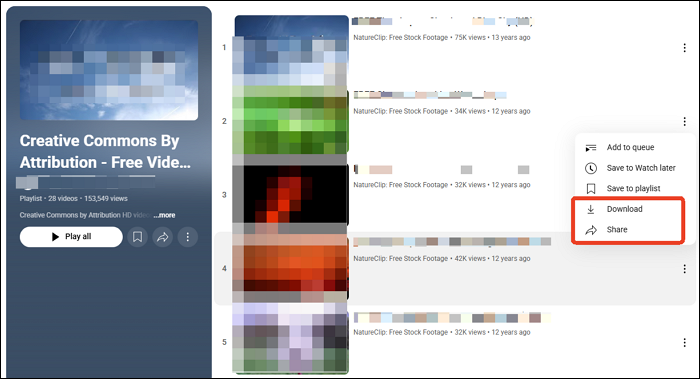
YouTube offers a legal alternative through YouTube Premium, which allows subscribers to download videos for offline viewing within the app or supported browsers. This method complies with YouTube's policies and respects content creators' rights. Additionally, for users without YouTube Premium, some videos under Creative Commons licenses or those explicitly permitted by the creator can be downloaded legally. (The following picture shows that users can share and download CC videos directly without YouTube Premium.)
Therefore, while YouTube video downloader for Firefox technically supports video downloading, we do not encourage or endorse the unauthorized downloading, copying, or redistribution of content from YouTube. Downloading videos without permission violates YouTube's Terms of Service and copyright laws. Users should always respect content creators' rights, and downloaded videos should only be used for lawful purposes, such as personal offline watching or with explicit permission from the content creator.
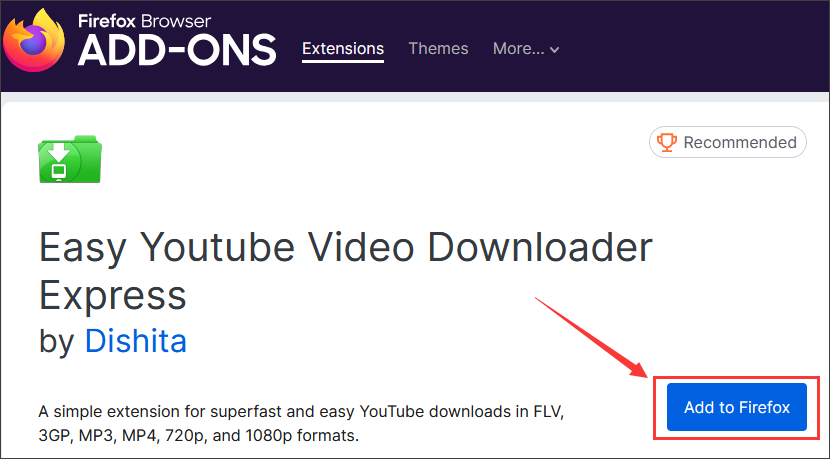
Easy YouTube Video Downloader Express was designed to download YouTube videos quickly and easily. It allows users to download videos in various formats and resolutions, such as FLV, 3GP, MP3, MP4, 720p, and 1080p. In addition to full HD videos, it also offers single-click downloads of high-quality 256 kbps MP3 audio files. The extension integrates seamlessly into the YouTube interface with a simple, minimalist download button, making it convenient to use without requiring any external software.
Based on the last update, some high-quality downloads (1080p video and MP3) require a paid 'Pro Upgrade,' which uses the add-on's own server infrastructure to process these downloads and costs starting at $10. The basic features remain free, and the extension continues to work well with YouTube.
Key Features:
| ✅Pros | ❎Cons |
|---|---|
|
|
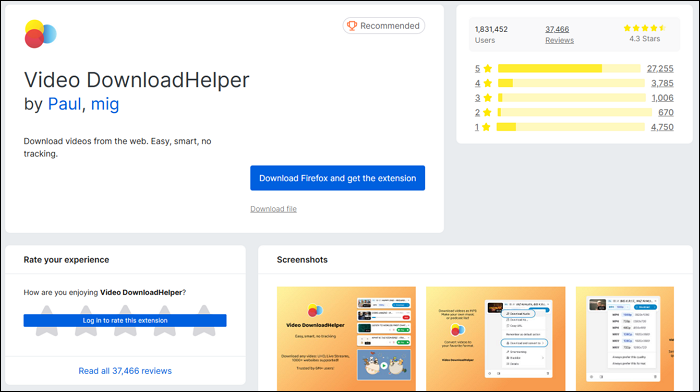
Video DownloadHelper is a widely used Firefox extension for downloading YouTube videos, live streams for offline viewing. With it, users can save videos in high-definition formats such as MP4, MKV, and WebM. Additionally, it can extract audio from videos and convert YouTube videos to MP3 for podcasting. It is an ideal YouTube download tool for both video and audio downloads. The extension automatically detects embedded videos on web pages and provides easy access through a toolbar icon.
However, it requires a companion application for some advanced features like video conversion and aggregation. While it is highly popular and praised for its ease of use, it does not support Mac OS and can sometimes hang during simultaneous downloads.
Key Features:
| ✅Pros | ❎Cons |
|---|---|
|
|
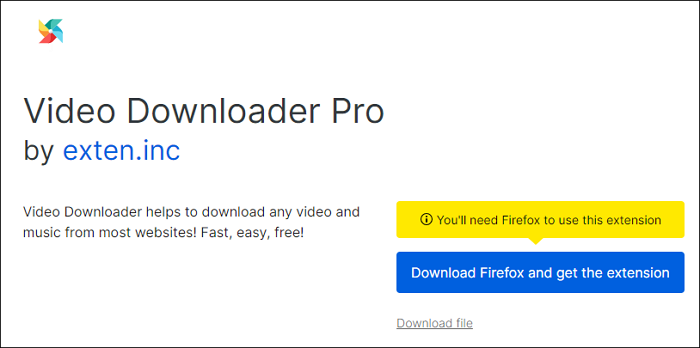
Video Downloader Pro is a free and easy-to-use Firefox extension that can save any video and music from the internet directly within Firefox. It supports downloading videos from a wide range of websites, such as YouTube, Vimeo, Dailymotion, and many others. It provides videos in various formats and resolutions up to 4K. By simply clicking the extension icon, users can view all downloadable media files on the current webpage and save them directly to the computer.
Key Features:
| ✅Pros | ❎Cons |
|---|---|
|
|
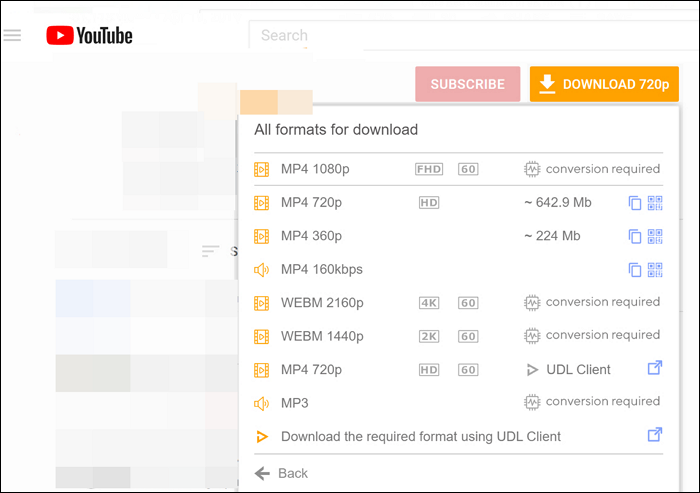
YouTube Downloader (UDL Helper) is a powerful browser extension designed primarily for downloading YouTube videos and Shorts easily. It integrates directly into the YouTube player, adding convenient download buttons that allow users to save videos in multiple resolutions ranging from 360p up to 4K Ultra HD, including Full HD (1080p) and even 8K where available. The extension also supports downloading audio tracks as MP3 or MP4 files at the highest possible bitrate.
Key Features:
| ✅Pros | ❎Cons |
|---|---|
|
While Firefox extensions provide convenient, in-browser options for downloading videos, users seeking more robust features, such as:
You may need a desktop-based downloader. Desktop applications often offer enhanced stability and functionality, allowing users to save videos in multiple formats and resolutions with greater control. For those who frequently download large files or manage extensive video libraries, a dedicated desktop downloader can provide a better solution. To download multiple videos from YouTube, it's advisable to use a safe video downloader - EaseUS Video Downloader.
Key Features:
Download Any Video in High Quality, Anytime
Download publicly available videos from YouTube, Facebook, Twitter, Instagram and more for personal use.
💡To download YouTube videos with EaseUS Video Downloader:
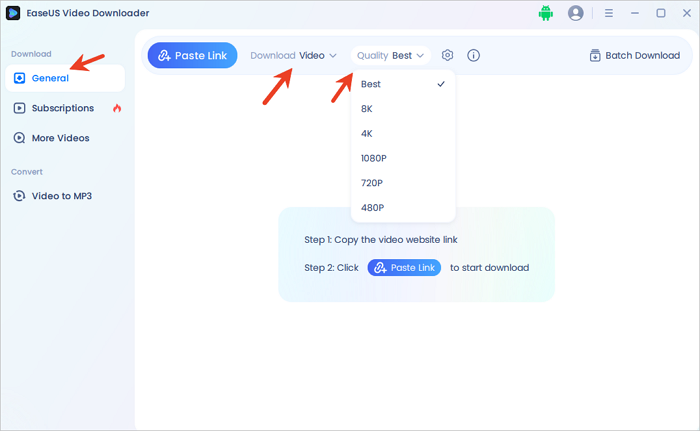
Step 1. Launch EaseUS Video Downloader on your PC. Go to "General" > "Download" to select the output format and press "Quality" for the resolution.
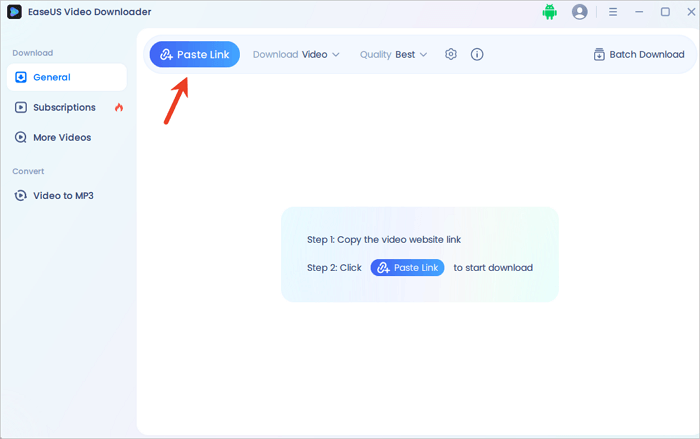
Step 2. Copy and paste the URL of the video you want to download and click "Paste Link" to proceed.
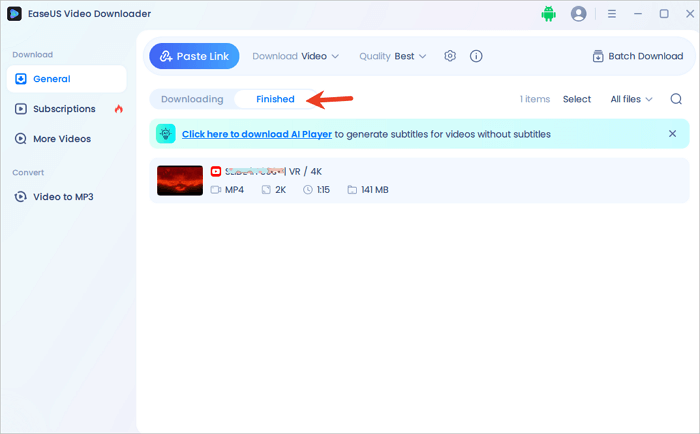
Step 3. After the downloading process finishes, you can check the downloaded video in the option "Finished."
Disclaimer: The information provided in this guide is for personal use. EaseUS is in no way collaborated or affiliated with the video-sharing site and will never approve any copyright infringement action. The end-user should be solely responsible for their behavior.
If you are unsatisfied with the abovementioned tools, you can check the best YouTube video downloader apps for more choices. That page has desktop tools, online services, and browser extensions. You can check them in detail and pick the best one to apply. But suppose you are a PC user and want to find the most efficient way to download videos from many social media platforms. The most recommended choice is EaseUS Video Downloader.
Download Any Video in High Quality, Anytime
Download publicly available videos from YouTube, Facebook, Twitter, Instagram and more for personal use.
There are currently many online video downloaders on the market, such as Keppvid, YTD Video Downloader, etc., and you can choose a reliable one to download a YouTube video. All you need to do is copy the video URL, navigate to the tool's homepage, and follow the prompts to obtain the MP4 file you need quickly. However, most online tools have annoying pop-ups and ads. Pay attention to the unknown links.
You can safely download a YouTube video to your computer with the free desktop app, EaseUS Video Downloader. This software can support Windows and Mac users in downloading high-quality videos from more than 1000 websites. With its free but outstanding functions, EaseUS Video Downloader has the powerful ability to ensure you can download any videos in a safe and stable Internet environment.
Yes, there are several Firefox add-ons that allow you to convert YouTube videos to MP3, such as Easy YouTube Video Downloader Express and YouTube Downloader (UDL Helper). These add-ons let you extract audio from YouTube videos, but due to YouTube's restrictions, many of these extensions may stop working or require frequent updates. If you want a reliable and high-quality YouTube to MP3 downloader, EaseUS Video Downloader is a great alternative. It allows you to download YouTube videos in MP3 format without quality loss and supports batch downloads.

Copyright Disclaimer
This article is for educational and technical reference only. Do not use the described methods to download or share copyrighted content without permission.
Users are fully responsible for any legal consequences. Please:

Respect content creators' rights

Use official or authorized platforms

Avoid unauthorized downloads

Use official or authorized platforms
Columnist
Myra joined EaseUS in 2017. As a big fan of Apple products, she mainly focuses on iOS data transfer and iOS troubleshooting tips. Meanwhile, she is expanding her knowledge and skills in other fields like data recovery and disk management. Myra is open-minded and likes both extensive and intensive reading. Other than reading and writing, she is also fond of mobile games and K-pop stars.
Read Full Bio More Related Articles
Download Tumblr GIF in 6 Free Ways 2026🖼️
How to download Tumblr GIFs to your computer or phone? You can right-click the GIF and choose Save image as… and convert the file to GIF. What else?
Myra. Jun 25, 2026
3 min read
Convert YouTube to USB Free in 8 Ways
To download and save popular or valuable videos from YouTube for sharing or other purposes, you may want to save them to your USB flash drive. This blog will walk you through 8 ways to convert YouTube to USB drive for free. Do not miss the information.
Myra. Jun 25, 2026
3 min read
Download All Media from a Twitter Account for Free
How to download all media from a Twitter account to archive some digital assets for memory? Dive into this article and figure out the steps.
Myra. Jun 25, 2026
3 min read
How to Safely Download Hotstar Videos on PC and Phone
Hotstar allows you to download certain content from the platform for offline watch. While the content will expire in 48 hours once you begin to watch them. Thus you need to really save an item if you want to watch them offline without restrictions. In this article, we will share you with two easy ways to download Hotstar videos in PC.
Myra. Jun 25, 2026
3 min read