-
![]()
Joey Albert
Joey has been involved with tech ever since she joined the EaseUS editor team in March 2011 and now she is a senior website editor. She is good at solving various issues, such as video downloading and recording.…Read full bio -
![]()
Alin
Alin is a sophisticated editor for EaseUS in tech blog writing. She is proficient in writing articles related to screen recording, voice changing, and PDF file editing. She also wrote blogs about data recovery, disk partitioning, data backup, etc.…Read full bio -
Jean has been working as a professional website editor for quite a long time. Her articles focus on topics of computer backup, data security tips, data recovery, and disk partitioning. Also, she writes many guides and tutorials on PC hardware & software troubleshooting. She keeps two lovely parrots and likes making vlogs of pets. With experience in video recording and video editing, she starts writing blogs on multimedia topics now.…Read full bio
-
![]()
Gorilla
Gorilla joined EaseUS in 2022. As a smartphone lover, she stays on top of Android unlocking skills and iOS troubleshooting tips. In addition, she also devotes herself to data recovery and transfer issues.…Read full bio -
![]()
Rel
Rel has always maintained a strong curiosity about the computer field and is committed to the research of the most efficient and practical computer problem solutions.…Read full bio -
![]()
Dawn Tang
Dawn Tang is a seasoned professional with a year-long record of crafting informative Backup & Recovery articles. Currently, she's channeling her expertise into the world of video editing software, embodying adaptability and a passion for mastering new digital domains.…Read full bio -
![]()
Sasha
Sasha is a girl who enjoys researching various electronic products and is dedicated to helping readers solve a wide range of technology-related issues. On EaseUS, she excels at providing readers with concise solutions in audio and video editing.…Read full bio
Page Table of Contents

Rel
Updated on Oct 22, 2026
0 Views |
0 min read
Telegram comes with many great features. One such feature is the ability to share large files online. As a result, many users use the platform to share video content with their friends and other users through private Telegram channels. However, many users may be considering, "Can I download Telegram videos from private channels?" If you are having trouble downloading Telegram videos, this guide explains the considerations and provides general information on viewing and downloading them.
Before Downloading: What Are Telegram Private Videos?
Telegram private videos are videos shared within private Telegram groups or channels that are accessible only to invited or approved members. Channel creators or admins set privacy controls to limit video access and sharing, often disabling direct downloading to protect content. Users can view private Telegram videos if they are members of the private group or channel. Downloading or saving these videos depends on the privacy settings configured by the channel admins.
Some private videos allow downloads, while others have "Restrict Saving Content" features enabled to prevent users from downloading or saving the videos directly from Telegram. However, if you want to download these private Telegram videos, only when permitted, you can save them using some bots or third-party tools. Always remember to respect copyright and privacy guidelines.
Method 1. Download Private Videos with a Telegram Bot
First, you can try using the Telegram bot for this job. Telegram bots are small applications that run on the Telegram platform and are designed to help you support any services or tasks.
On Android/iPhone
Step 1. Locate the private video that you want to download.
Step 2. Next, long-press on the video to copy its link.
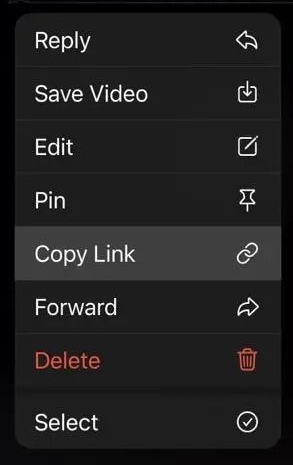
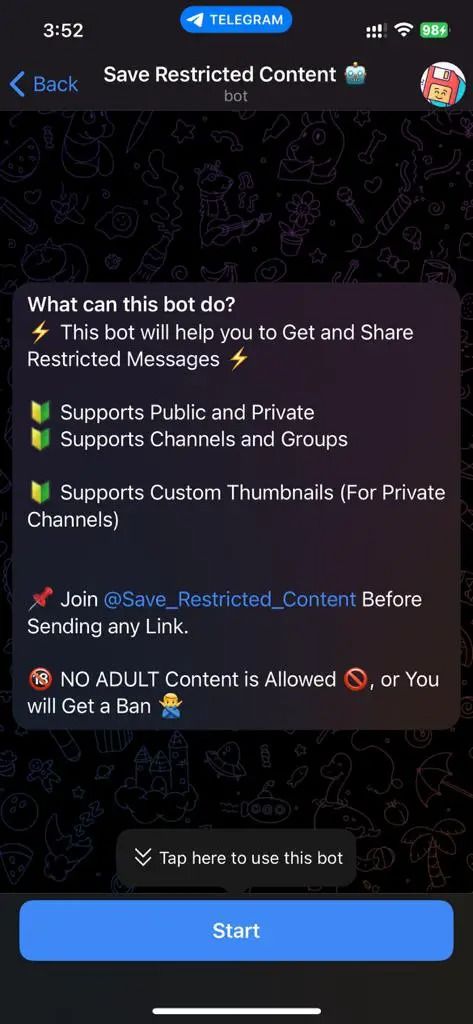
Step 3. After that, access this Telegram channel: https://t.me/Save_Restrict_bot
Step 4. Next, click on the "Start" button.
Step 5. Paste the video link and click on send.
Step 6. Finally, within a few seconds, it will send you the video. You can download it by long-pressing on it.
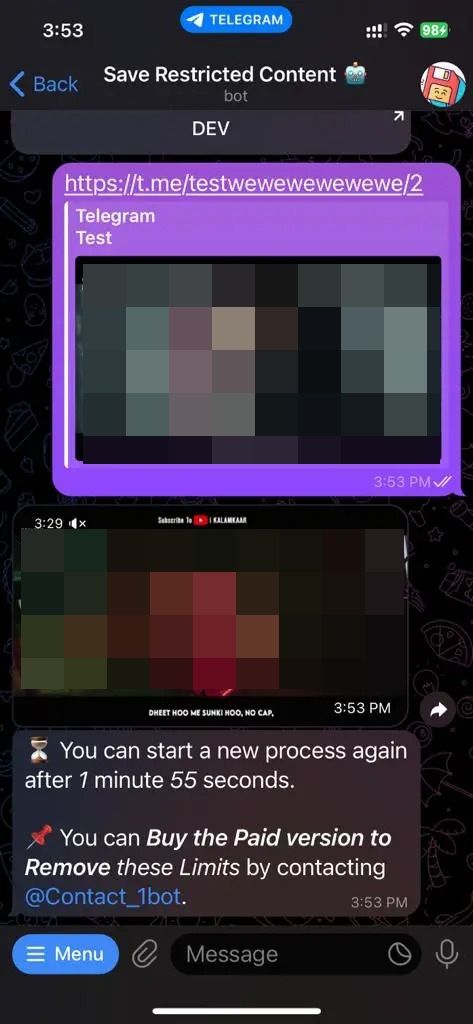
While this method works, at times, if Telegram changes in the backend, then it is possible that you need to try multiple times.
On Computer
You can also download Telegram private videos on your PC. You will first need to download and install the Telegram desktop client if you are not using it already.
Step 1. For this, you will need to use the Telegram bot. (Follow the steps mentioned above)
Step 2. Once the video is ready for downloading, right-click on it and select "Save As...".
Step 3. Finally, choose a safe location to download the video.
Method 2. Download Private Videos with File Manager
You can use a File Manager app to download the restricted video using an Android device. However, the default file managed installed on your phone won't work.
Step 1. First, go to the Telegram channel where the video is located and then "Play" the video to download it.
Step 2. Next, install Files by Marc Apps on your Android phone.
Step 3. Afterward, go to internal storage and tap on Android to access the Data folder.
Step 4. Next, scroll to the bottom, locate the Telegram package folder, and tap "Files".
Step 5. Tap on "Telegram" > "Telegram Video folder". Over here, you will find all the Telegram downloaded files.
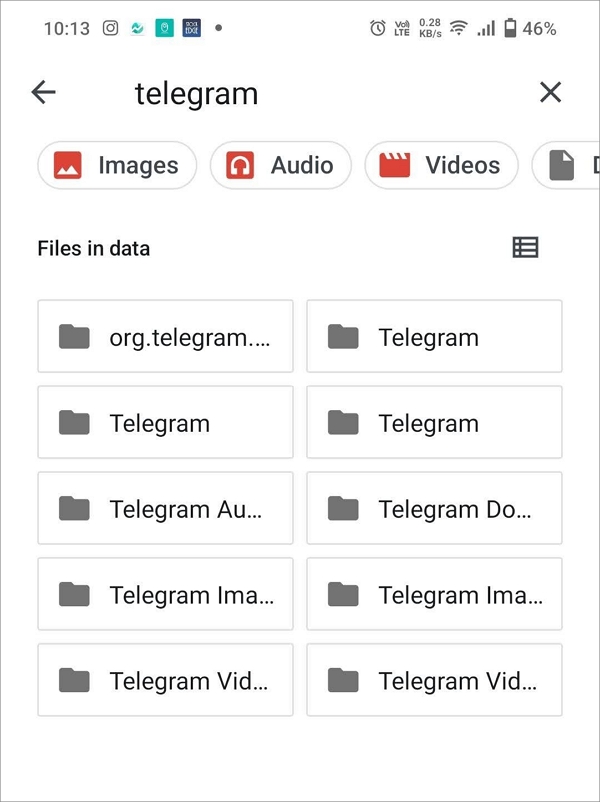
Step 6. After that, move down to the bottom to locate the recently downloaded files. The key here is to click on each file type to find the right one.
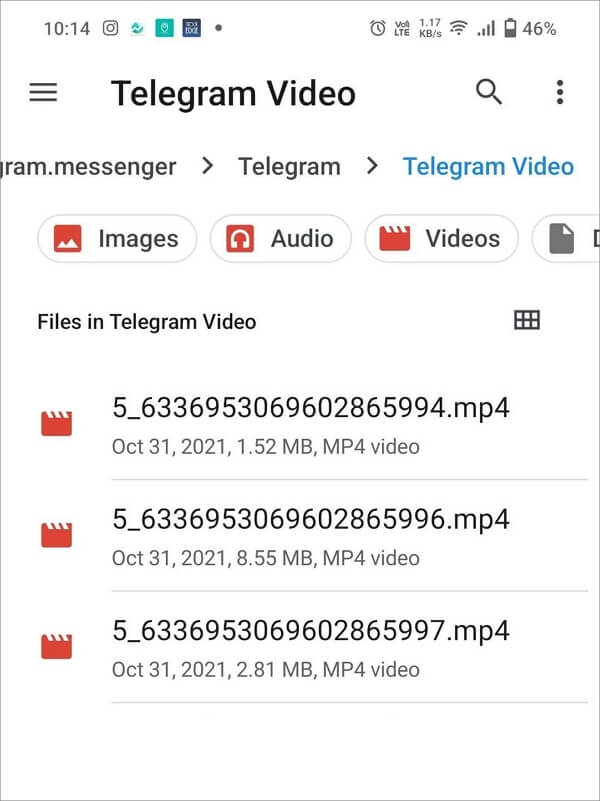
Step 7. Finally, to get the file, you can move it to another folder and share it with your friends.
- Notice:
- Telegram usually downloads all videos outside the package in a default folder, such as Telegram Videos. This folder is only used to check these private folders, which are usually not accessible to the file manager in Android.
Method 3. Screen Record Telegram Videos on Your Devices
Whether you are playing Telegram videos on Android, iPhone, Windows, or Mac, they all have a built-in screen recorder that captures the playback rather than downloading the file itself. This is a common workaround for videos in private or restricted Telegram channels where direct download is blocked.
However, private videos often belong to creators or members who hold copyright. Recording and redistributing these videos without permission may infringe copyright laws, leading to potential legal consequences, such as takedown requests, fines, or lawsuits. Thus, before recording, ensure you have rights or explicit permission to do so, and respect the privacy and copyright interests of content owners and participants.
Due to content protection measures set by Telegram or the channel/group owner, screen recording apps may be blocked from capturing video, leading to black or blank recordings. Read the following article to learn more about "Can You Screen Record Telegram Private Videos?"
On Android/iPhone
Step 1. Access your Control Center (iPhone) or Quick Settings (Android).
Step 2. Tap the Screen Record button.
On Windows
Step 1. Press Windows + G to open the built-in Xbox Game Bar.
Step 2. Click the Capture widget, then click the Start Recording button.
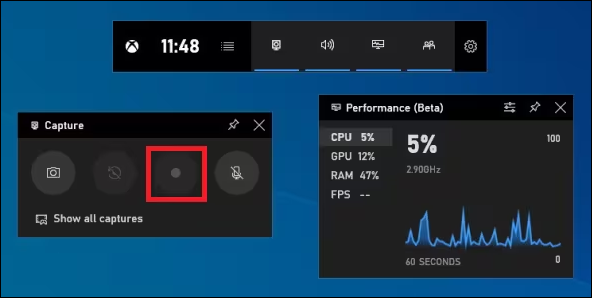
Step 3. Open the Telegram desktop app and play the video.
Step 4. Stop recording via the Xbox Game Bar controls.
Step 5. Videos are saved in the Videos > Captures folder by default.
On Mac
Step 1. Open QuickTime and go to File > New Screen Recording.
Step 2. Click the record button and select to record the entire screen or drag to select the Telegram video window.
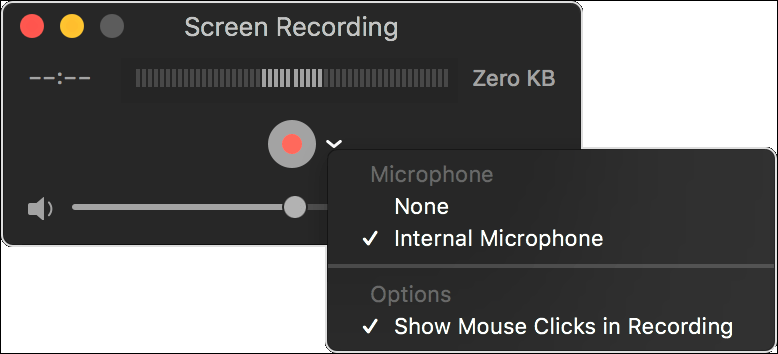
Step 3. Play the video in Telegram. Click the stop button in the menu bar when finished.
Step 4. Save the recording file to a desired location.
Method 4. Telegram Private Video Downloader Online
Do online Telegram video downloaders support downloading private videos?
Online Telegram video downloaders generally do not support downloading private videos directly from private channels or groups due to Telegram's privacy and security restrictions. Private videos are often protected by Telegram's server-side controls, which prevent unauthorized access and downloading through third-party online tools.
Moreover, downloading private videos without permission may violate Telegram's terms of service and copyright laws, potentially exposing you to legal risks. Therefore, online downloaders mainly work with publicly shared Telegram videos, while private videos require alternative legitimate approaches or screen recording (not guaranteed due to content protection).
Bonus: Download Private Videos with Powerful Video Downloader
Need to download more videos on various apps? You can use a third-party app to seamlessly download any video content on streaming sites. The most preferred option is to use the EaseUS Video Downloader. It is a powerful video-downloading software that lets you download Telegram videos, YouTube videos, and more. It supports over 1,000 different websites from which you can download videos.
Free Download video downloader for Windows
Secure Download
Free Download video downloader for Mac
Secure Download
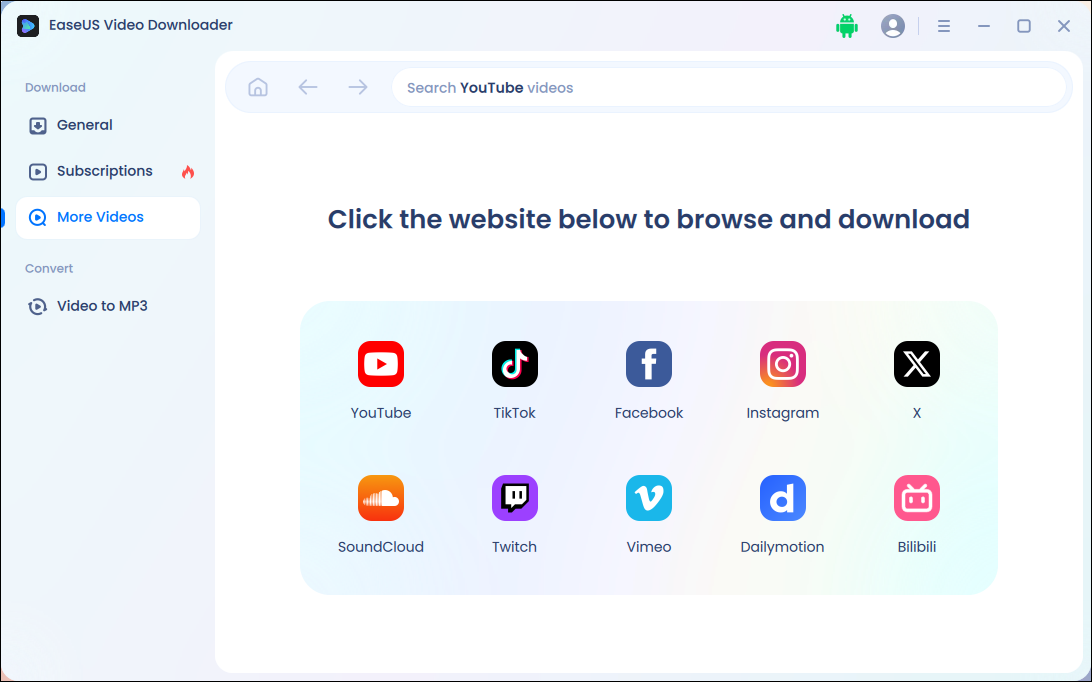
💜Main features of EaseUS Video Downloader you might value:
- This software can help you download public videos from Vimeo, Facebook, Twitter, and more.
- No ads on its main interface
- High-quality downloads (videos up to 8K; audio up to 320kbps)
- Download videos with subtitles together, but no watermark
Bottom Line
Can I download videos from Telegram? Yes, you can, and the post shows how easily you can download Telegram videos from private channels. If you are using an Android phone, the process is super easy. However, if you are using an iOS device, then using a Telegram bot is the only option. Or you can download a video downloader for Windows and use it for downloading Telegram videos.
Note: This article is for informational purposes only and is intended to help users download videos from Telegram channels to which they have legitimate access. Be aware that downloading or sharing content from private channels without permission may violate Telegram's terms and copyright laws. Please use these methods ethically and legally.

FAQs
Q1. Can Telegram access private channels?
Telegram, as a platform, does not have access to private channels created by its users due to its privacy policy. The channels are end-to-end encrypted; only the channel creator and its members can access its content.
Q2. Is Telegram safe to share private videos?
Telegram is considered relatively safe for sharing private videos because it offers end-to-end encryption in its "Secret Chats" feature. However, the data is encrypted end-to-end if you use the standard chat feature or private Telegram channels. However, under certain circumstances, Telegram staff can look at the content. For instance, if someone reports any content shared in a Telegram channel or chat.
Q3. How do I find downloaded files in Telegram?
- 📱To find downloaded files in Telegram on your phone, you can go to the chat where you downloaded the file, tap on the file if it's still visible, and select "Save to Gallery" or "Save to Downloads," depending on your device. If you can't find the file, check your device's internal storage, typically in the "Telegram" folder and then in the "Telegram Documents" subfolder.
- 💻Telegram usually saves files on a desktop in your computer's "Downloads" folder unless you've specified a different path in the settings.