Download Any Video in High Quality, Anytime
Download publicly available videos from YouTube, Facebook, Twitter, Instagram and more for personal use.
Affiliate
Earn commissions when you drive sales through your affiliate links.
Resellers
Sell EaseUS products as a distributor.

Creators & Influencers
Partner with us on YouTube, TikTok, Twitch to earn commissions.
OEM & Outsourcing Service
Put your brand on EaseUS software, or get custom solutions.

Refer & Earn
Earn rewards when you refer others to EaseUS solutions.

Education
Verified students and teachers get exclusive discounts.
Page Table of Contents


Oct 23, 2026 0 mins read
Google Drive is one of the leading cloud storage services. Many people use it to securely store data on the cloud for easy access or to sync files with a device for backup. Many people also widely use it to share info with others quickly.
When sharing a video with Google Drive, the recipient can't download the shared content if the owner doesn't allow the recipient to download it. An error message stating, "Sorry, the owner hasn't given you permission to download the file" appears if you attempt to download the video from Google Drive without permission.
Download Any Video in High Quality, Anytime
Download publicly available videos from YouTube, Facebook, Twitter, Instagram and more for personal use.
The short answer is: Not directly — unless the owner grants permission. When someone shares a Google Drive video with "View only" access, certain restrictions are automatically applied:
Therefore, it's not allowed to download Google Drive video without permission, especially for copyrighted, private, or sensitive content. In the following sections, we'll walk you through legal and ethical ways to download or save view-only Google Drive videos — or access similar content without download option.
Before using any of the methods above to download video from Google Drive that cannot be downloaded, please keep the following in mind:
This guide is intended for educational and personal use only, especially in cases where users need offline access to legitimately shared content.
If you have access to a view-only video on Google Drive, the simplest and most respectful way to download it is to request permission directly from the owner. This is especially common in educational or workplace scenarios, where content is meant to be shared but download settings may be restricted by default.
Google Drive allows file owners to restrict downloads to prevent redistribution or unauthorized use. However, if you're a legitimate viewer (such as a student, employee, or collaborator), the owner may be willing to grant download access on request.
To request download access:
Step 1. Open the Google Drive video link in your browser.
Step 2. Click the "View Details" ( ⓘ ) icon in the top-right corner to see file info and owner.
Step 3. Note the owner's name and email address.
Step 4. You can leave a comment to apply for the download permission if the file allows commenting, or send an email to the file owner with a polite request.
When you view a video on Drive, some browsers cache parts of it. A set of web developer tools built directly into the Google Chrome browser. You can easily access the cache files and download videos from Google Drive without permission using the Inspect developer tool, even if you are not a website developer. This is not guaranteed and works best with short videos.
✅Here is how it works:
Step 1. Open your Chrome browser. Copy and paste the Google Drive share URL of the video to the URL address bar and load the page.
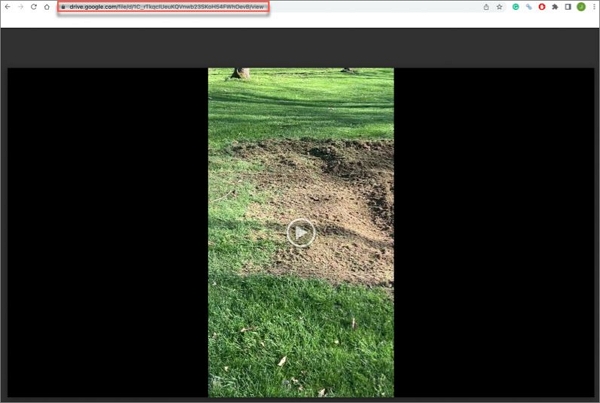
Step 2. Press Command + Shift + C on Mac or Ctrl + Shift + C on PC to open Developer Console. Click the video to play.
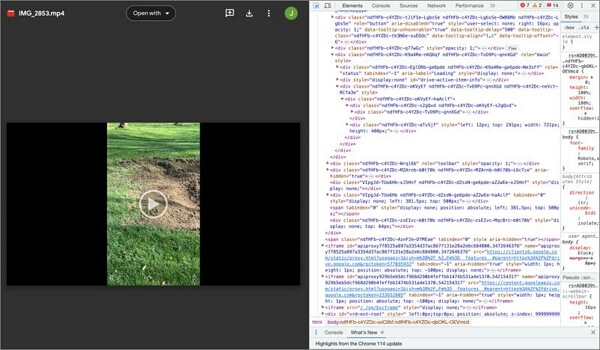
Step 3. Go to the Network tab at the top of the Developer Console.
Step 4. Locate the Filter box at the top-left corner of the Developer Console and type in "videoplayback".
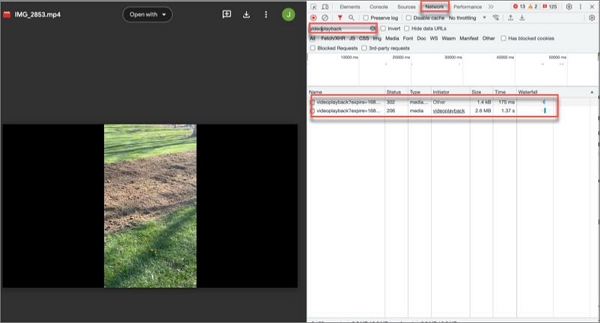
Step 5. Double-click any one of the found URLs, and a new window containing the video will open.
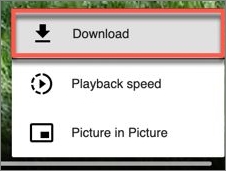
Step 6. Click on the three-dot menu option on the video. Then, select the Download option and save the restricted video to your device.
More Info When Using Developer Tools:
Many Google Drive video downloaders are available, but some fail to detect the videos on Google Drive, and some are only accessible to paid users. Video Downloader PLUS was tested and proven to be an advisable solution for downloading videos from Google Drive. It is free and very easy to use.
✅Follow the instructions to download a video from Google Drive:
Step 1. Search for and find the Video Downloader PLUS Chrome Extension.
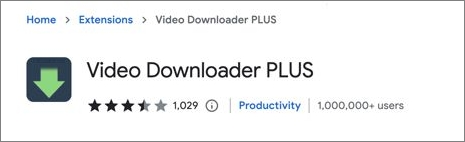
Step 2. Click the Add to Chrome > Add extension and pin this extension.
Step 3. Play the view-only video from your Google Drive.
Step 4. Click the extension icon, agree to the terms of use, and the video downloader will list all detected videos on Google Drive.
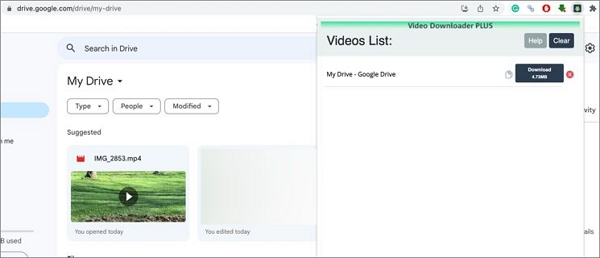
Step 5. Locate the video you want to download with denied permission and click the Download button.
More Info When Using Video Downloader PLUS:
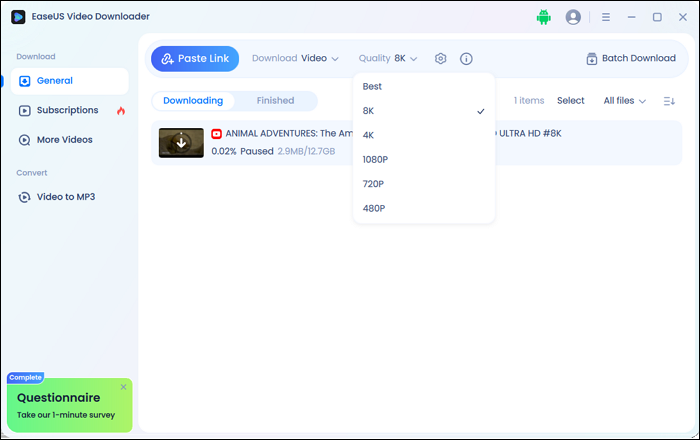
Using a reliable and secure tool is essential if you're looking to download videos from public platforms like YouTube, Facebook, Twitter, TikTok, and more. That's where EaseUS Video Downloader comes in. EaseUS Video Downloader is a user-friendly desktop app that lets you download videos from many popular websites for offline viewing, content backup, or personal archiving. It supports high-resolution downloads up to 8K, and even allows bulk downloads, audio extraction, and video playback (built-in video player).
Download Any Video in High Quality, Anytime
Download publicly available videos from YouTube, Facebook, Twitter, Instagram and more for personal use.
✅ Note: This tool is designed for downloading videos from publicly accessible pages. It should not be used to download private or copyrighted content without permission.
🚀 Key Features
🚀 Why Choose EaseUS Video Downloader:
Downloading view-only videos from Google Drive without permission isn't always straightforward. These restrictions exist to protect the rights and intentions of content owners, whether for privacy, copyright, or security.
In most cases, the best approach is to contact the file owner directly and ask for download access. It's the legal, respectful, and recommended method. If that's not possible, there are limited workarounds — but they should only be used for personal reference, and never to share or distribute protected content.
For videos that are publicly accessible online, such as those on YouTube, Facebook, or TikTok, you can rely on tools like EaseUS Video Downloader to safely and easily download content for offline use.
Download Any Video in High Quality, Anytime
Download publicly available videos from YouTube, Facebook, Twitter, Instagram and more for personal use.
This FAQs section offers more information on downloading videos from Google Drive. Check them out.
The best way is to contact the owner to give you permission to download the files. You will have more options to manage the files once you have full permission.
Yes, you can download a video from another user's Google Drive if he or she shares the video with you and grants you the download permission.
You cannot directly download a video from Google Drive with view-only permission. You either need to use Chrome Inspect Dev Tool or a professional video downloader to bypass the permission restriction.

Copyright Disclaimer
This article is for educational and technical reference only. Do not use the described methods to download or share copyrighted content without permission.
Users are fully responsible for any legal consequences. Please:

Respect content creators' rights

Use official or authorized platforms

Avoid unauthorized downloads

Use official or authorized platforms
Columnist
Gorilla joined EaseUS in 2022. As a smartphone lover, she stays on top of Android unlocking skills and iOS troubleshooting tips. In addition, she also devotes herself to data recovery and transfer issues.
Read Full Bio More Related Articles
Download TikTok Video Extension [7 Free Tools without Watermark]🌐
Unlock TikTok's true potential with our recommended video extensions. Download unlimited TikTok videos for free without any teasing watermarks.
Gorilla. Oct 23, 2026
3 min read
YouTube Full Screen Not Working [on PC, Mobile, TV]
Troubleshoot and fix YouTube full screen issues with our comprehensive guide. Learn how to resolve problems on desktop and mobile devices with easy-to-follow steps.
Gorilla. Oct 23, 2026
3 min read
4 Still Working Video Downloader Extension for YouTube
Let's see how many extensions still work for downloading YouTube videos on Chrome and Firefox. Get the final YouTube video downloader from this article!
Gorilla. Oct 23, 2026
3 min read
Age-Restricted YouTube Videos: How to Save for Personal Use
Want to download age-restricted YouTube videos? Here are the top 5 methods to save them on PC, Android, and iPhone. Now let's learn how to download age-restricted YouTube videos effortlessly!
Gorilla. Oct 23, 2026
3 min read