-
![]()
Joey Albert
Joey has been involved with tech ever since she joined the EaseUS editor team in March 2011 and now she is a senior website editor. She is good at solving various issues, such as video downloading and recording.…Read full bio -
![]()
Alin
Alin is a sophisticated editor for EaseUS in tech blog writing. She is proficient in writing articles related to screen recording, voice changing, and PDF file editing. She also wrote blogs about data recovery, disk partitioning, data backup, etc.…Read full bio -
Jean has been working as a professional website editor for quite a long time. Her articles focus on topics of computer backup, data security tips, data recovery, and disk partitioning. Also, she writes many guides and tutorials on PC hardware & software troubleshooting. She keeps two lovely parrots and likes making vlogs of pets. With experience in video recording and video editing, she starts writing blogs on multimedia topics now.…Read full bio
-
![]()
Gorilla
Gorilla joined EaseUS in 2022. As a smartphone lover, she stays on top of Android unlocking skills and iOS troubleshooting tips. In addition, she also devotes herself to data recovery and transfer issues.…Read full bio -
![]()
Rel
Rel has always maintained a strong curiosity about the computer field and is committed to the research of the most efficient and practical computer problem solutions.…Read full bio -
![]()
Dawn Tang
Dawn Tang is a seasoned professional with a year-long record of crafting informative Backup & Recovery articles. Currently, she's channeling her expertise into the world of video editing software, embodying adaptability and a passion for mastering new digital domains.…Read full bio -
![]()
Sasha
Sasha is a girl who enjoys researching various electronic products and is dedicated to helping readers solve a wide range of technology-related issues. On EaseUS, she excels at providing readers with concise solutions in audio and video editing.…Read full bio
Page Table of Contents

Sasha
Updated on Jan 21, 2026
0 Views |
0 min read
Why We Select/Quick Answer:
- EaseUS VoiceWave: Built-in Guest 666 filter, ultra-low latency, works instantly with 2,000+ apps, ideal for Discord/Roblox/OBS, perfect for live reactions and trolling.
- Voicemod: Tuna library offers multiple community-made voice versions and a rich ecosystem of soundboards, suitable for users who like variety and cross-platform support.
- Jammable: Best for AI voice generation, multi-voice mixes, duets, harmonies, and custom voice model training, ideal for YouTube/TikTok creators rather than live use.
Have you ever heard that deep, twisted, spine-chilling growl in Discord, Twitch, or Roblox voice channels? That could be the effect of the "Guest 666 / Forsaken voice changer". Recently, with multiple voice changer tools like Voicemod offering Guest 666 / Forsaken as a real-time filter, this tag has quickly become popular among horror game players, streamers, and prank enthusiasts. To help you get started, we've selected three top Guest 666 voice changers that cover almost every use case, whether for streaming, gaming, or pranks. Keep reading to find the perfect horror voice for you.
Overview of Guest 666

Guest 666 is a fictional character and urban legend originating from Roblox, introduced in the game FORSAKEN as a "killer": a deformed, demon-like, and terrifying entity that hunts survivors using a combination of blood mechanics, persistent pressure, and a variety of horrifying abilities. This killer has a deep, hoarse, and distorted voice, often accompanied by fractured and glitchy effects, which heighten the sense of fear and unease.
Guest 666 Voice Trolling with EaseUS VoiceWave [Real-Time]
Compatibility: Windows 10 & 11
Price: free version, and starts from $14.95
Voice effects: Guest 666, Noli, c00lkidd, Bluudud, and more
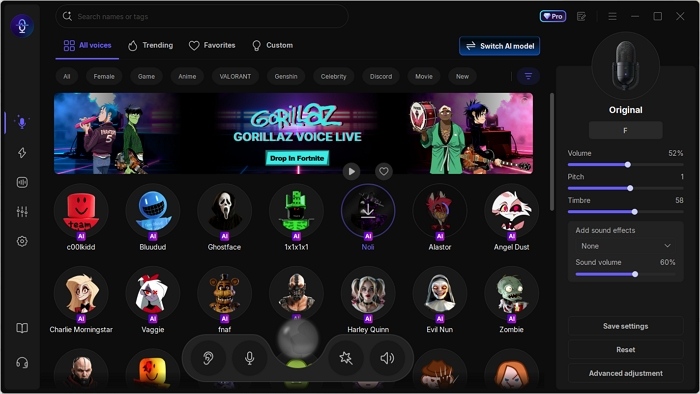
The first tool we recommend is EaseUS VoiceWave, a real-time voice changer perfect for trolling, streaming, or gaming. It comes with a built-in Guest 666 voice filter, ready to use instantly. What sets it apart is its real-time voice-changing capability, which lets you sound like Guest 666, John Doe, Noli, and more.
Designed for gamers, streamers, and VTubers, VoiceWave works seamlessly with games like Call of Duty and Overwatch, as well as streaming platforms like OBS, Twitch, and YouTube Live. Powered by multiple voice models (RVC and proprietary AI), it delivers high-quality, natural-sounding voice transformations.
Get all the killer voices from Forsaken now!
✔️What You Can Get from EaseUS VoiceWave:
- Troll in real time using the AI-generated Guest 666 voice
- Access a wide range of funny and horror soundboards
- Enjoy seamless compatibility with 2,000+ apps and games
- Customize voices with options like voice cloning and fine-tuning
🎯Pros:
- Built-in Guest 666 voice presets and other killers' voices
- Free version available
- Minimal latency, perfect for live use
⚡Cons:
- Only available on Windows
[ ▶︎ ]This video shows how you could use a Guest 666 voice for trolling!

Guest 666 Voice Effect with Voicemod [Add via Tuna First]
Compatibility: Windows & macOS
Price: Free & $10/mo for its pro plan
Voice effects: Guest 666, 1x1x1x1, Noli, The Specter, etc.
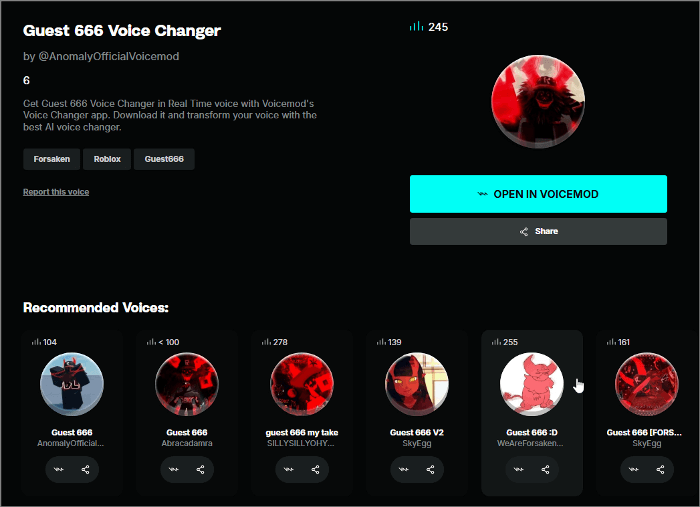
Voicemod, one of the most popular real-time voice changers, also supports a Guest 666 AI voice. However, it is not directly available in the default voice library. To access it, find the voice on Tuna, then either share it for free or open it in Voicemod. Please note that using it requires a paid subscription.
There are many versions of Guest 666 voices on Tuna, but unfortunately, there is no preview option, making it difficult to know which one suits you best. The most effective way to select your preferred voice is to add it directly into Voicemod and test it in real time.
🎯Pros:
- Multiple versions of the Guest 666 AI voice available
- Regularly updated soundboards
- Users of Windows and macOS available
⚡Cons:
- No offline mode
Guest 666 AI Voice with Jammable [Online Voice Generation]
Compatibility: Web-based
Price: $1.99/mo
Voice effects: c00lkidd, Pr3rtpriinecess, Minecraft Villager, etc.
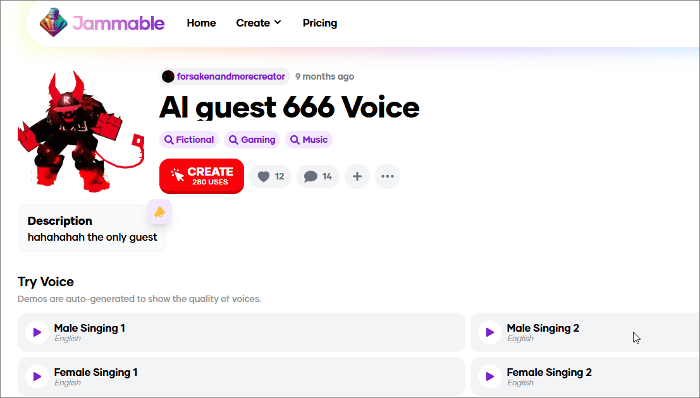
Jammable is an online music platform that lets you create AI-powered song covers using a wide range of voice models. In addition to standard options like male, female, pop, and rock, it also includes trending AI voices such as Guest 666, Bad Bunny, Goku, and more. The platform supports multi-voice tracks, duets, and layered harmonies, allowing you to mix different voice models in a single project. With these features, creating a Guest 666 song cover becomes incredibly easy. Jammable even allows you to train your own custom voice model, giving you full creative freedom.
🎯Pros:
- Beginner-friendly interface
- Large voice library with flexible generation settings
- Voice customization and personal voice training
⚡Cons:
- The free plan is limited
Conclusion
This post lists 3 Guest 666 voice changers that can cover most of your daily use. Here is our final conclusion:
1️⃣EaseUS VoiceWave: Best for gamers, streamers, VTubers, pranksters who need real-time performance
2️⃣Voicemod: Best for creators who enjoy experimenting, want many Guest 666 variations, or use both Windows & macOS
3️⃣Jammable: Best for music creators, cover makers, editors, and anyone producing pre-recorded content
Share it on:

FAQs on Guest 666 from Forsaken Voice Changer
1. Is guest 666 back in Roblox?
Yes, it was once just a rumor, but Guest 666 has officially entered Forsaken as the newest killer, and he's every bit as terrifying as the legends claimed.
2. Are voice changers allowed in Fortnite?
Yes, voice changers are allowed in Fortnite as long as you use them for fun, streaming, or privacy and not for harassment, cheating, or impersonation. Using a voice changer is generally safe, but abusing it to violate Epic Games' community guidelines can lead to penalties.
3. Is AI voice changing legal?
Yes. AI voice changing is legal as long as you follow basic rules:
- Do not impersonate real people for fraudulent or harmful purposes.
- Do not violate copyright, privacy, or platform rules.
- Using AI voices for entertainment, streaming, parody, or creative projects is completely fine.
4. How do I feminize my voice as a woman?
To feminize your voice naturally, try focusing on these key techniques:
Pitch: Raise your pitch slightly to a comfortable higher range.
Resonance: Shift resonance forward (brighter, lighter sound).
Inflection: Add more vocal variation instead of speaking flatly.
Breathiness: A softer airflow creates a more feminine tone.
Practice phrases: Train with daily speaking exercises.
For quick effects, you can also use AI voice changers that offer real-time feminine filters.