-
![]()
Joey Albert
Joey has been involved with tech ever since she joined the EaseUS editor team in March 2011 and now she is a senior website editor. She is good at solving various issues, such as video downloading and recording.…Read full bio -
![]()
Alin
Alin is a sophisticated editor for EaseUS in tech blog writing. She is proficient in writing articles related to screen recording, voice changing, and PDF file editing. She also wrote blogs about data recovery, disk partitioning, data backup, etc.…Read full bio -
Jean has been working as a professional website editor for quite a long time. Her articles focus on topics of computer backup, data security tips, data recovery, and disk partitioning. Also, she writes many guides and tutorials on PC hardware & software troubleshooting. She keeps two lovely parrots and likes making vlogs of pets. With experience in video recording and video editing, she starts writing blogs on multimedia topics now.…Read full bio
-
![]()
Gorilla
Gorilla joined EaseUS in 2022. As a smartphone lover, she stays on top of Android unlocking skills and iOS troubleshooting tips. In addition, she also devotes herself to data recovery and transfer issues.…Read full bio -
![]()
Rel
Rel has always maintained a strong curiosity about the computer field and is committed to the research of the most efficient and practical computer problem solutions.…Read full bio -
![]()
Dawn Tang
Dawn Tang is a seasoned professional with a year-long record of crafting informative Backup & Recovery articles. Currently, she's channeling her expertise into the world of video editing software, embodying adaptability and a passion for mastering new digital domains.…Read full bio -
![]()
Sasha
Sasha is a girl who enjoys researching various electronic products and is dedicated to helping readers solve a wide range of technology-related issues. On EaseUS, she excels at providing readers with concise solutions in audio and video editing.…Read full bio
Page Table of Contents

Sasha
Updated on Nov 11, 2025
0 Views |
0 min read
Voice cloning is transforming how people create and communicate. By analyzing tone, pitch, and style, this technology allows anyone to replicate any voice with striking realism. It is now widely used by content creators, streamers, and gamers to produce lifelike narrations, unique character voices, or immersive in-game chat.
With growing demand, voice cloning apps and software have become more accessible. Among them, EaseUS VoiceWave stands out for delivering professional-grade, real-time voice cloning on Windows—perfect for anyone who wants to sound unique and creative. Whether you're using Windows software, a mobile app, or an online platform, AI voice cloning is now more accessible than ever.
Best Voice Cloning Tool for Windows – EaseUS VoiceWave
- ⭐Rating: 4.8/5 on Trustpilot
- 💲Pricing: Starting from $14.95/mo
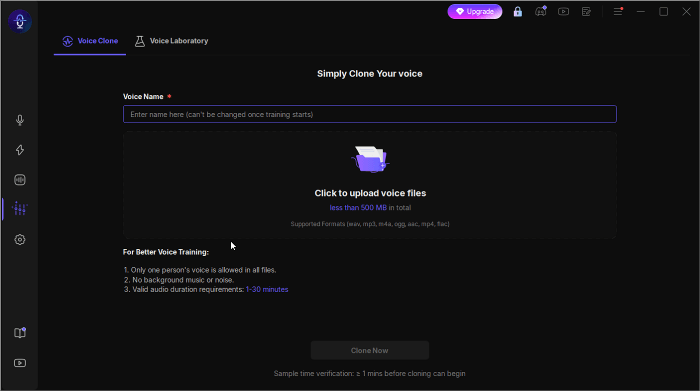
EaseUS VoiceWave is a Windows app that supports AI voice cloning and real-time voice modulation. With an advanced AI algorithm, it can precisely clone any voice and easily generate a personalized AI replica. This feature is ideal for anyone seeking to create, perform, or express themselves with a distinctive vocal identity.
Key Points:
- Powered by advanced AI technology that accurately learns and replicates your vocal traits
- Thoroughly tested to ensure cloned voices sound clear, natural, and lifelike
- Perfect for voiceovers, live chats, and streaming across multiple platforms
- Allows fine-tuning of pitch and timbre for a more personalized sound
- Local processing guarantees full privacy and data security — no cloud uploads
Use Cases of the Cloned Voices
Content Creators: Making Videos
The cloned voice could be used for narrating videos, creating character dialogues, or maintaining a consistent brand sound without re-recording every line.
Game Players: In-Game Voice Chat
Use cloned voices to match in-game characters, role-play with friends, or stay anonymous during online games while maintaining clear and engaging communication.
Streamers & VTubers: Live Interaction
Switch between cloned voices in real time to entertain audiences, enhance immersion, or maintain your virtual persona's signature voice.
Download EaseUS VoiceWave for Windows and experience realistic voice cloning.
Top Voice Cloning Apps for Mobile (iOS & Android)
If you prefer using your phone, here are a few mobile-friendly options. However, for the most powerful real-time cloning experience, Windows tools like VoiceWave still lead the way.
Speechify
- ⭐Rating: 4.7/5 on App Store
- 💲Pricing: free version, starting from $29/mo
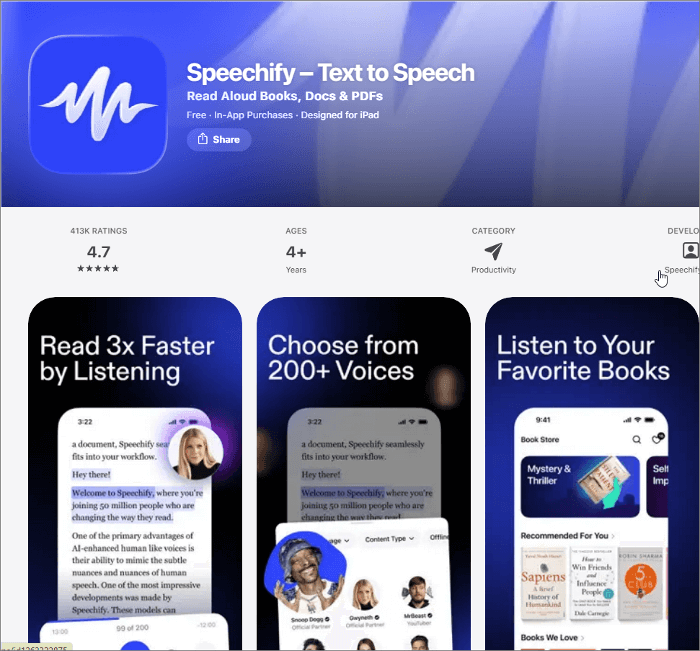
The voice cloning feature in the Speechify mobile app lets you create a realistic digital replica of your own voice through advanced AI analysis. Simply record a short voice sample or upload a clean audio file, and Speechify will generate a personalized AI voice model that mirrors your tone and style. You can further fine-tune parameters such as speed, volume, and emotion, then use your cloned AI voice to read any text you input.
🟢Pros:
- Simple and fast
- Accurate results
- Accesible for free
⛔Cons:
- Some cloned voices sound robotic
- Feature limitations for the free plan users
Speech Lab - Voicemod TTS
- ⭐Rating: 4.8/5 on App Store
- 💲Pricing: Starting from $34.99
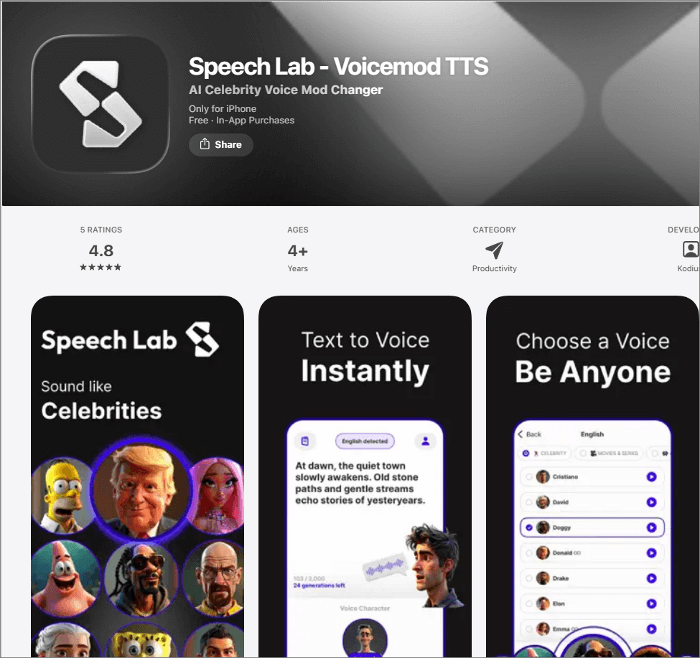
This app, available on iPhone, allows you to change your voice into the voices of your favoriate celebrities, famous cartoons, and other popular characters. Besides the text-to-speech and AI voice changer features, its AI voice cloning feature helps you clone your own voice or replicate anyone else's voice in seconds. You can save your created AI voices and sound effects to your device's storage and share them with friends and family members.
🟢Pros:
- Boasts multiple interesting AI features
- Large library of AI voices
- Allow to share the cloned voices
⛔Cons:
- Limited features in the free plan
- Accessible only for iOS 16.0 and later versions
Best Online Voice Cloning Platforms
Elevenlabs
- ⭐Rating: 3.2/5 on Trustpilot
- 💲Price: Starting from $5/mo
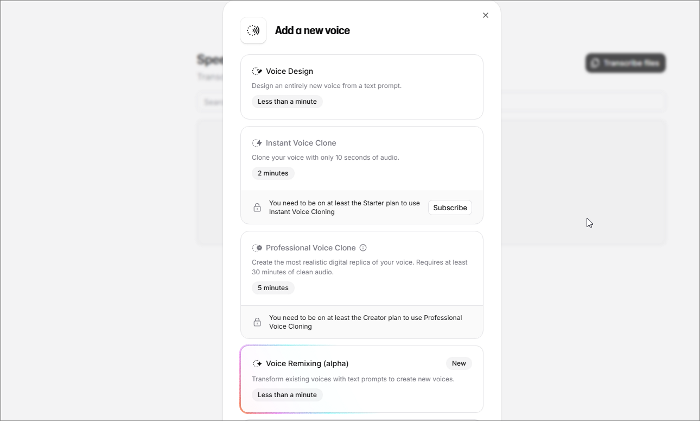
This online service, Elevenlabs, is highly praised for its natural and human-like results. It offers two options: instant voice cloning, which helps clone your voice with just a few minutes of audio, and professional voice cloning, perfect for audiobooks, podcasts, and video games. Please note that this feature is only available for paid users. And for its starter plan, you can only use the instant voice cloning feature.
🟢Pros:
- Easy to use
- High-quality voice cloning
- API integration
⛔Cons:
- High cost and credit system
- Audio engineering skills needed for professional cloning
Resemble.ai
- ⭐Rating: 3.9/5 on G2
- 💲Pricing: Start from $19/mo
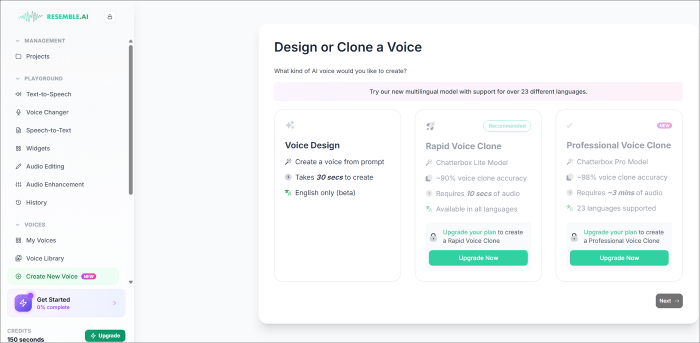
Resemble AI is not just a text-to-speech tool, but also a platform to help you create entirely unique, AI-generated voices or clone existing ones with accuracy. Many users praised it for generating human-like voices with natural reflections that do not sound robotic. Compared to other traditional voice recording and editing methods, it saves a significant amount of time. However, creating a successful custom voice model can be a lengthy process that requires numerous audio samples and potentially multiple attempts.
🟢Pros:
- User-friendly and intuitive UI
- Realistic voice quality
- Many other features, like real-time speech-to-speech
⛔Cons:
- Occasional technical glitches
- A little bit expensive
While these web platforms make cloning accessible, desktop apps like VoiceWave deliver better performance for real-time voice work.
Comparison: App vs Online Platform vs Desktop Software
| Feature | EaseUS VoiceWave | Online Platform | Mobile App |
| Real-time voice morphing | ✅ Yes | Limited | Limited |
| Voice quality | ✅ Studio-grade | High | Medium |
| Privacy | ✅ Local processing | Low (cloud) | Depends on cloud |
| Best for | ✅ Professional use/gaming/streaming | Quick tests | On-the-go |
How to Clone Your Voice with EaseUS VoiceWave
The voice cloning feature, released in its latest version, is pretty simple to use.
Step 1. Go to the "Voice Creation" tab (available only in version 3.2.2) and upload a clean vocal recording, no larger than 500 MB and up to 30 minutes in length. Please make sure there is no background music or noise in this file.
Step 2. VoiceWave's advanced algorithms will analyze the unique nuances of your voice. Please wait patiently.
Step 3. After it finishes cloning, you can preview, save, and use the cloned voice.
Ethical Tips & Conclusion
Voice cloning brings exciting, creative possibilities, but ethical use is essential. Never use cloned voices to impersonate, deceive, or violate others' privacy. Always get clear consent before using someone's voice and stay compliant with local laws. When used responsibly, voice cloning can enhance gaming, streaming, and content creation in positive ways.
Explore ethical and creative voice cloning with EaseUS VoiceWave — your trusted voice cloning software for Windows.
FAQs on Voice Cloning Apps & Software
You can also continue reading to learn more about some frequently asked questions related to this topic.
1. What is the best tool to clone voices?
It depends on your purpose. For professional editing work, Descript is a top choice. For ultra-realistic AI voices, ElevenLabs is a popular choice. If you want real-time voice cloning for gaming or streaming, EaseUS VoiceWave offers a professional and easy-to-use option.
2. Is voice cloning illegal?
Voice cloning itself is not illegal, but using it without consent or for deceptive or fraudulent purposes can violate privacy, likeness, and identity laws.
3. How to clone voices for free?
Several tools offer free trials or limited free plans, such as ElevenLabs and Resemble AI. You can also explore open-source projects like OpenVoice and Chatterbox. Free tools usually have restrictions on duration, downloads, or commercial use, and open-source options require more technical setup.
4. Can AI be used to copy someone's voice?
Yes, AI can accurately mimic a person's voice from short audio samples. However, doing so without consent is unethical and may be illegal. Always use AI voice cloning responsibly — for creative, educational, or entertainment purposes only, with transparency and permission.
Share it on: