-
![]()
Joey Albert
Joey has been involved with tech ever since she joined the EaseUS editor team in March 2011 and now she is a senior website editor. She is good at solving various issues, such as video downloading and recording.…Read full bio -
![]()
Alin
Alin is a sophisticated editor for EaseUS in tech blog writing. She is proficient in writing articles related to screen recording, voice changing, and PDF file editing. She also wrote blogs about data recovery, disk partitioning, data backup, etc.…Read full bio -
Jean has been working as a professional website editor for quite a long time. Her articles focus on topics of computer backup, data security tips, data recovery, and disk partitioning. Also, she writes many guides and tutorials on PC hardware & software troubleshooting. She keeps two lovely parrots and likes making vlogs of pets. With experience in video recording and video editing, she starts writing blogs on multimedia topics now.…Read full bio
-
![]()
Gorilla
Gorilla joined EaseUS in 2022. As a smartphone lover, she stays on top of Android unlocking skills and iOS troubleshooting tips. In addition, she also devotes herself to data recovery and transfer issues.…Read full bio -
![]()
Rel
Rel has always maintained a strong curiosity about the computer field and is committed to the research of the most efficient and practical computer problem solutions.…Read full bio -
![]()
Dawn Tang
Dawn Tang is a seasoned professional with a year-long record of crafting informative Backup & Recovery articles. Currently, she's channeling her expertise into the world of video editing software, embodying adaptability and a passion for mastering new digital domains.…Read full bio -
![]()
Sasha
Sasha is a girl who enjoys researching various electronic products and is dedicated to helping readers solve a wide range of technology-related issues. On EaseUS, she excels at providing readers with concise solutions in audio and video editing.…Read full bio
Page Table of Contents

Sasha
Updated on Jan 21, 2026
0 Views |
0 min read
Want to make your friends laugh in voice chats, streams, or games? A funny mic voice changer is the perfect way to do it. These tools can transform your voice into low-quality, overblown microphone sounds or other hilarious effects that mimic bad audio setups. In this guide, we've selected the three best funny mic voice changers that are easy to use, work in real-time, and come with a variety of extra voice effects to keep the fun going. Just keep reading.
What is a Funny Mic Voice Changer?
Here, a voice changer refers to a virtual software tool, as opposed to hardware, that modifies a person's voice by adjusting characteristics such as pitch, tone, and timbre. Modern voice changers often use AI technology to create unique vocal effects. Thanks to AI, today's tools include a wide variety of popular voice effects, soundboards, and meme-inspired sounds.
One example is the funny mic voice effect. When activated, it makes your voice sound intentionally low-quality for comedic purposes, similar to speaking through a cheap webcam microphone while shouting or breathing heavily into it.
You can get a quick glance at these three tools.
| Feature / Factor | EaseUS VoiceWave | Voicemod | Voice.ai |
| Funny Mic Quality | Excellent – realistic low-quality mic effect | Good – available via community Tuna | Good – included among thousands of free voices |
| Other Voice Effects | Anime, cartoon, celebrity voices | Huge library, community sounds, meme voices | Thousands of voices |
| Compatibility | Windows | Windows, macOS, iOS, Android | Windows |
| Ease of Use | User-friendly interface | Slightly complex for beginners due to customization | Simple interface; AI features may require learning |
| Customization | Yes – personalize pitch, timbre, voice effects | Yes – create custom voices | Yes – create & clone AI voices |
| Pricing / Value | Free basic plan; Pro version for premium effects | Free & Paid plans | Free plan; Premium plan available |
| Rating | 4.1/6 on AppSumo | 3.9/5 on Google Play | 4/5 on AI Product Reviews |
Best 3 Funny Mic Voice Changer
Here, we've chosen three professional voice changers that can instantly make you sound like you're talking with a funny mic voice effect. All of them are real-time voice changers, so you can use them whether online chatting, gaming, or live streaming.
No. 1 EaseUS VoiceWave
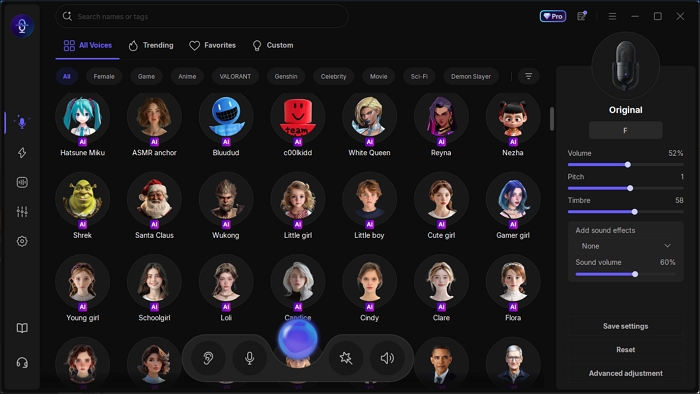
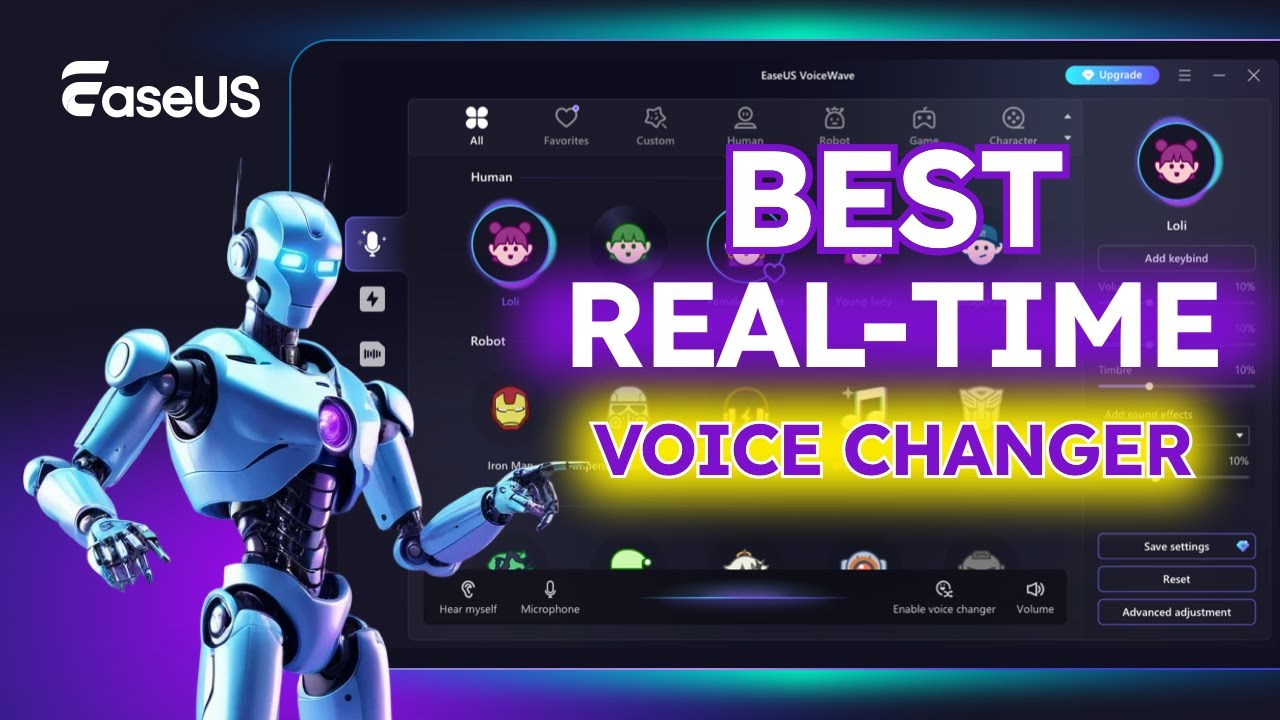
EaseUS VoiceWave, as one of the professional voice changers, has always been the first choice for gamers, content creators, and streamers when choosing an affordable voice modulation tool with a funny mic effect. This real-time voice changer comes with multiple AI voice effects, ranging from anime (like Gojo from Jujutsu Kaisen and Nezuko from Demon Slayer) to cartoon (like SpongeBob and Micky Mouse) to celebrities (like Trump and Tim Cook).
The funny mic, of course, was also included. One of the features that makes it stand out is that it works seamlessly with more than 2,000 apps, including online chatting apps like Discord and Skype, as well as online games like Roblox, Minecraft, and Call of Duty. You can directly get it from here!
See what you can do with this voice changer for Windows:
- Real-time voice modulation to deep voice, cute girl, and funny mic;
- Get trendy audio clips and memes;
- Customize your personal voice effect;
- Clone other voices using AI;
- Reduce noise while taking.
| ⭕Pros | ❌Cons |
|---|---|
|
|
You could also get more information from this video!
No 2. Voicemod
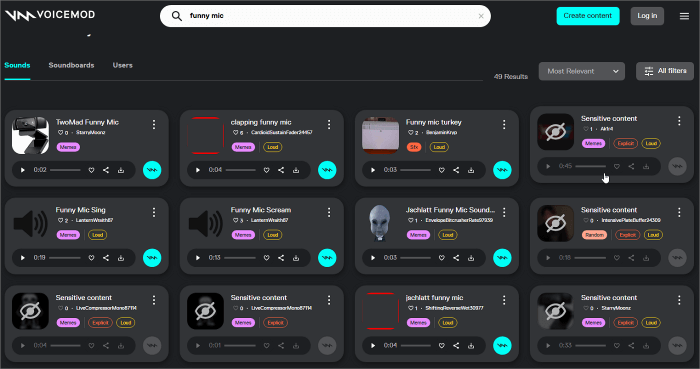
As one of the most well-known voice changers, Voicemod offers the largest selection of voice filters. Although the funny mic voice is not directly included in its voice library, you can still access it via its community Tuna. In Tuna, there are more than 150,000 community sounds, including those from memes, games, series, and celebrities. Just search "funny mic," you can find some effects like clapping funny mic, funny mic sing, funny mic scream, and more. You can directly open and add them to Voicemod and use them anytime you need.
| ⭕Pros | ❌Cons |
|---|---|
|
|
No. 3 Voice.ai Voice Changer
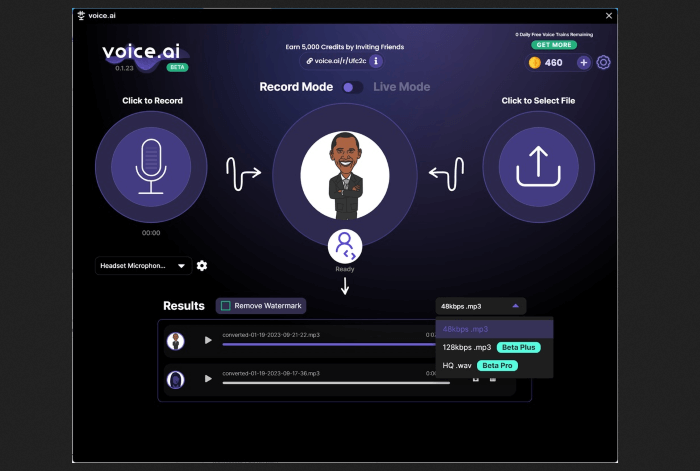
The third tool we recommend is Voice.ai voice changer. Just like the other two we mentioned earlier, it also has wide compatibility with popular games and tools, such as ARC Raiders, OBS, TikTok Live Studio, and League of Legends, among others. There are thousands of free voices, including funny mic effect, and it allows you to create your own. By the way, this Windows voice changer supports both real-time voice changing and offline voice changing in recording mode.
| ⭕Pros | ❌Cons |
|---|---|
|
|
Final Words
Still looking for the funny mic voice effect? Try the three real-time voice changers we recommended above. Each one comes with wide compatibility and a rich library of voices, so you can easily find the style that suits your needs. For the best balance of ease of use and powerful features, start with EaseUS VoiceWave. It gives you free basic voice-changing tools, and if you want to take it further, the Pro version unlocks premium, high-quality effects for endless creativity.
FAQs on Funny Mic Voice Changer
This section addresses some frequently asked questions about the funny mic voice changer.
1. Is voice-changing illegal?
No, using a voice changer itself is not illegal. It's just a tool for fun, creativity, or anonymity. However, using it for harmful purposes, such as fraud, impersonation, or harassment, can be against the law.
2. How can I make my voice sound funny?
You can make your voice sound funny by using a real-time voice changer app that lets you adjust pitch, tone, or add effects. Popular options include the funny mic effect (which makes you sound like you're using a low-quality microphone) or cartoon-style voices for comedic effect.
3. What is the funny voice on TikTok called?
The funny robotic-style narration voice on TikTok is often referred to as the Text-to-Speech (TTS) voice. TikTok also has built-in funny voice effects, such as Chipmunk and Echo, that creators use to add humor to their videos.
Share it on: