Download videos right now
With EaseUS Video Downloader, save any video in seconds - download copyright-free video from public websites.
Affiliate
Earn commissions when you drive sales through your affiliate links.
Resellers
Sell EaseUS products as a distributor.

Creators & Influencers
Partner with us on YouTube, TikTok, Twitch to earn commissions.
OEM & Outsourcing Service
Put your brand on EaseUS software, or get custom solutions.

Refer & Earn
Earn rewards when you refer others to EaseUS solutions.

Education
Verified students and teachers get exclusive discounts.
Page Table of Contents

Jun 25, 2026 0 mins read
🎉 Right-click the GIF, open it in a new tab, change .gifv to .gif, then right-click and select "Save image as" to download it.
Tumblr is a goldmine for GIFs, whether you're looking for reactions, fan art, or funny moments. However, saving these GIFs for later use or sharing them outside of Tumblr isn't straightforward.
Fortunately, there are several easy methods to download Tumblr GIFs without complicated steps. In this guide, I'll walk you through simple steps to save your favorite GIFs from Tumblr.
You can save the Tumblr GIF on your PC and Mac directly without any third-party software, and it's easy to follow.
Step 1. Right-click on the GIF and select "Open image in a new tab."
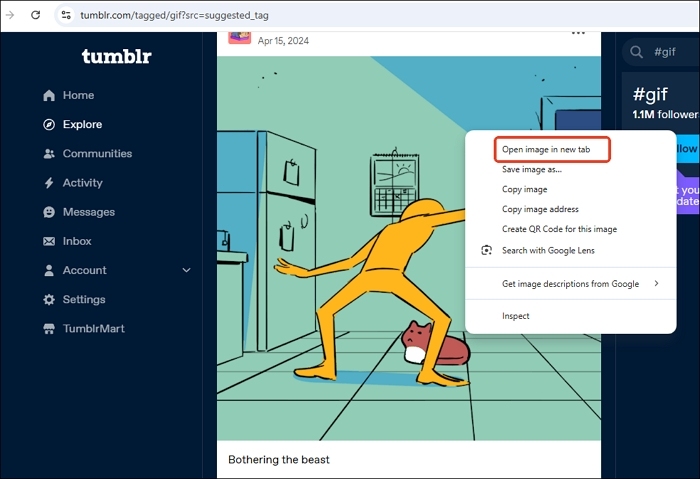
Step 2. If the URL ends with .gifv, remove the letter 'v' so it changes to .gif, then press Enter.

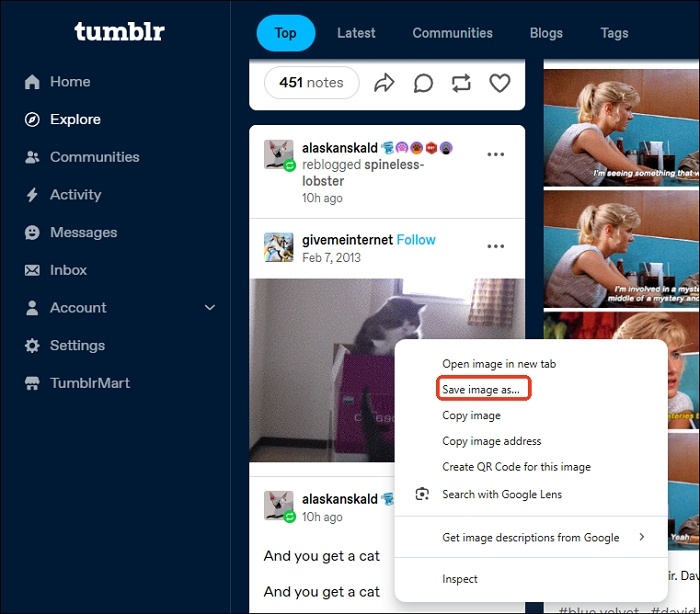
Step 3. Right-click on the GIF in the new tab and choose "Save image as."
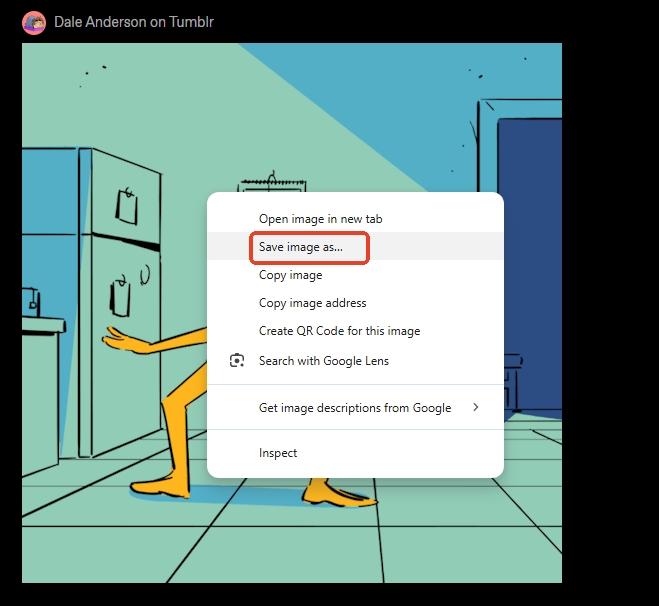
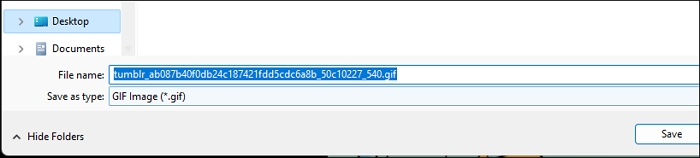
Step 4. Save the GIF to your computer.
Online Tumblr video and GIF downloaders offer a straightforward copy-and-paste process for downloading content without the need for subscriptions or complicated setups. Simply copy the URL of the video or GIF, paste it into the downloader, and start the download—making it quick and hassle-free. However, banner ads and redirects can be intrusive.
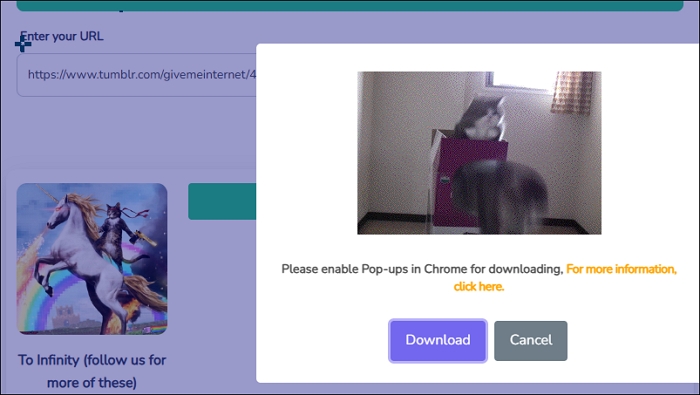
BraveDown is a quick and simple online Tumblr video and GIF downloader that supports multiple formats, including MP4, GIFV, and more. But it shows "Unfortunately, this is a private link or a server error" if you copy the image address rather than the post link. It also shows "enable pop-ups in Chrome for downloading" on the download page.
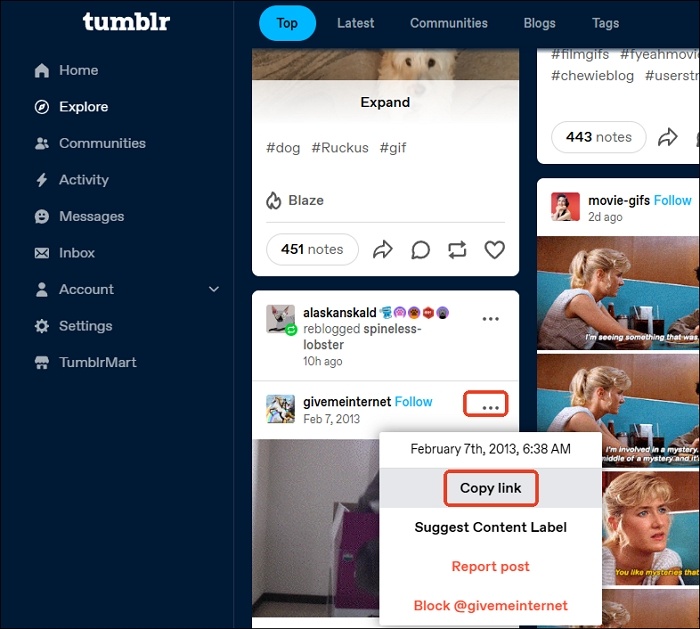
Step 1. Open the Tumblr GIF on your app or webpage and copy its link.
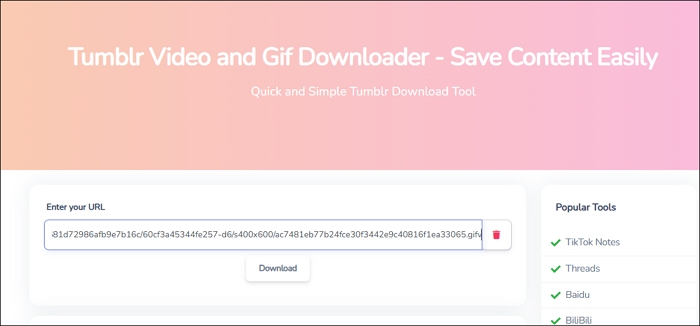
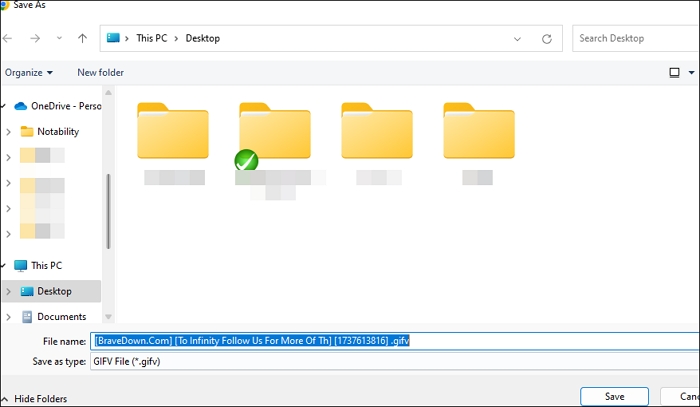
Step 2. Visit Bravedown and input the link. Click the download button.
Step 3. Click the GIFV file below the Download Information. Ignore the pop-up and choose download anyway.
Step 4. Save the GIF image to the local folder.
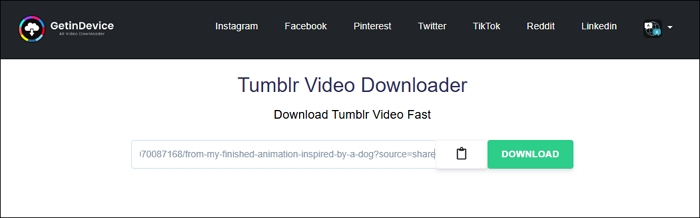
GetinDevice is a free online Tumblr video and GIF downloader. It is easy to use and applies to any device, like your computer or phone. You don't need to log in or create an account. But you have to live with the ads and redirects.
Step 1. Copy the link from the Tumblr GIF you want to download.
Step 2. Paste the link into GetinDevice and tap "DOWNLOAD."
Step 3. Right-click the image version and choose "Save link as…"
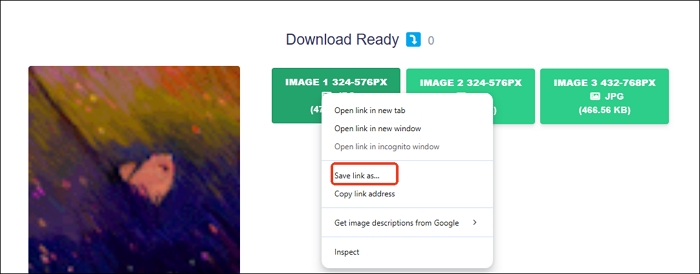
Step 4. Then, you can save the image in GIF format on your PC.
Originally, users could right-click a Tumblr GIF and select "Save image as" to save it directly, but this no longer works. Instead, you can download the GIFs from Tumblr as a Webp file and then use an online WebP-to-GIF converter to complete the process.
Convertio is an easy-to-use, browser-based file converter that supports over 300 formats. Simply upload your file, choose the output format, and convert in under 1-2 minutes. It processes files in the cloud, doesn't require installation, and ensures your privacy by deleting files after 24 hours.
Step 1. Log in to your Tumblr account and search for your desired GIF. Right-click it to "Save image as…" and download the Webp file.
Step 2. Go to Convertio Webp to GIF converter and upload the file.
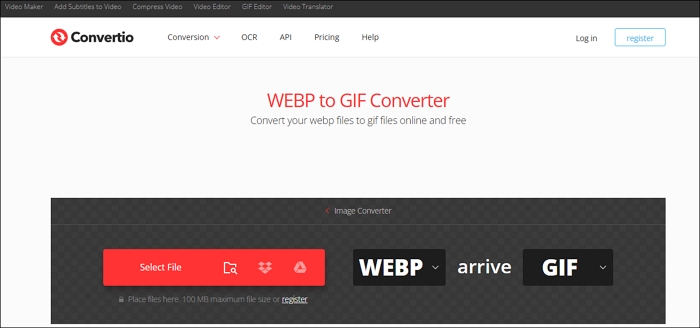
Step 3. Hit "Conversion" and wait for it to process.
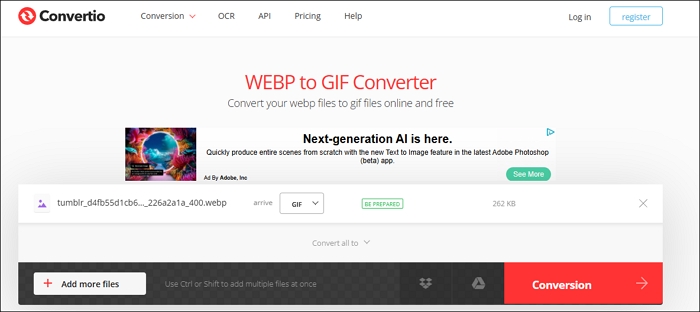
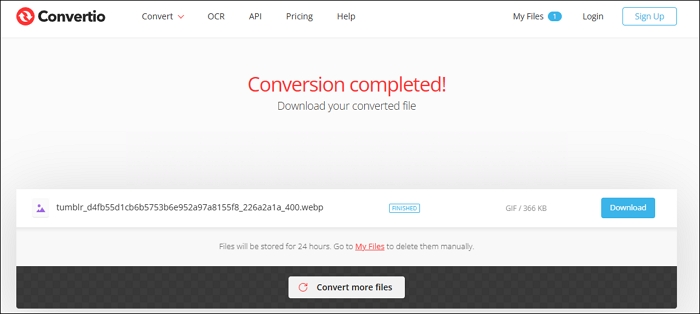
Step 4. Tap the download button to save GIFs on Tumblr.
Ezgif is a free and simple online toolset for creating, editing, and converting animated images like GIFs, WebP, and APNG. It offers features like resizing, combining, and applying effects, along with unique tools like video-to-GIF conversion, background removal, and freeze-frame effects.
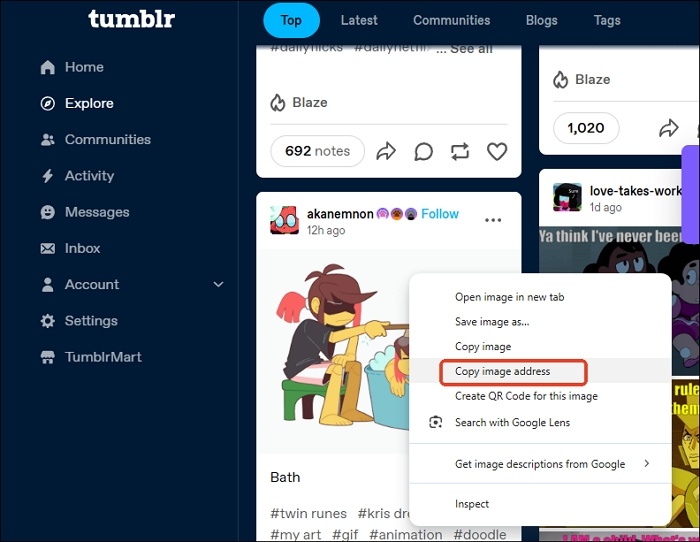
Step 1. Right-click the GIF and choose "Copy image address."
Step 2. Enter the URL into the EZgif box and hit enter or click "Upload."
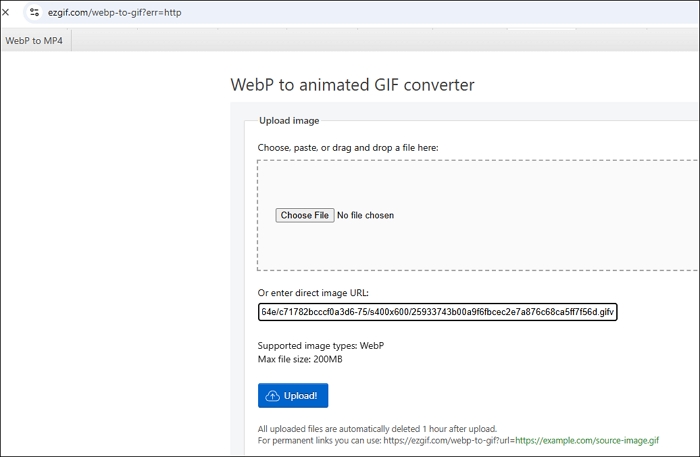
Step 3. Click "Convert to GIF."
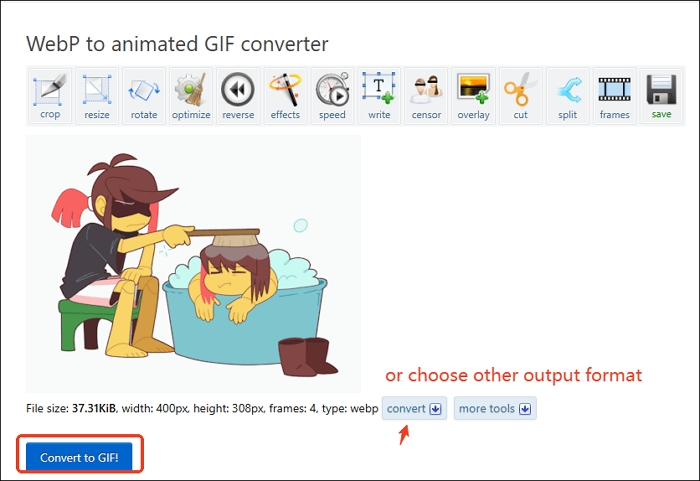
Step 4. Right-click the generated GIF and select "Save image as…"
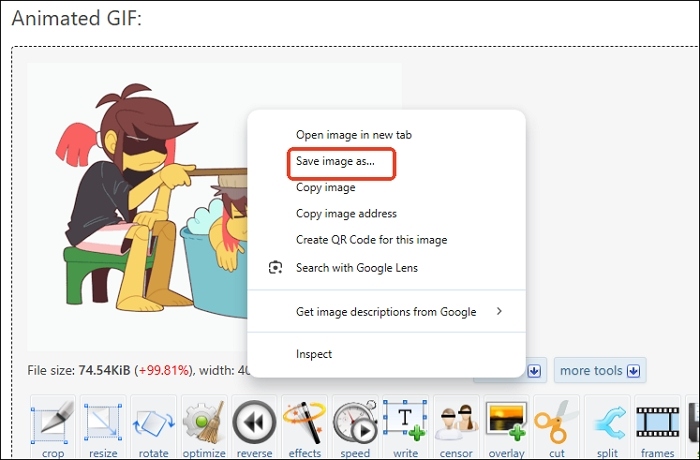
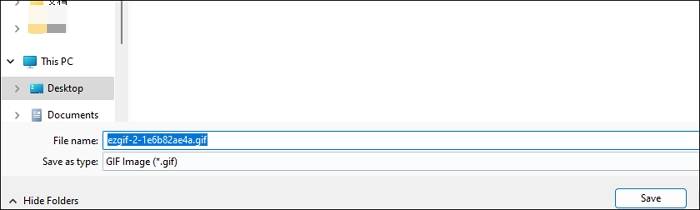
Step 5. Then, you can save the Webp file as a GIF image.
Saving Tumblr GIFs on your iPhone or Android is quite simple and can be done directly through the Tumblr app without needing any additional tools. However, one drawback is that you won't have the option to select the image quality, unlike some dedicated Tumblr GIF downloaders.
Step 1. Open the Tumblr app on your iPhone or Android and login to your account.
Step 2. Search for the desired GIF, tap, and hold it until a pop-up shows. Choose "Download photo" for Android phone and "Save Image" for iPhone. Don't forget to allow Tumblr to access your photo.
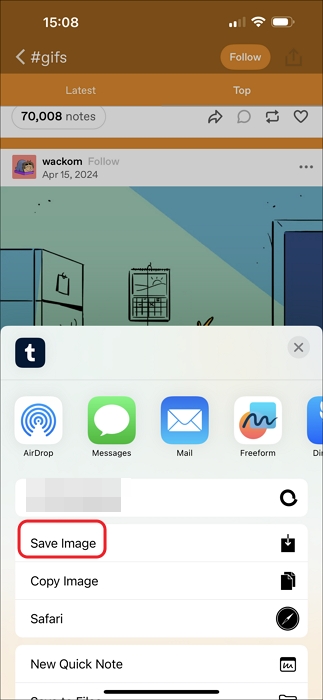
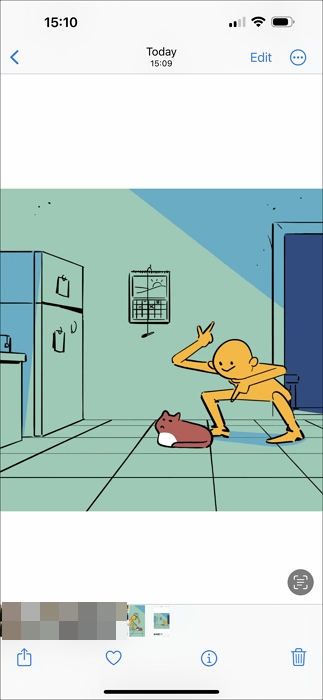
Step 3. Then, you can see the downloaded Tumblr GIF in your phone gallery.
Found this helpful? Share it with others who'd love to download Tumblr GIFs, too!
EaseUS Video Downloader is an efficient tool for downloading high-definition Tumblr videos, offering a seamless experience without annoying ads. It supports HD video downloads up to 8K resolution and is compatible with PC, Mac, and Android devices.
This easy-to-use software is perfect for beginners and ensures fast downloads, supporting over 1,000 platforms like YouTube, TikTok, Instagram, and more. It also comes with a built-in player for browsing, converting, and downloading content all in one tool.
Key Features
Download videos right now
With EaseUS Video Downloader, save any video in seconds - download copyright-free video from public websites.
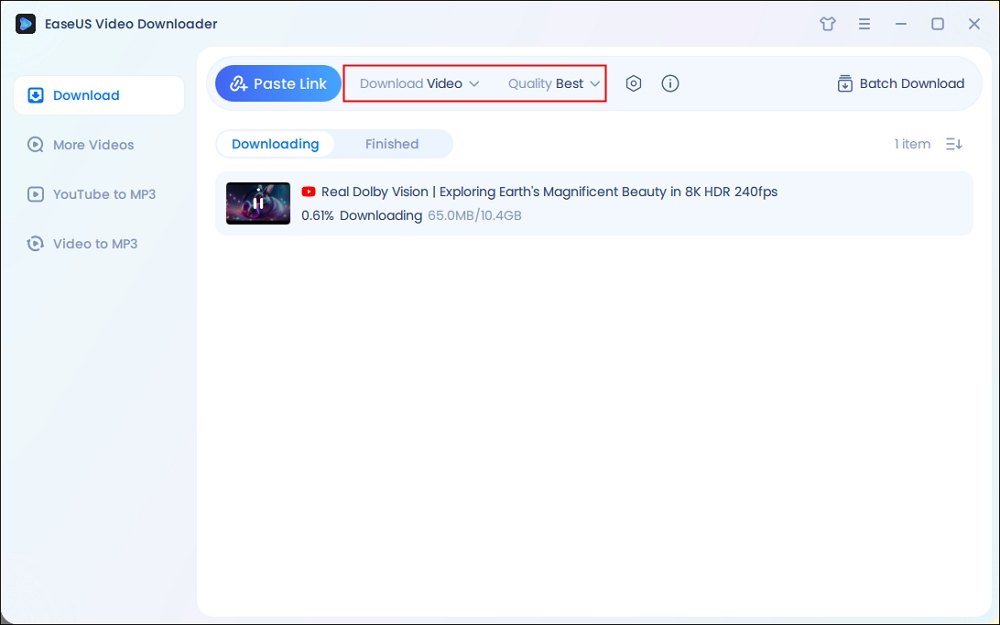
Step 1. Open EaseUS Video Downloader and select your desired output format (MP4 or MP3) and quality based on your needs.
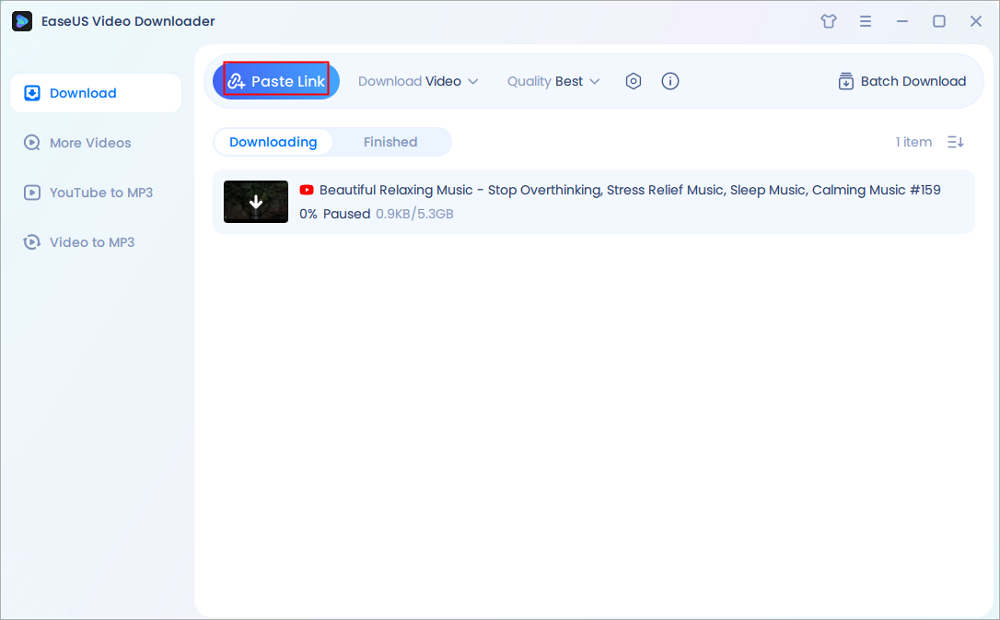
Step 2. Then copy the URL of the YouTube video to this program and click "Paste Link."
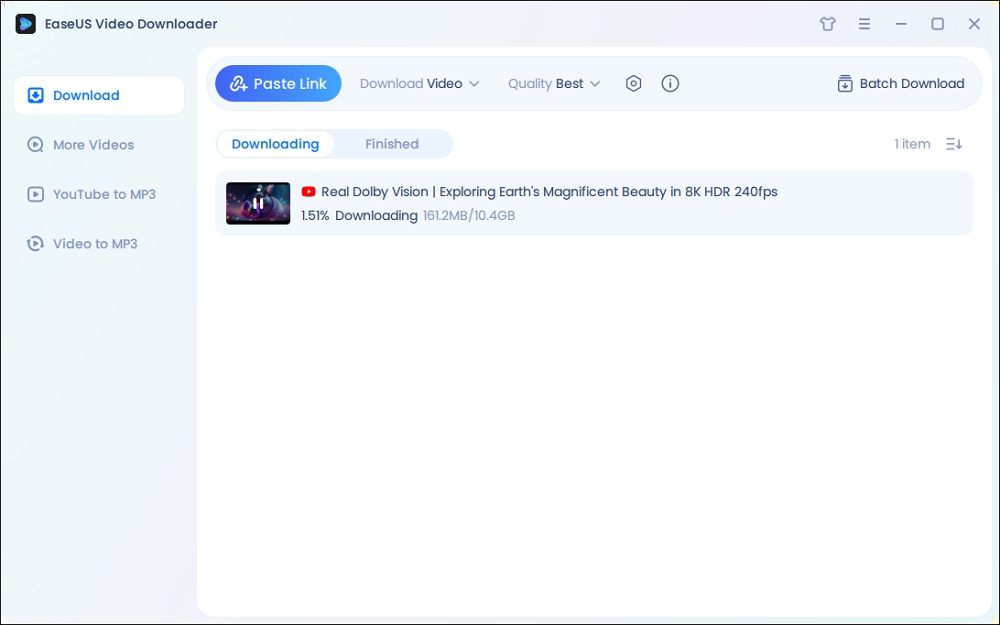
Step 3. Wait for the downloading to finish. When it has done, click "Open File Location" to check the downloaded file.
Disclaimer: This guide is compiled for personal fair use ONLY. EaseUS is in no way collaborated or affiliated with YouTube and never advocates any copyright infringement action, please confirm the copyright before use.
Downloading Tumblr GIFs is easier than ever, and a variety of methods are available to suit your needs. Whether you're on a PC or phone or using online tools, you can save and enjoy your favorite GIFs with minimal hassle. From using built-in Tumblr app options to leveraging online converters and downloaders like Convertio or EZgif, you have plenty of flexibility. Pick the method that works best for you, and start saving your favorite animated content!
Tumblr GIFs may not work if they exceed the platform's limits: a maximum file size of 2MB and specific dimensions (540px width for single posts, 268px for two side-by-side, and 177px for three side-by-side). To ensure functionality, save the GIF in indexed mode (256 colors), and if it doesn't move or errors occur, reduce the file size by deleting layers, cropping, or simplifying colors.
Know What You're Searching For
Search for GIFs
Narrow It Down
Find GIFs in a Set
Advanced Tips
You can download GIFs on Canva, Giphy, Pexels, Tenor, Pixabay, etc.

Copyright Disclaimer
This article is for educational and technical reference only. Do not use the described methods to download or share copyrighted content without permission.
Users are fully responsible for any legal consequences. Please:

Respect content creators' rights

Use official or authorized platforms

Avoid unauthorized downloads

Use official or authorized platforms
Columnist
Gorilla joined EaseUS in 2022. As a smartphone lover, she stays on top of Android unlocking skills and iOS troubleshooting tips. In addition, she also devotes herself to data recovery and transfer issues.
Read Full Bio More Related Articles
YouTube Full Screen Not Working [on PC, Mobile, TV]
Troubleshoot and fix YouTube full screen issues with our comprehensive guide. Learn how to resolve problems on desktop and mobile devices with easy-to-follow steps.
Gorilla. Jun 25, 2026
3 min read
How to Download Medal Clips Easily on Any Device [2026 Guide]
Download Medal clips, whether for saving the gaming highlights or learning gaming skills. Don't miss out on those four ways listed below.
Gorilla. Jun 25, 2026
3 min read
Cannot Download Videos from Facebook? See Reasons & Fixes
This blog covers some practical methods to fix the can't download Facebook video issue. If you're experiencing the same problem, don't hesitate to use the methods introduced in this guide to fix it.
Gorilla. Jun 25, 2026
3 min read
Download All Media from a Twitter Account for Free
How to download all media from a Twitter account to archive some digital assets for memory? Dive into this article and figure out the steps.
Gorilla. Jun 25, 2026
3 min read