Download Any Video in High Quality, Anytime
Download publicly available videos from YouTube, Facebook, Twitter, Instagram and more for personal use.
Affiliate
Earn commissions when you drive sales through your affiliate links.
Resellers
Sell EaseUS products as a distributor.

Creators & Influencers
Partner with us on YouTube, TikTok, Twitch to earn commissions.
OEM & Outsourcing Service
Put your brand on EaseUS software, or get custom solutions.

Refer & Earn
Earn rewards when you refer others to EaseUS solutions.

Education
Verified students and teachers get exclusive discounts.
Page Table of Contents


Oct 23, 2026 0 mins read
The Facebook Ad Library (also called Meta Ad Library) is a searchable database of active and inactive ads running on Facebook, Instagram, Messenger, and the Audience Network.
To download a video from the Facebook Ads Library:
Step 1. Download and Launch the EaseUS Video Downloader,
Step 2. Copy and paste the ad video link into the search box, customize your video output,
Step 3. EaseUS Video Downloader starts downloading it to the local system.
Download Any Video in High Quality, Anytime
Download publicly available videos from YouTube, Facebook, Twitter, Instagram and more for personal use.
Ads help businesses generate revenue, communicate with their target audience, and stimulate consumer purchasing decisions, which is why creating winding ads matters so much. These ads are valuable. Unfortunately, Facebook Ads Library doesn't support downloading the content directly. This is where a free Facebook video downloader for Windows 10 comes into play. In this article, I'll walk you through 4 ways to save Facebook ad videos easily.
| Facebook Ads Downloader📺 | Effectiveness💡 | Platform💻 | Qualities🤔 |
|---|---|---|---|
| EaseUS Video Downloader | Free download videos from 1000+ sites. | Windows & macOS | Up to 8K |
| Inspect Code | Get Facebook ad videos for free without other tools. | Computer | Depends |
| Ad Library Downloader | Save ads from Facebook, TikTok, and LinkedIn. | Chrome Extension | Depends |
| FVid.party | Download Facebook ads online for free. | Browser | Depends |
Facebook Ad Library, also known as Meta Ad Library, is a database where users can search and view active and inactive ads while running across Facebook, Instagram, Messenger, and the Audience Network. This platform is widely used by users who need to conduct competitor analysis, brainstorm new ad creatives, monitor brand mentions, and more.
Technically, it is legal to download ads from Facebook Ads Library for personal use, such as research, education, and inspiration. Reusing or redistributing them is illegal and violates copyright laws and Facebook's terms of service.
EaseUS Video Downloader is your go-to choice for downloading streaming and live videos from 1000 websites, including Instagram, YouTube, Facebook, Twitter, and so much more. It is the best video downloader for Mac and Windows that supports batch downloading and 30x faster downloads.
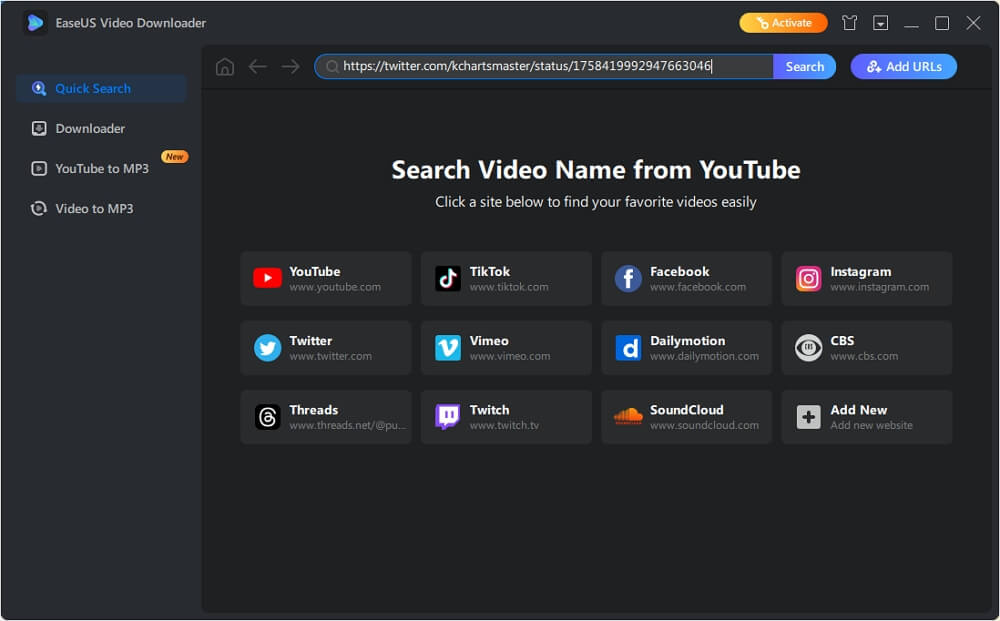
You can choose from 360p to 8K Ultra HD and get any video quality you need without ads or watermarks. You can also download Facebook video thumbnails, subtitles, TikTok GIFs, YouTube playlists and channels, and others.
| ⭕Pros | ❌Cons |
|---|---|
|
|
How to use this Meta Ads video downloader to save videos from the Facebook Ads Library:
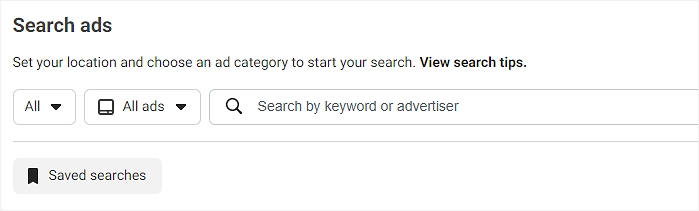
Step 1. Go to Facebook Ads Library, set your location and ads type, input the keyword or advertiser.
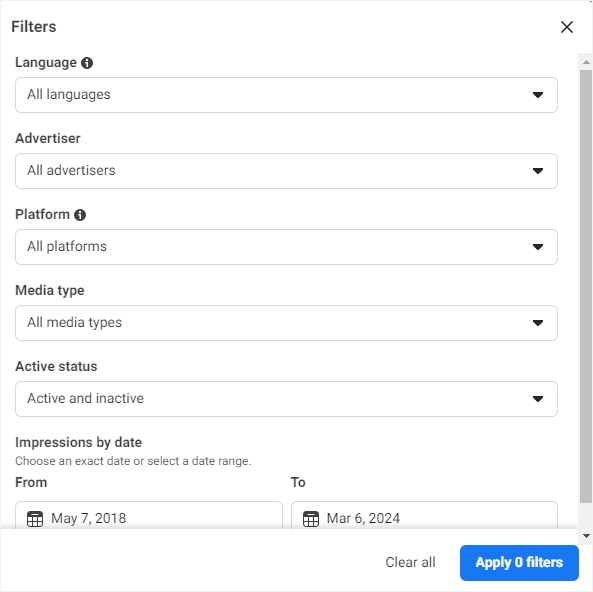
Step 2. Apply the ads filter based on the language, advertiser, platform, etc. Here, choose "Videos" from the "Media type" dropdown list.
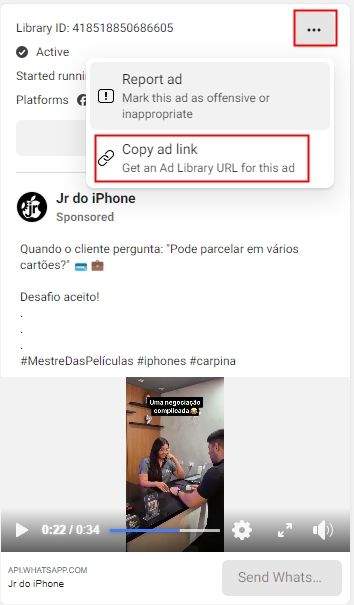
Step 3. Find the video ads you want to download and click three dots to select "Copy ad link."
Step 4. Download EaseUS Video Downloader and open it.
Secure Download
Secure Download
Step 5. Paste the URL into the search box and click "Download."
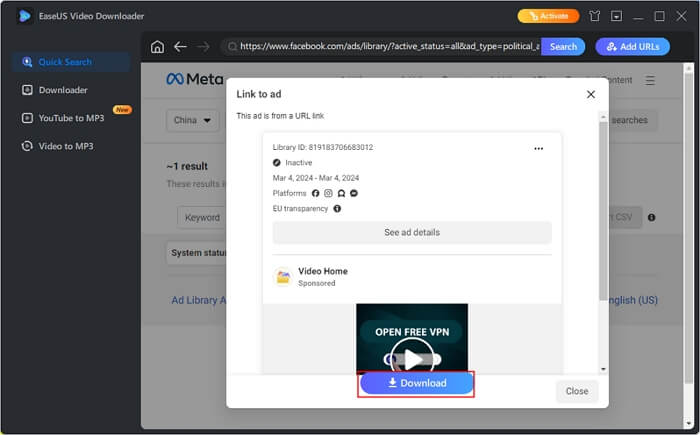
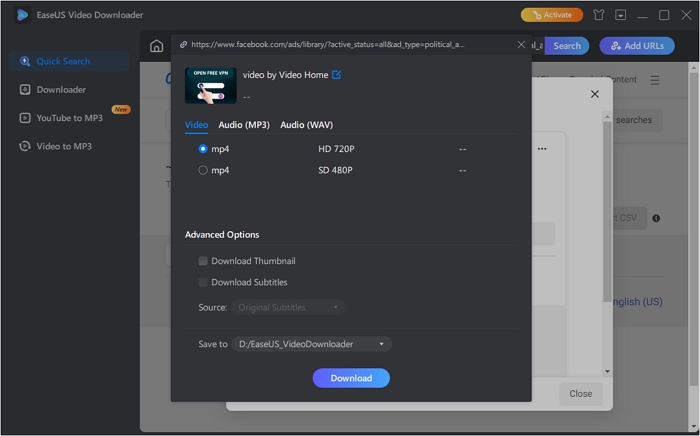
Step 6. Customize the video parameters and download it.
If you are ok with the basic video without customization options, this method is a perfect choice for you to download videos from Facebook to computer. You don't have to download any software, but the video quality can vary.
| ⭕Pros | ❌Cons |
|---|---|
|
|
Download Facebook ad videos without any software:
Step 1. Head over to Ads Library and locate your favorite ad video.
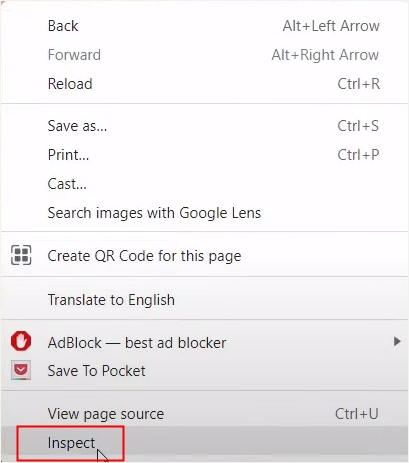
Step 2. Right-click on the video and choose "Inspect."
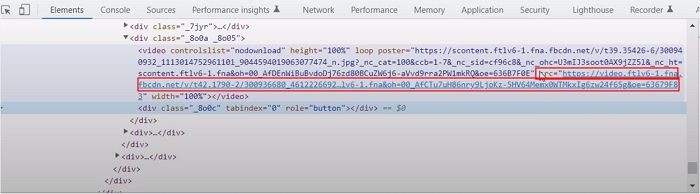
Step 3. Locate the video source code, double-click on the link, and copy.
Step 4. Paste it into your browser, hit enter, and you can see the video. Choose "Download."
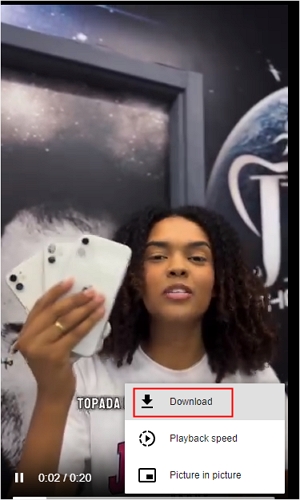
You can see the simple process here🎬.
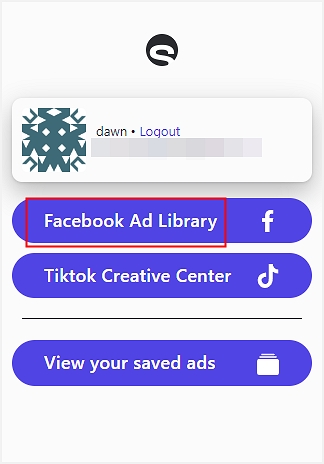
Swipekit Ad Library Downloader is a Chrome extension to save ads from the Facebook Ads Library, TikTok Creative Center, and LinkedIn Ads Library and organize them. You can collect well-performing ad videos/images, store them to analyze, and share all information with your team members under one account. Other Chrome extensions that can also be used for saving ad videos from the Facebook Ad Library:
| ⭕Pros | ❌Cons |
|---|---|
|
|
Step 1. Go to Ad Library Downloader and add it to Chrome.
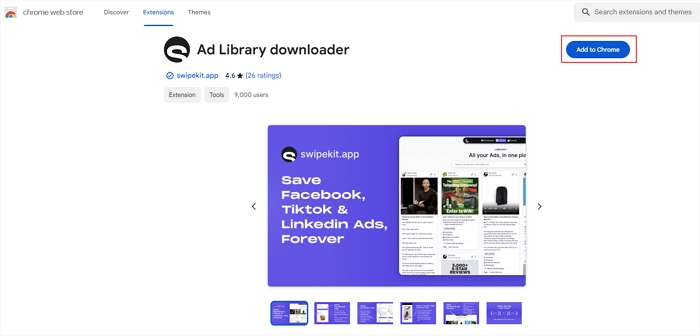
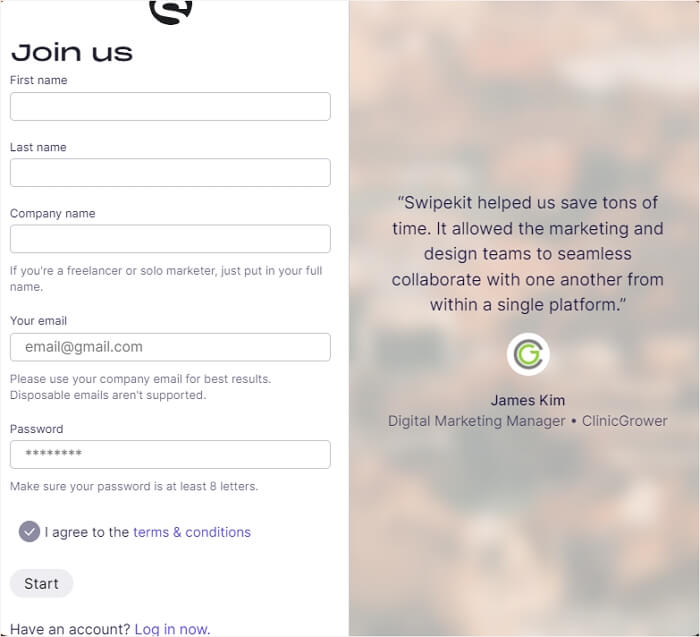
Step 2. Fill in your information to get started.
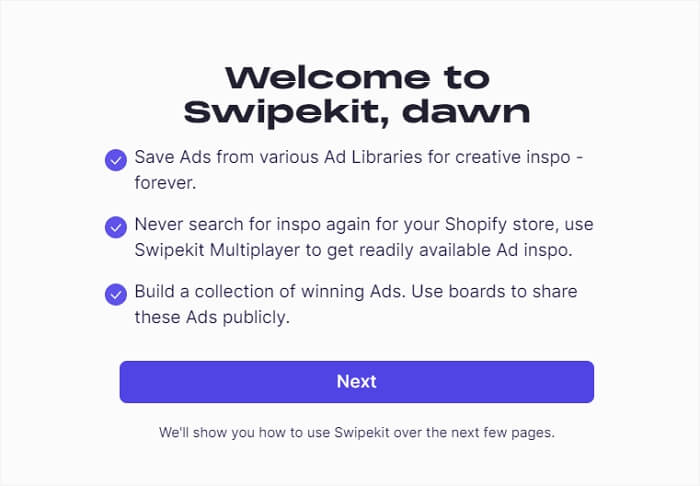
Step 3. Verify your email and click "Next.'
Step 4. Open your browser, expand the extension, right-click it, and select "Facebook Ad Library."
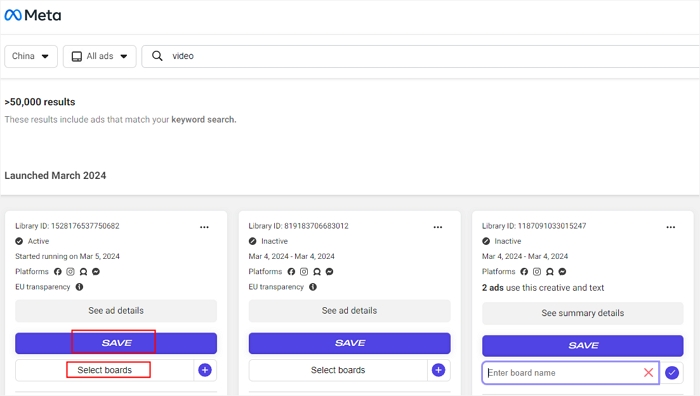
Step 5. Search your ad video and click "SAVE." To organize the video, tap on "Select boards" and choose one.
During our testing, most online Facebook video downloaders failed to extract video from the Facebook ads library. When entering the ad link, those tools tell you either the video is private or an error retrieving the download link for the URL. The only one that still works is the FVid.party. It is a fast, ad-free service with HD and mp3 conversion. You can use it to save videos from Facebook, Instagram, Twitter, VK, etc.
| ⭕Pros | ❌Cons |
|---|---|
|
|
To use this online free Facebook ads downloader:
Step 1. Paste the ad url into its address bar, and click "Go."
Step 2. Click the "DOWNLOAD VIDEO" button after it parses the link.
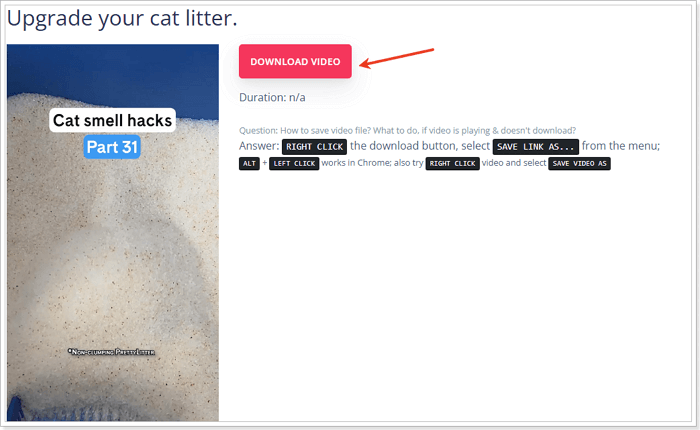
Figure out how to download Facebook ad videos efficiently and for free? Share the article with others to let them know!
Saving ad videos from Facebook helps you gather information, discover winning strategies, and foster a collaborative environment for your marketing teams. This article introduces three different tools for downloading Facebook ad videos. Each one has its pros and cons.
For those who want to download the videos to their local system, EaseUS Video Downloader will be a top choice, compatible with various websites.
Download videos right now
With EaseUS Video Downloader, save any video in seconds - download copyright-free video from public websites.
Downloading the ad videos from the Meta Ad Library for personal use might be permissible under certain fair use policies. However, distributing or using for commercial purposes without permission could violate copyright laws.
To download pictures from the Facebook ads library:

Copyright Disclaimer
This article is for educational and technical reference only. Do not use the described methods to download or share copyrighted content without permission.
Users are fully responsible for any legal consequences. Please:

Respect content creators' rights

Use official or authorized platforms

Avoid unauthorized downloads

Use official or authorized platforms
Columnist
Sasha is a girl who enjoys researching various electronic products and is dedicated to helping readers solve a wide range of technology-related issues. On EaseUS, she excels at providing readers with concise solutions in audio and video editing.
Read Full Bio More Related Articles
Facebook Downloader for PC Windows 10/11/7/8 [2026 Update]
The Facebook video downloader for PC - EaseUS Video Downloader will help you download a Facebook video to your computer or mobile device at no cost. Get this Facebook video downloader for Windows and apply it to download Facebook videos with ease.
Sasha. Oct 23, 2026
3 min read
Cannot Download Videos from Facebook? See Reasons & Fixes
This blog covers some practical methods to fix the can't download Facebook video issue. If you're experiencing the same problem, don't hesitate to use the methods introduced in this guide to fix it.
Sasha. Oct 23, 2026
3 min read
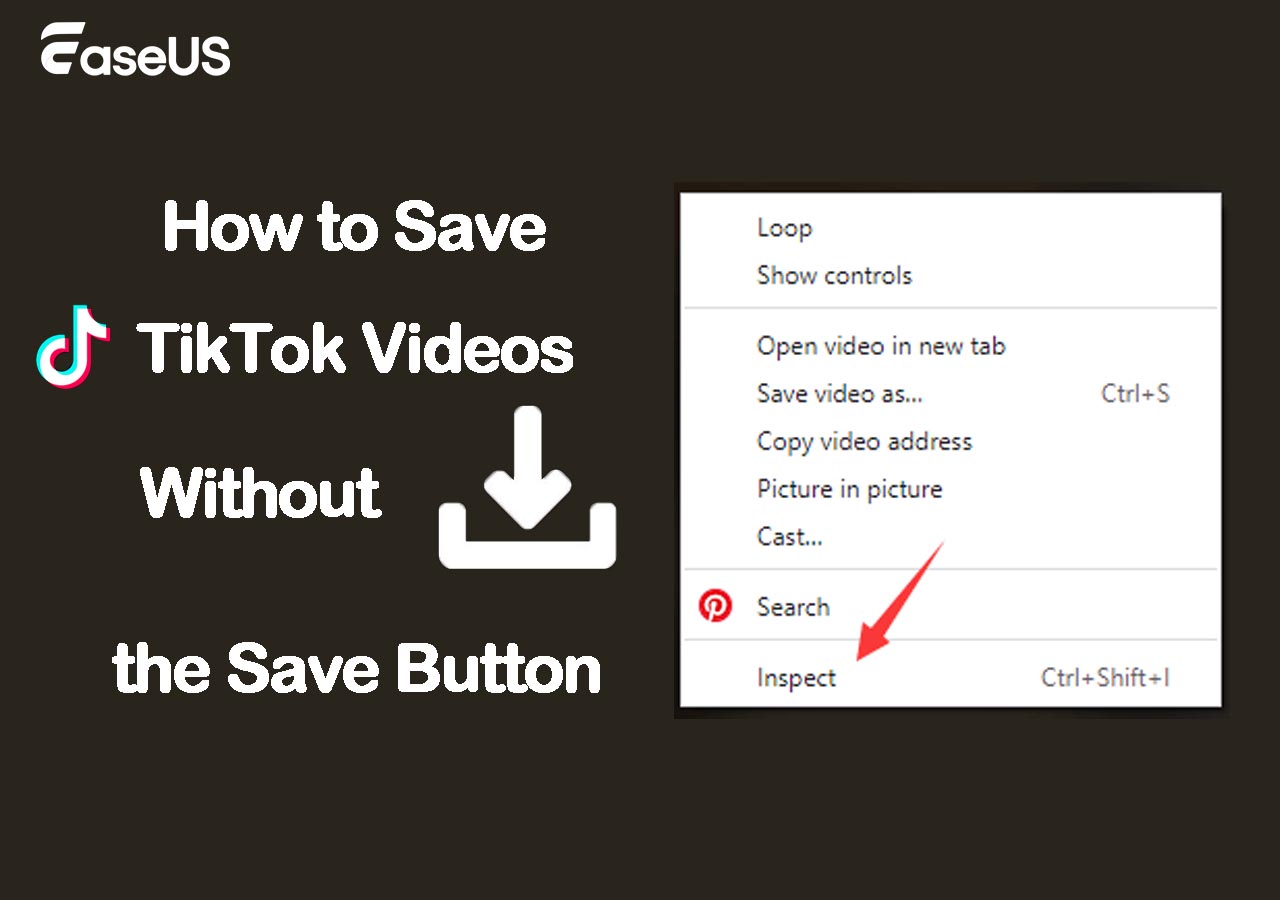
How to Save TikTok Videos Without the Save Button
Most videos on TikTok are available for download. You may find that the save button is disabled for certain videos. Why does this happen? We will explain the causes of the issue and provide you with easy ways to save TikTok videos without the save button.
Sasha. Oct 23, 2026
3 min read
How to Download Video from Facebook Messenger for Fair Use
Want to save the video clips your friends send to you via Facebook Messenger? Then read this post, which gives you three ways to download Messenger videos on PC and mobile devices.
Sasha. Oct 23, 2026
3 min read