-
![]()
Joey Albert
Joey has been involved with tech ever since she joined the EaseUS editor team in March 2011 and now she is a senior website editor. She is good at solving various issues, such as video downloading and recording.…Read full bio -
![]()
Alin
Alin is a sophisticated editor for EaseUS in tech blog writing. She is proficient in writing articles related to screen recording, voice changing, and PDF file editing. She also wrote blogs about data recovery, disk partitioning, data backup, etc.…Read full bio -
Jean has been working as a professional website editor for quite a long time. Her articles focus on topics of computer backup, data security tips, data recovery, and disk partitioning. Also, she writes many guides and tutorials on PC hardware & software troubleshooting. She keeps two lovely parrots and likes making vlogs of pets. With experience in video recording and video editing, she starts writing blogs on multimedia topics now.…Read full bio
-
![]()
Gorilla
Gorilla joined EaseUS in 2022. As a smartphone lover, she stays on top of Android unlocking skills and iOS troubleshooting tips. In addition, she also devotes herself to data recovery and transfer issues.…Read full bio -
![]()
Rel
Rel has always maintained a strong curiosity about the computer field and is committed to the research of the most efficient and practical computer problem solutions.…Read full bio -
![]()
Dawn Tang
Dawn Tang is a seasoned professional with a year-long record of crafting informative Backup & Recovery articles. Currently, she's channeling her expertise into the world of video editing software, embodying adaptability and a passion for mastering new digital domains.…Read full bio -
![]()
Sasha
Sasha is a girl who enjoys researching various electronic products and is dedicated to helping readers solve a wide range of technology-related issues. On EaseUS, she excels at providing readers with concise solutions in audio and video editing.…Read full bio
Page Table of Contents

Sasha
Updated on Jan 21, 2026
0 Views |
0 min read
Pr3typriincess is a fan-made skin from the Roblox game Forsaken, linked to the C00lkidd series on Shapes, Inc. Though not an official character, she’s gained popularity as a community favorite. Her name frequently appears on TikTok—often alongside bluudude—with over 11 million posts, highlighting a strong fan base and a meme-driven culture that may extend beyond the game itself.
Now, you can use pr3typriincess's iconic voice in other games. Read on to discover how to sound like Pr3typriincess using effective and user-friendly tools.
- ‼️Warning
- This article is for informational purposes only. While we mention third-party tools like the pr3typriincess voice changer, we do not endorse or encourage the misuse of voice-changing software. Always respect community guidelines, platform policies, and local laws when using such tools. Use responsibly and ethically.
EaseUS VoiceWave - Real-Time Voice Effects
- Compatibility: Windows 10 & 11
- Price: Free & $14.95
- ✍🏽User Review
- What a great tool, it works fantastic and has a wide selection of different voices. I used it in Discord with some friends as a test run and it worked really well. - from Shultzy96 on AppSumo
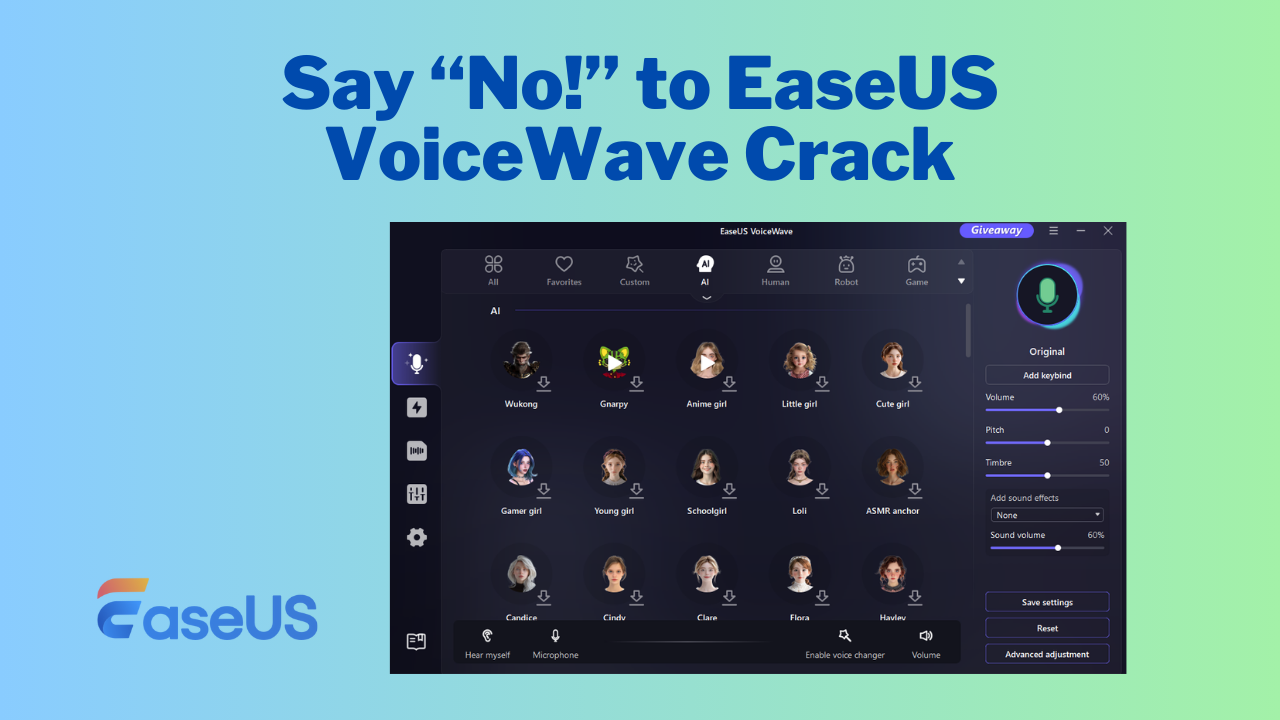
As one of the most powerful real-time voice changers for PC, EaseUS VoiceWave boasts lots of AI voices associated with Roblox and Forsaken, like Builderman, Shedletsky, Azure, Two Time, C00lKidd, Bluudud, John Doe, and more. Its AI voices are trained by machines to mimic genuine voices.
You can use these voices, including the AI pr3typriincess's voice, whether in gaming, online chatting, or content creation. Compatible with over 1,000 online video games and instant messaging apps, EaseUS VoiceWave enables you to transform your voice into pr3typriincess's in real time.
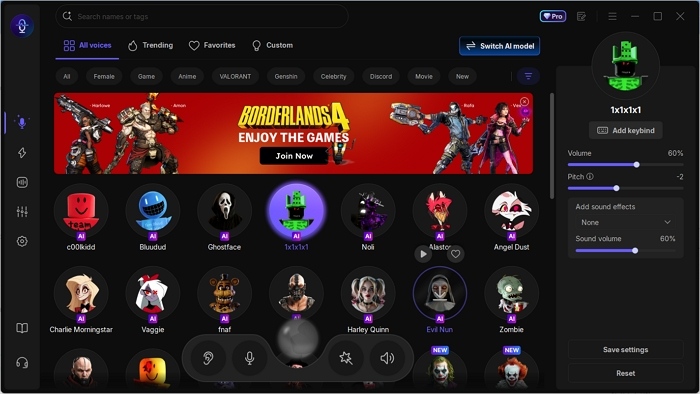
Let's check what EaseUS VoiceWave gives you:
- Real-time voice changing: Instantly and smoothly changes your voice during live interactions.
- Broad compatibility: Seamlessly integrates with over 1000 games and 1000 chat apps.
- Soundboard: Features over 300 preset sound effects.
- Voice customization: Allows for adjusting pitch, tone, and timbre.
To use EaseUS VoiceWave to make you sound like pr3typriincess:
Step 1. Download EaseUS VoiceWave on your PC, and set up your input and output devices.
Step 2. Go to its "Real-time Voice Changer," and select the pr3typriincess AI voice effect.
Step 3. Test it and then use it as needed.
Tuna Voicemod - User-Generated Pr3typriincess Voice
- Compatibility: Windows & macOS
- Price: Free & $10/month for its pro plan
- ✍🏽User Review
- I bought this for Space Marine 2. I've had it for a few months now, and I love it. - from Rennerrek on Trustpilot
Tuna is Voicemod's community-generated library of sound effects and clips where you can discover, download, and share soundboards and other features. In this library, several sound clips of pr3typriincess are available. These voices can be used with the Voicemod app on PC and are compatible with platforms that allow Voicemod as an input, such as popular games like PUBG and communication services like Discord.
To use pr3typriincess's voice in Voicemod, you need to download the Voicemod app on your PC, then:
Step 1. Visit the Voicemod Tuna, and find the pr3typriincess voice.
Step 2. Click the "OPEN IN VOICEMOD" button, and then the website will ask for your permission to open Voicemod.
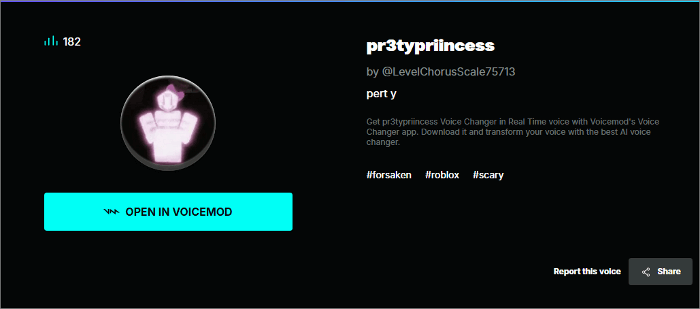
Step 3. Select the location where you want to add the sound in the pop-up window, and then click the "Add" button.
Then you can find the sound in Voidemod.
Myinstants - Free Pr3typriincess Soundboards
- Compatibility: Web-based
- Price: Free
- Rating: 4.0/5 on Trustpilot
Myinstants is a platform containing voice memes and soundboards, including pr3typriincess audio clips. You can preview, share, and download these audio clips for free. These clips can be used by uploading them to voice changers, such as EaseUS VoiceWave, that support soundboard uploading and work with third-party apps and games. Besides the pr3typriincess soundboard, you can find more audio clips associated with Forsaken, like c00lkid, Bluudud, Roblox horror, and unsettling sounds.
You can download the pr3typriincess audio clip from Myinstants and use it anytime by adding it to your real-time voice changer. Let's see how to download it and add it to EaseUS VoiceWave.
Step1. Go to Myinstants and find the 'pr3typriincess' sound.
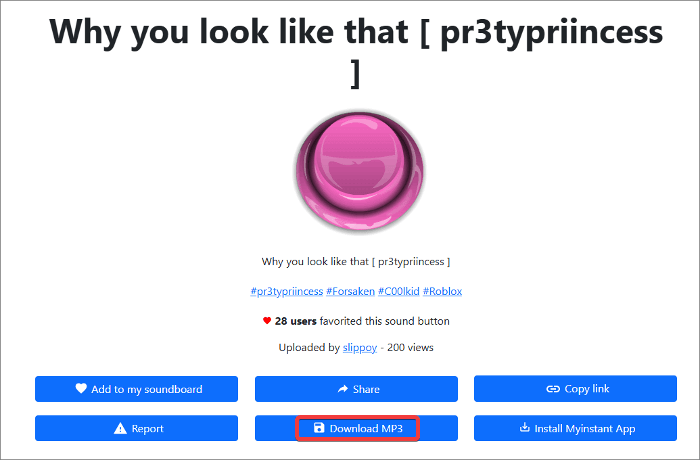
Step 2. Now you can click the button to preview, and click the button name to its details page.
Step 3. Click the "Download MP3" page to save the audio to your computer.
Step 4. Go to EaseUS VoiceWave, navigate to its "Soundboard," and click the "Upload sounds" button located in the upper right corner.
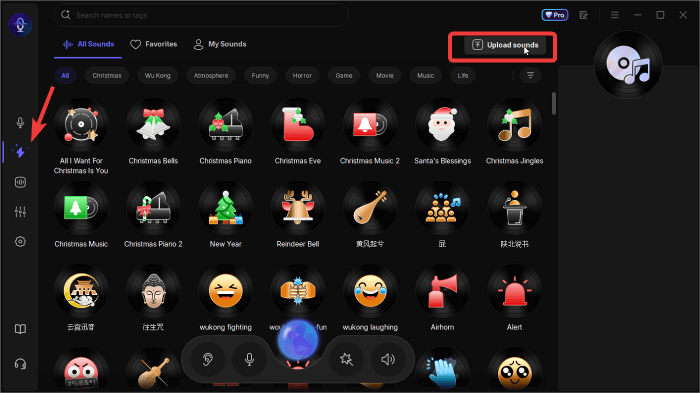
Step 5. Select the downloaded MP3 and add it to "My Sounds."
To Conclude
Pr3typriinecess is a famous, fan-loved character, and we share three ways to get this voice. Two help you sound like Pr3typriinecess for gaming or streaming, and one for content creation. You could get started with EaseUS VoiceWave - an affordable yet powerful real-time voice changer for PC.
FAQs on Pr3typriincess Voice Changer
1. How to make voice sound sexier?
You can make yourself sound more sexy through professional voice training, or a quicker way is to use some male and female voice changers to directly transform your real voice into any character voice you desire.
2. Can I use the Pr3typriincess Voice Changer with other apps or games?
Yes, the two real-time pr3typriincess voice changers we mentioned are compatible with most major apps, including streaming platforms, gaming services, and communication tools like Zoom, Discord, and Skype.
3. Is it possible to sound exactly like someone else?
While it is possible to closely mimic another person's voice, it's not possible to perfectly replicate someone else's voice.
You could also share it on: