-
![]()
Joey Albert
Joey has been involved with tech ever since she joined the EaseUS editor team in March 2011 and now she is a senior website editor. She is good at solving various issues, such as video downloading and recording.…Read full bio -
![]()
Alin
Alin is a sophisticated editor for EaseUS in tech blog writing. She is proficient in writing articles related to screen recording, voice changing, and PDF file editing. She also wrote blogs about data recovery, disk partitioning, data backup, etc.…Read full bio -
Jean has been working as a professional website editor for quite a long time. Her articles focus on topics of computer backup, data security tips, data recovery, and disk partitioning. Also, she writes many guides and tutorials on PC hardware & software troubleshooting. She keeps two lovely parrots and likes making vlogs of pets. With experience in video recording and video editing, she starts writing blogs on multimedia topics now.…Read full bio
-
![]()
Gorilla
Gorilla joined EaseUS in 2022. As a smartphone lover, she stays on top of Android unlocking skills and iOS troubleshooting tips. In addition, she also devotes herself to data recovery and transfer issues.…Read full bio -
![]()
Rel
Rel has always maintained a strong curiosity about the computer field and is committed to the research of the most efficient and practical computer problem solutions.…Read full bio -
![]()
Dawn Tang
Dawn Tang is a seasoned professional with a year-long record of crafting informative Backup & Recovery articles. Currently, she's channeling her expertise into the world of video editing software, embodying adaptability and a passion for mastering new digital domains.…Read full bio -
![]()
Sasha
Sasha is a girl who enjoys researching various electronic products and is dedicated to helping readers solve a wide range of technology-related issues. On EaseUS, she excels at providing readers with concise solutions in audio and video editing.…Read full bio
Page Table of Contents

Myra
Updated on Jan 21, 2026
0 Views |
0 min read
Goose Goose Duck has exploded in popularity as a social deduction game, and using a voice changer with it takes the chaos and comedy to a whole new level. Instead of sounding like yourself every match, you can jump into lobbies as a squeaky duck, a deep-voiced villain, or a cartoon-style goose and instantly stand out.
For streamers, YouTubers, and casual players, a real-time voice changer not only makes roleplay and trolling moments funnier but also helps protect your privacy while you chat with random teammates in public lobbies.
EaseUS VoiceWave
EaseUS VoiceWave can elevate Goose Goose Duck gameplay by delivering real-time AI voice changes with minimal latency, perfect for ducking out of suspects or quacking as a sneaky goose. You can apply over 300 effects like cartoon characters, celebrities, singers, villains, or zombies, all while enjoying built-in noise reduction for clear chat.
Key Features:
- Low CPU use ensures smooth performance even in lobbies without lag spikes.
- Automatic integration with Steam and voice apps sets your virtual mic as input, ready in minutes.
- Soundboard extras let you drop custom quacks or alerts mid-round for epic trolling.
- Adjust pitch, volume, and timbre precisely to match game characters, avoiding robotic tones for natural roleplay.
- Compatible with thousands of online games, such as Valorant and Minecraft, to boost fun or immersive gaming.
How to Use EaseUS VoiceWave on Steam for Goose Goose Duck
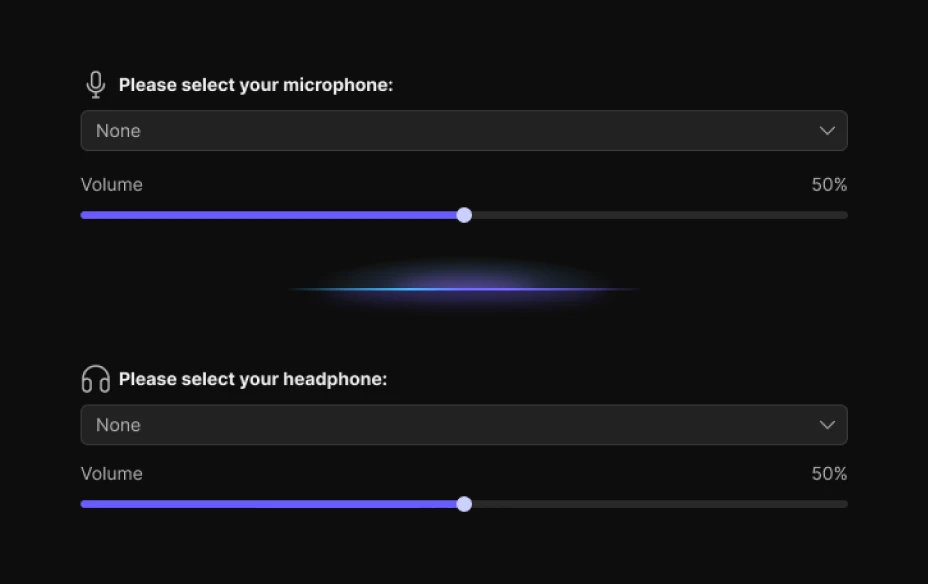
Step 1. Launch EaseUS VoiceWave, set your microphone and headphones.
Step 2. Pick a voice effect, such as Bluudud. Alternatively, you can type the desired voice in the search bar.
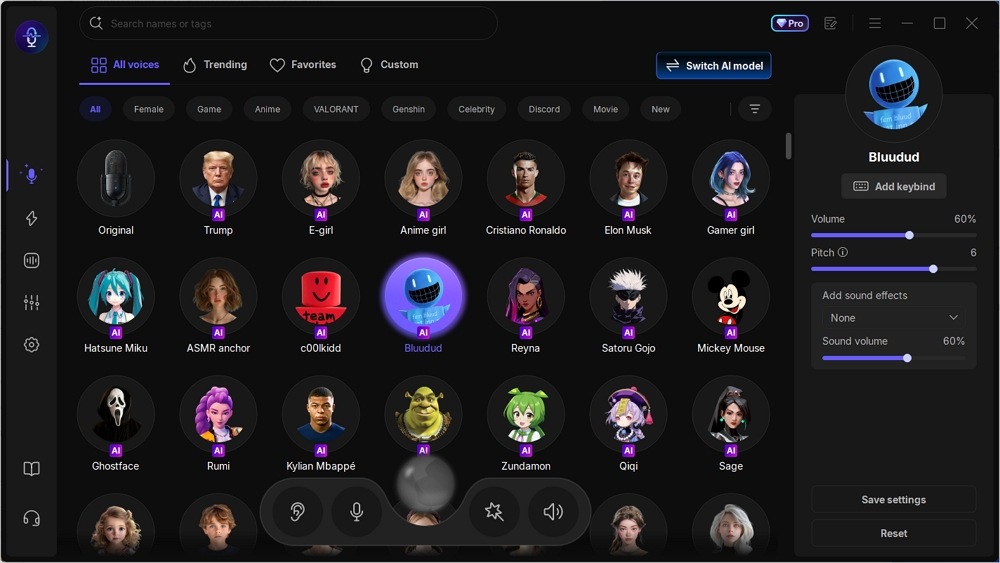
Step 3. Open Steam > Settings > Voice, set Input Device to VoiceWave Virtual Mic, adjust input volume, and test with Push-to-Talk if needed.
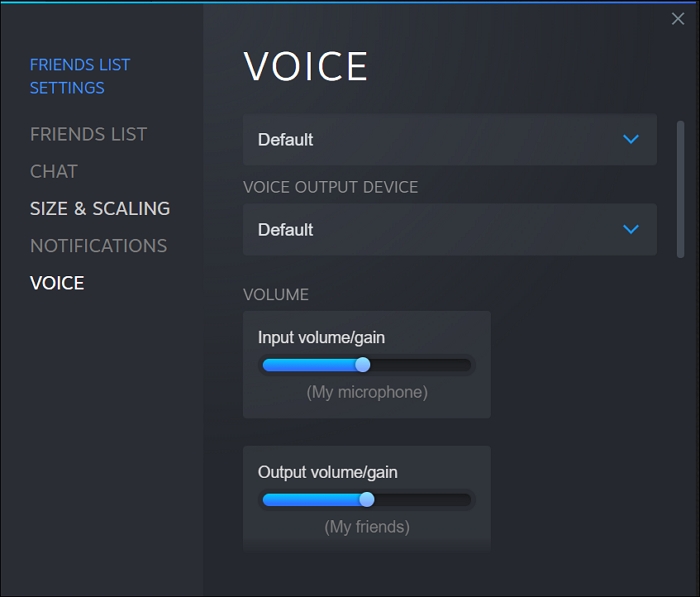
Step 4. Join a Goose Goose Duck lobby, hit your voice keybind, and effects apply instantly in chat.
Troubleshooting Goose Goose Duck Voice Changer Not Working
Restart Steam or your PC if no audio registers, and ensure VoiceWave runs as admin for driver stability. Low CPU usage prevents lag, but close other audio apps for the best results.

Voicemod
Voicemod transforms Goose Goose Duck matches into hilarious chaos with its real-time voice effects and seamless Steam compatibility, letting players quack like Donald Duck or growl as impostors. Popular among streamers for quick swaps to celebrity voices, robot tones, or game-themed sounds, it boosts trolling and roleplay in multiplayer games without a complex setup.
Key Features:
- Instant access to aliens or custom memes via hotkeys for fun in-game play.
- Drop pre-loaded clips like votes or bombs to confuse suspects and rack up kills.
- Work smoothly in Steam voice settings, minimizing lag during frantic rounds.
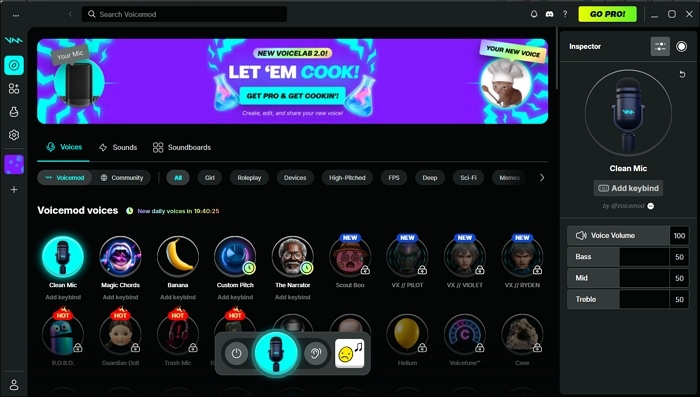
Getting Started
Download Voicemod, select its Virtual Audio Device as your Steam mic input, and test in a private GGD lobby for perfect pitch. The Pro version unlocks unlimited sounds, ideal for content creators optimizing content.
| Pros | Cons |
|
|
Clownfish Voice Changer
Clownfish Voice Changer is a free, lightweight option for Steam games and other apps, with no subscriptions. It applies effects like alien, robot, or pitch shifts directly to your microphone input, ideal for casual trolling in proximity chats.
Key Features:
- No limits on voices or usage, with built-in music player and VST plugin support for custom tweaks.
- Installs on any mic and routes to Steam effortlessly, supporting Discord or in-game voice seamlessly.
- Basic options like female/male pitch, radio, or silence without overwhelming menus.
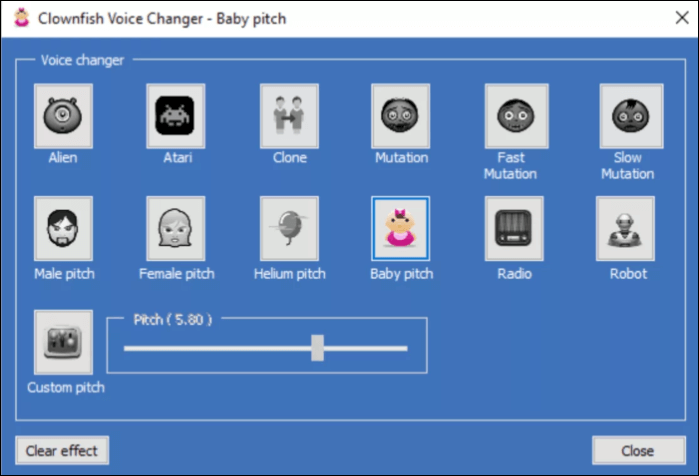
Getting Started
Right-click the tray icon post-install, set it on your mic, then select Clownfish as Steam's input device for instant effect activation in lobbies. It shines for budget users but may need tweaks for advanced filtering compared to paid tools.
| Pros | Cons |
|
|
Voice.ai
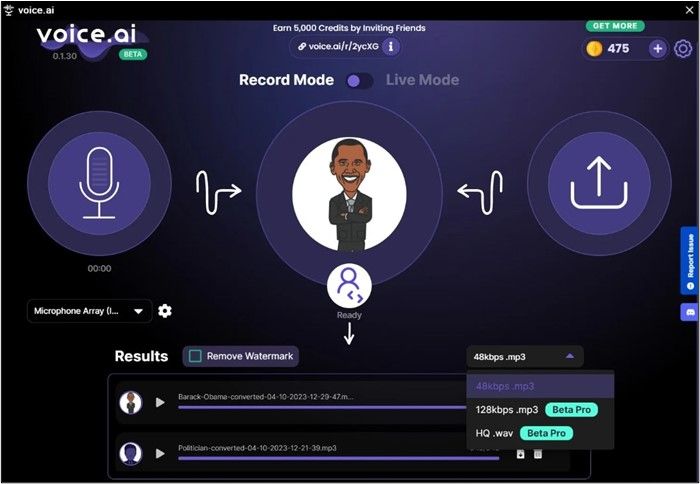
Voice.ai is another Goose Goose Duck voice changer for gamers, streamers, content creators, or casual users to change their voice while playing games. It lets players morph into celebrities, game characters, or wild effects during online chatting.
Key Features
- Thousands of realistic presets like Elon Musk, Donald Trump, or Morgan Freeman, trained for natural flow without robotic lag.
- Low latency and noise suppression are well-suited to chaotic lobbies and content recording.
- Upload/download custom voices for viral trolling moments.
Getting Started
Install Voice.ai, set its virtual mic as Steam input, select a preset, and jump into lobbies. Free tier works, but Pro unlocks premium models.
| Pros | Cons |
|
|
Conclusion
Goose Goose Duck thrives on deception, and the right voice changer, like EaseUS VoiceWave, Voicemod, Clownfish, or Voice.ai, turns every lobby into legendary chaos.
Final Recommendations
- Top choice: EaseUS VoiceWave for ultra-low latency and 300+ AI effects.
- Budget pick: Clownfish for free, no-fuss effects.
- Trolling favorite: Voice.ai or Voicemod for soundboard chaos and Steam integration.
FAQs
What is Goose Goose Duck?
A free-to-play social deduction game on Steam where geese complete tasks to win, while ducks sabotage and kill to claim victory—think Among Us with more roles and chaos.
Does Goose Goose Duck have voice chat?
Yes, proximity-based voice chat activates near players, making voice changers like EaseUS VoiceWave perfect for immersive trolling without revealing your real voice.
Can voice changers get you banned?
No reports of bans — GGD's ToS focuses on toxicity, not audio mods; use them freely in public lobbies for fun.
What's the best beginner mode?
Classic mode mirrors Among Us basics: tasks vs. kills, ideal for learning maps, sabotages, and voting before trying Draft or Dine and Dash.