-
![]()
Joey Albert
Joey has been involved with tech ever since she joined the EaseUS editor team in March 2011 and now she is a senior website editor. She is good at solving various issues, such as video downloading and recording.…Read full bio -
![]()
Alin
Alin is a sophisticated editor for EaseUS in tech blog writing. She is proficient in writing articles related to screen recording, voice changing, and PDF file editing. She also wrote blogs about data recovery, disk partitioning, data backup, etc.…Read full bio -
Jean has been working as a professional website editor for quite a long time. Her articles focus on topics of computer backup, data security tips, data recovery, and disk partitioning. Also, she writes many guides and tutorials on PC hardware & software troubleshooting. She keeps two lovely parrots and likes making vlogs of pets. With experience in video recording and video editing, she starts writing blogs on multimedia topics now.…Read full bio
-
![]()
Gorilla
Gorilla joined EaseUS in 2022. As a smartphone lover, she stays on top of Android unlocking skills and iOS troubleshooting tips. In addition, she also devotes herself to data recovery and transfer issues.…Read full bio -
![]()
Rel
Rel has always maintained a strong curiosity about the computer field and is committed to the research of the most efficient and practical computer problem solutions.…Read full bio -
![]()
Dawn Tang
Dawn Tang is a seasoned professional with a year-long record of crafting informative Backup & Recovery articles. Currently, she's channeling her expertise into the world of video editing software, embodying adaptability and a passion for mastering new digital domains.…Read full bio -
![]()
Sasha
Sasha is a girl who enjoys researching various electronic products and is dedicated to helping readers solve a wide range of technology-related issues. On EaseUS, she excels at providing readers with concise solutions in audio and video editing.…Read full bio
Page Table of Contents

Myra
Updated on Jan 21, 2026
0 Views |
0 min read
About PewDiePie
Felix Kjellberg, better known as PewDiePie, is a Swedish YouTuber renowned for his gaming content and massive online influence. Born on October 24, 1989, in Gothenburg, Sweden, he launched his channel in 2010 and gained fame through energetic "Let's Play" videos of horror games like Amnesia: The Dark Descent.

PewDiePie pioneered gaming commentary, boosting indie game sales and shaping YouTube culture with his humorous, high-energy style. He amassed over 100 million subscribers, engaged in a subscriber war with T-Series, and expanded into comedy sketches, Pew News satire, and a book club.
PewDiePie's booming laugh, catchphrases, and rapid-fire humor captivated millions. His voice became a cultural staple, fueling fan edits and voice mods in games. Today, AI voice changers let you channel that same PewDiePie vibe: generate realistic covers of your favorite songs, add his narration to your content, or prank friends in Discord. Now, let's get started: how to get the PewDiePie voice.
EaseUS VoiceWave
EaseUS VoiceWave is a real-time AI voice changer for Windows PC, designed for gamers, streamers, and content creators to transform voices instantly during live chats, gaming, or recordings. It offers over 300 voice effects, low-latency performance, and seamless integration with apps like Discord, Twitch, Zoom, and OBS.
It provides real-time modulation with presets like anime girl and gaming YouTubers like MrBeast. With over 300 voice effects, you can transform your voice into any celebrity or influencer. You can also customize pitch, tone, and timbre for unique voices, making it ideal for role-playing, pranks, or professional streams without lag.
Key Features:
- Hundreds of voice-changing effects and character-style presets, whether you want to transform a male voice to female or change your voice style.
- Built-in voice creation lab, where you can upload a clip to clone the voice or change the voice nuance like personality, brightness, warmth, echo, etc.
- Simple, beginner-friendly interface on Windows, Android, and iOS devices, catering to gamers, streamers, and casual users who want quick, hassle-free voice changes.
How to Get PewDiePie's Voice:
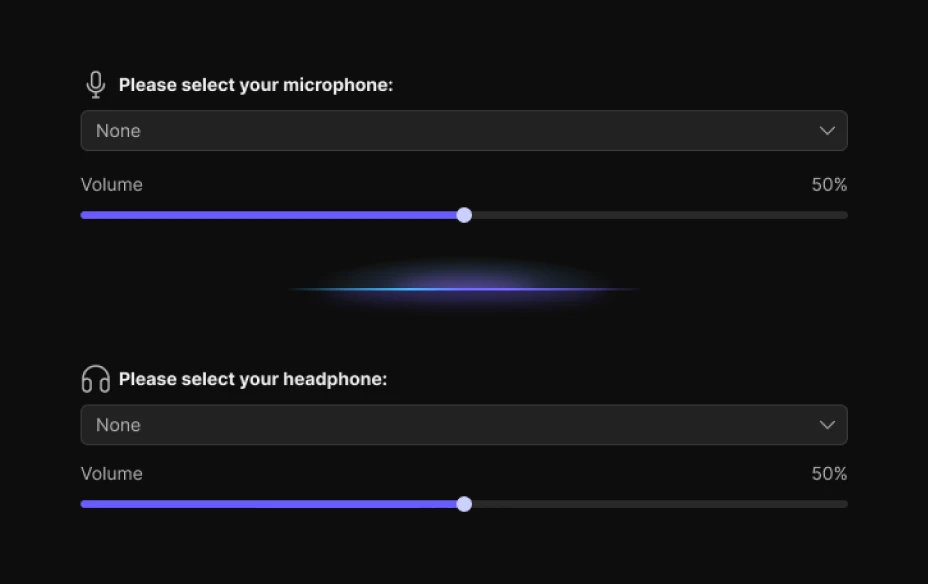
Step 1. Open EaseUS VoiceWave, go to Settings, and set up your microphone and headphones.
Step 2. In the search bar, type the desired AI voice, and click to download it.
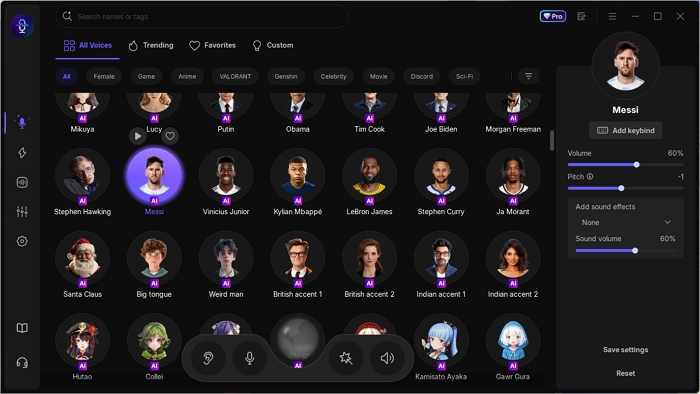
Step 3. Adjust the volume, pitch, timbre, and more. Then, you can speak and hear your voice changed.
TopMediai
TopMediai is an all-in-one AI platform specializing in voice cloning, text-to-speech, and music generation, ideal for creators looking to mimic celebrity voices, such as PewDiePie's iconic, energetic style. It empowers users to generate realistic PreDiePie AI voiceovers for gaming videos, memes, or streams.
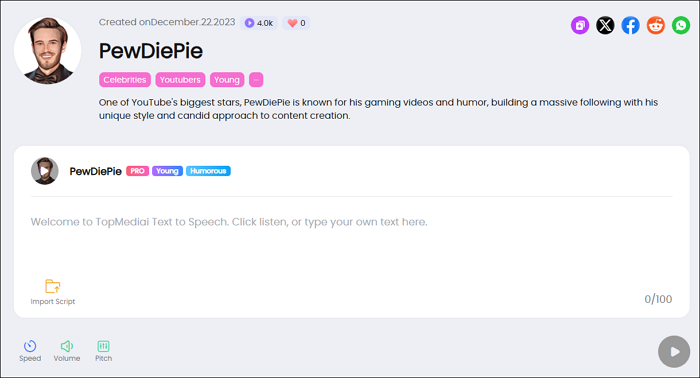
Key Features:
- Include celebrity clones beyond PewDiePie for versatile TTS.
- Generate song covers using different AI singer voices for remixes, memes, and fan edits.
- 3,200+ AI voices, 190+ languages for narration, e‑learning, and audiobooks.
Pros:
- Deliver accuracy and emotional depth for PewDiePie clones.
- Intuitive for beginners, with quick setup, no downloads needed.
- Generate voiceovers in minutes.
Cons:
- Full features like extended cloning require paid plans.
- Rely on the internet for real-time use.
Jammable
Jammable is an AI-powered platform specializing in voice generation and song covers, featuring a dedicated PewDiePie AI voice model for creating realistic audio covers and speech. Users can generate PewDiePie-style vocals over any track or text in seconds, ideal for memes, gaming content, or fan tributes.
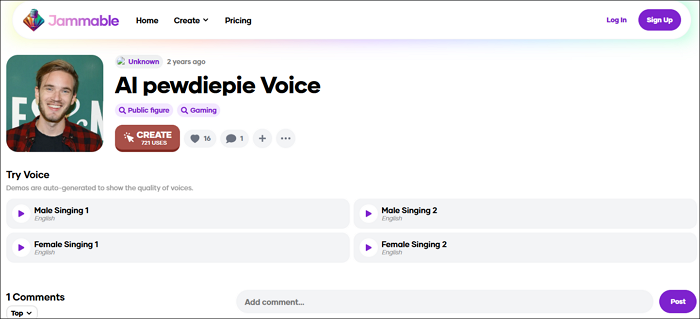
Key Features:
- Swap vocals on any uploaded track with realistic AI voices for remixes or memes.
- Generate natural-sounding speech from text prompts for narrations or content.
- Drag-and-drop simplicity with free trials, previews, and export options.
Pros:
- High-quality output for demos and memes.
- 50,000+ models with community sharing and custom training options.
- Support duets, harmonies, and real-time collaboration for fun.
Cons:
- Free plan limits length.
- Subscriptions needed for heavy PewDiePie cover creation.
Conclusion
In summary, whether you're channeling PewDiePie's high-energy gaming commentary with EaseUS VoiceWave's real-time effects, TopMediai's versatile AI cloning, or Jammable's seamless song covers, each tool brings unique strengths to mimic his iconic voice for content creation.
EaseUS VoiceWave stands out for live streaming and gaming with its low-latency performance and soundboard, while TopMediai suits all-in-one workflows, including video and music integration. Jammable excels in quick, creative covers but may require more tweaks for perfection. Choose based on your needs to elevate your videos with PewDiePie's unmistakable vibe.
FAQs
1. What is a PewDiePie voice changer?
A PewDiePie voice changer uses AI to replicate Felix Kjellberg's high-energy, humorous voice from his gaming videos, letting users generate speech or song covers with his signature laugh and tone for content like memes or streams.
2. Is it legal to use PewDiePie AI voices?
Most tools are for personal, transformative use, like parodies or fan edits. Avoid commercial applications without permission to steer clear of copyright issues; check each platform's terms for fair use guidelines.
3. Does PewDiePie use voice changers in his videos?
PewDiePie has experimented with AI voice generation tools like FakeYou for creative effects, such as in his "This Video is Generated by AI" video, where he used TTS for anime and YouTuber voices, but his core content relies on his natural high-energy voice.
4. Can PewDiePie AI voices be used for gaming streams?
Absolutely, tools like EaseUS VoiceWave provide real-time PewDiePie-style modulation for Discord or in-game chats, while Jammable and TopMediai focus on pre-recorded clips for montages or highlights.