Download videos right now
With EaseUS Video Downloader, save any video in seconds - download copyright-free video from public websites.
Affiliate
Earn commissions when you drive sales through your affiliate links.
Resellers
Sell EaseUS products as a distributor.

Creators & Influencers
Partner with us on YouTube, TikTok, Twitch to earn commissions.
OEM & Outsourcing Service
Put your brand on EaseUS software, or get custom solutions.

Refer & Earn
Earn rewards when you refer others to EaseUS solutions.

Education
Verified students and teachers get exclusive discounts.
Page Table of Contents

Jun 25, 2026 0 mins read
Hotstar is one of the trending video streaming platforms in India, and you can watch TV shows, movies, reality shows, sports shows, etc., from it, either from Windows, iPhone, or Android devices. If you are a paid user, you can download certain content from Hotstar to watch it offline for a certain period, 7 days. After that, the content will vanish from your playlist, and you can't download it again. Besides, some content is not available for offline watching as the Studios producing the content don't allow downloading for offline watching of their content.
If you want to download previously downloaded content and content without a download option or watch some Hotstar videos outside of India, you need to download these Hotstar videos on your PC with a third-party Hotstar video downloader. We will show 2 easy and workable ways to download Hotstar videos on PC in this guide.
Download videos right now
With EaseUS Video Downloader, save any video in seconds - download copyright-free video from public websites.
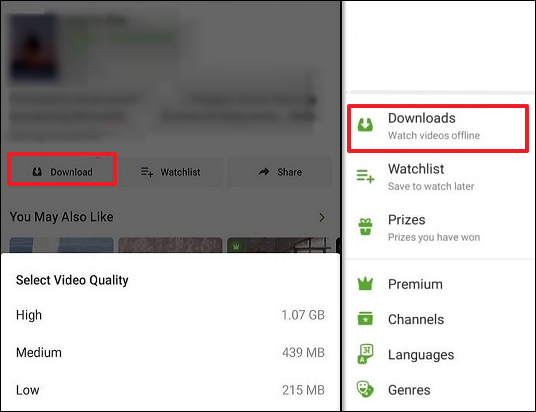
To ensure a safe, reliable, and legal way to download your favorite shows and movies, it's best to use the official download feature provided by Hotstar itself. The official way to download videos from Hotstar is through the Hotstar (Disney+ Hotstar) app on your mobile device, whether it runs Android or iOS. Besides Disney, you can also watch anime from some English-dubbed anime websites.
 Image source: Hotstar
Here's the step guide:
Step 1. Download JioHotstar from App Store or Google Play, launch it, and log in to your account.
Step 2. Find the movie, show, or episode you want to download.
Step 3. Click to access the video's detail page, where a download icon is available.
Step 4. Select the preferred video quality to download. The downloaded file will be accessible under My Downloads within the app.
Note:
Unfortunately no. There is no download option in Hotstar for PC due to the platform's management of digital rights and offline playback system. Hotstar's offline download feature relies on DRM frameworks built into its Android and iOS mobile apps, which securely encrypt downloaded content and tie it to your device and account. The web version on PC browsers, by contrast, cannot offer the same level of DRM control, so Hotstar disables downloads on PC to prevent unauthorized copying or redistribution.
Therefore, if you want to watch Hotstar videos offline on your computer, you may need third-party software. I tried some online video downloaders that claim to support Hotstar video downloading, but they failed. Here are the websites that I tried:
By the way, using third-party software to download videos from Hotstar is generally against Hotstar's Terms of Service, especially if the downloaded content is copyrighted. Hotstar provides downloads officially only through its mobile app for personal offline viewing, and any attempt to bypass this with third-party tools may violate copyright laws and licensing agreements.
EaseUS Video Downloader is an effective and user-friendly Hostar video downloader that is worth trying. By using the downloader, you can download videos from various sites in an MP4 video or an MP3 audio file by link. If you want to download a TV series or multiple movies or shows, you can put their links into the tool and capture them all at once. See how EaseUS Video Downloader can help you download videos from Hotstar and other video/audio sites.
🔥More features from the video downloader for PC you may be interested in
Download videos right now
With EaseUS Video Downloader, save any video in seconds - download copyright-free video from public websites.
📌You can hit the blue button, download and install this free software on your PC, and follow the steps below to get the public videos.
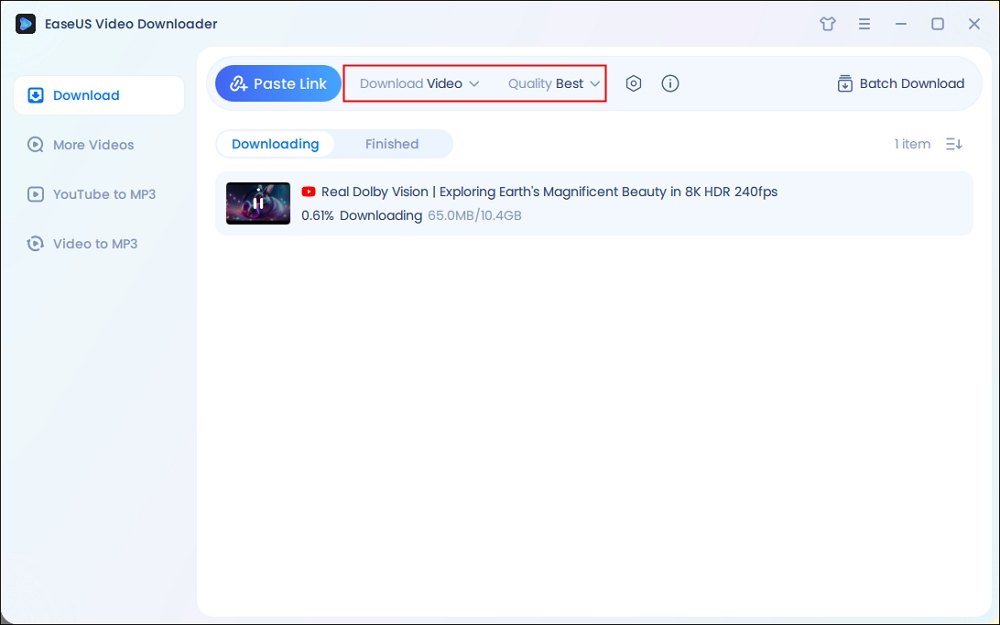
Step 1. Run EaseUS Video Downloader. Choose your preferred format and quality.
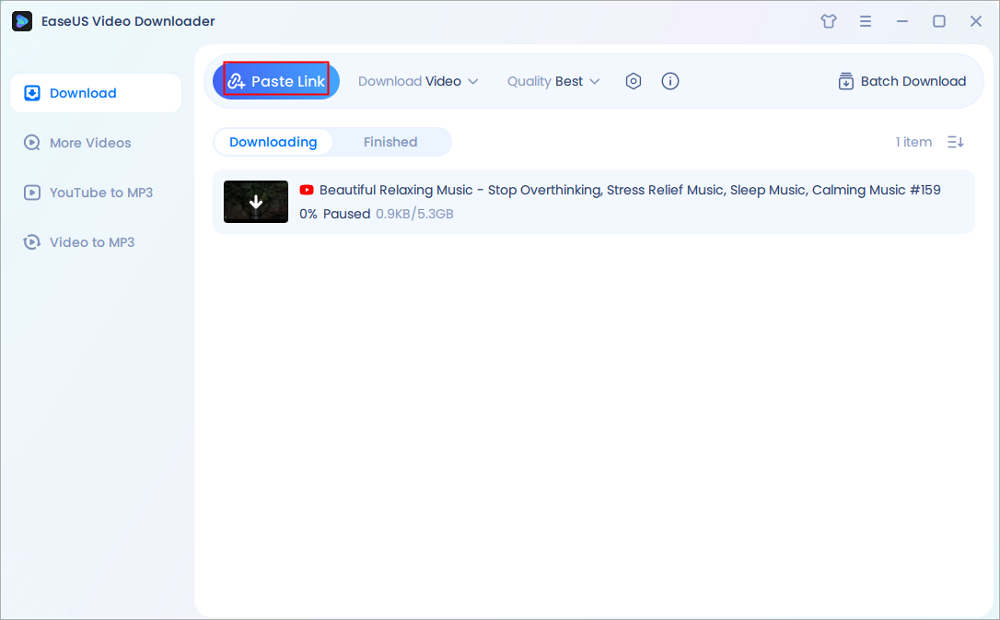
Step 2. Copy the video link and click "Paste Link," initiating the download process to your laptop.
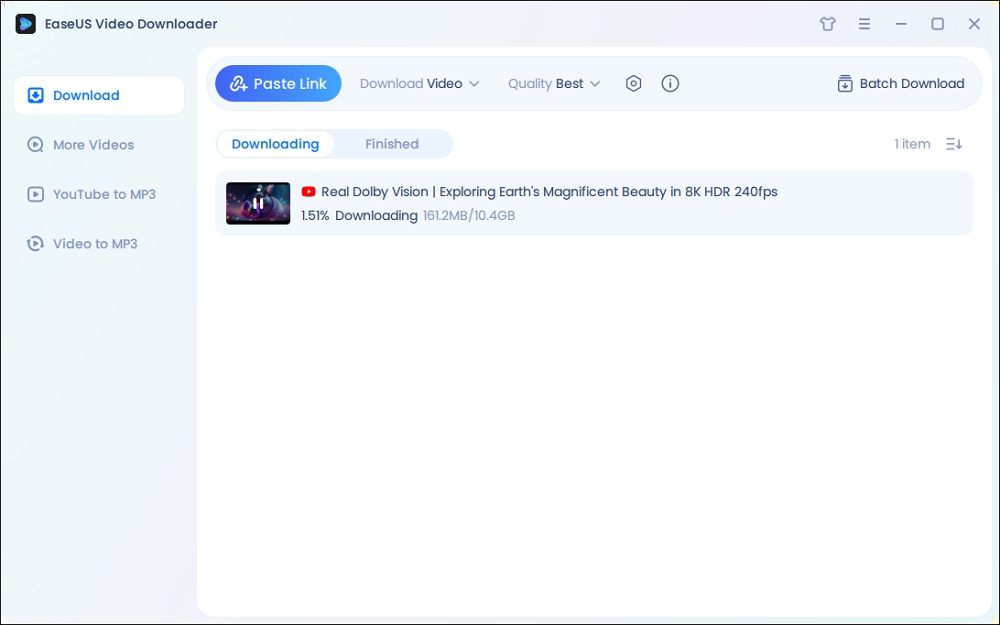
Step 3. Once the download completes, click "Open File Location" to locate and inspect the video.
Disclaimer: It is illegal to download any copyrighted content for commercial purposes without the permission. This guide is demonstrated ONLY for personal use.
Now you have learned how to download Hotstar videos to watch them offline on mobile. To watch Disney+ content offline on a laptop or PC, third-party tools are needed, but using third-party tools is against Disney+'s terms of service. If you have enough traffic or connect to a network, you can always watch Hotstar content online from the app or web.
Download videos right now
With EaseUS Video Downloader, save any video in seconds - download copyright-free video from public websites.
1. Can I download movies from Hotstar on PC?
Yes, you can download movies from Hotstar on PC with a good third-party video downloader, such as EaseUS Video Downloader. This outstanding desktop app can not only support you in downloading videos from 1000+ sites with only the URL of the videos, but also provides high video quality and swift downloading speed.
2. How to download Hotstar videos on PC without any software?
You can download Hotstar videos on a PC without any software by using a reliable online tool. Nowadays, there are many free-to-use but reliable online video downloaders on the market. Instead of downloading other software, you only need to take the URL of the Hotstar video, navigate to the homepage of an online video downloader using your browser, paste the video URL into its search box, and you can quickly start the video download process.
3. Why can't I download anything on Disney+ on my laptop?
You can't download content on Disney+ from your laptop because Disney+ only supports downloads on mobile devices, such as smartphones and tablets, running iOS or Android. There is no native app for Windows or macOS laptops that supports offline downloads, and the web browser version only allows streaming, not downloading.
4. Can I record Hotstar videos on PC?
Hotstar videos are protected by strong DRM encryption, which generally prevents direct screen recording. When you attempt to record content from Hotstar, most screen recorders produce a black screen or a blank output because the platform deliberately blocks screen capture to protect copyrighted media.

Copyright Disclaimer
This article is for educational and technical reference only. Do not use the described methods to download or share copyrighted content without permission.
Users are fully responsible for any legal consequences. Please:

Respect content creators' rights

Use official or authorized platforms

Avoid unauthorized downloads

Use official or authorized platforms
Columnist
Alin is a sophisticated editor for EaseUS in tech blog writing. She is proficient in writing articles related to screen recording, voice changing, and PDF file editing. She also wrote blogs about data recovery, disk partitioning, data backup, etc.
Read Full Bio More Related Articles
Download Video from YouTube on Chrome Browser [2026 Update]
In this tutorial, you will not only learn how to download YouTube videos in Chrome with the Chrome extension and online tools, but also learn the best alternative to online YouTube video downloaders in Chrome.
Alin. Jun 25, 2026
3 min read
Top 4 Udemy Course Downloader Tools [Online/Application]
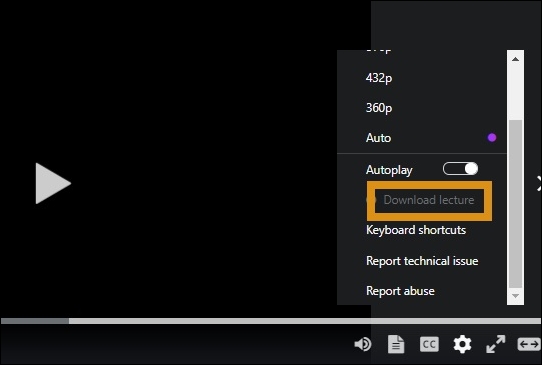
How do you download Udemy videos or courses on your PC and mobile? You can go to the course, click the gear icon, and click "Download lecture" to save it. If it is grayed out, get right to this guide on how to download Udemy videos for offline viewing using different tools and methods. Explore both official options and third-party solutions for Windows, Mac, Android, and more.
Alin. Jun 25, 2026
3 min read
How to Convert YouTube to MP3 Longer Than 2, 6, or Even 10 Hours
Looking to convert YouTube to MP3 longer than 2, 6, or 10 hours? When you want to convert long YouTube videos to MP3, you need a stable YouTube to MP3 converter to help. A stable tool enables you to convert YouTube to MP3 for longer than 2 hours without interruptions, and thus you can download long YouTube audio successfully.
Alin. Jun 25, 2026
3 min read
How to Download Videos from YouTube to File Manager🔥2026
Are you feeling distraught when not knowing how to download videos from YouTube to file manager on your Android? In this post, EaseUS will provide a full guide on how to download videos from YouTube to the file manager.
Alin. Jun 25, 2026
3 min read