Download Any YouTube Video in High Quality
Download videos, shorts, and playlists from YouTube in high-quality up to 8K for offline viewing.
Affiliate
Earn commissions when you drive sales through your affiliate links.
Resellers
Sell EaseUS products as a distributor.

Creators & Influencers
Partner with us on YouTube, TikTok, Twitch to earn commissions.
OEM & Outsourcing Service
Put your brand on EaseUS software, or get custom solutions.

Refer & Earn
Earn rewards when you refer others to EaseUS solutions.

Education
Verified students and teachers get exclusive discounts.
Page Table of Contents

Jun 25, 2026 0 mins read
Key Takeaways
There are only two effective ways to download 1080p videos from YouTube:
👉Subscribe to YouTube Premium for official offline access.
👉Use a third-party video downloader.
EaseUS Video Downloader allows you to save YouTube videos locally without losing quality:
1️⃣Set your preferred video format and quality (1080p) in the download settings.
2️⃣Copy the YouTube video link and paste it into EaseUS Video Downloader.
3️⃣Start the download and wait for the process to complete.
Download Any YouTube Video in High Quality
Download videos, shorts, and playlists from YouTube in high-quality up to 8K for offline viewing.
Watching high-quality videos enhances the viewing experience, but streaming can sometimes be slow or limited by internet access. That's why downloading videos in Full HD is essential. Downloading 1080p YouTube videos lets you enjoy high-definition videos anytime, anywhere, without the internet.
📢This article is for educational and personal use only. Downloading videos from YouTube may violate its Terms of Service. You should only download content that you own, have permission to use, or is freely available for offline use. We do not encourage or support the unauthorized downloading or redistribution of copyrighted material.
If you want to find a full-featured 1080P YouTube downloader, EaseUS Video Downloader is your best choice. EaseUS Video Downloader supports downloading videos from multiple popular platforms, including YouTube, Facebook, Instagram, Dailymotion, and Vimeo. With this 1080P YouTube video downloader, you can save YouTube videos without quality loss on your PC.
Why EaseUS stands out from other HD YouTube downloaders:
Secure Download
Secure Download
In addition to YouTube, EaseUS Video Downloader also supports downloading videos from more than 1,000 sites. If you want the fastest download, follow the steps below to save YouTube videos in 1080P.
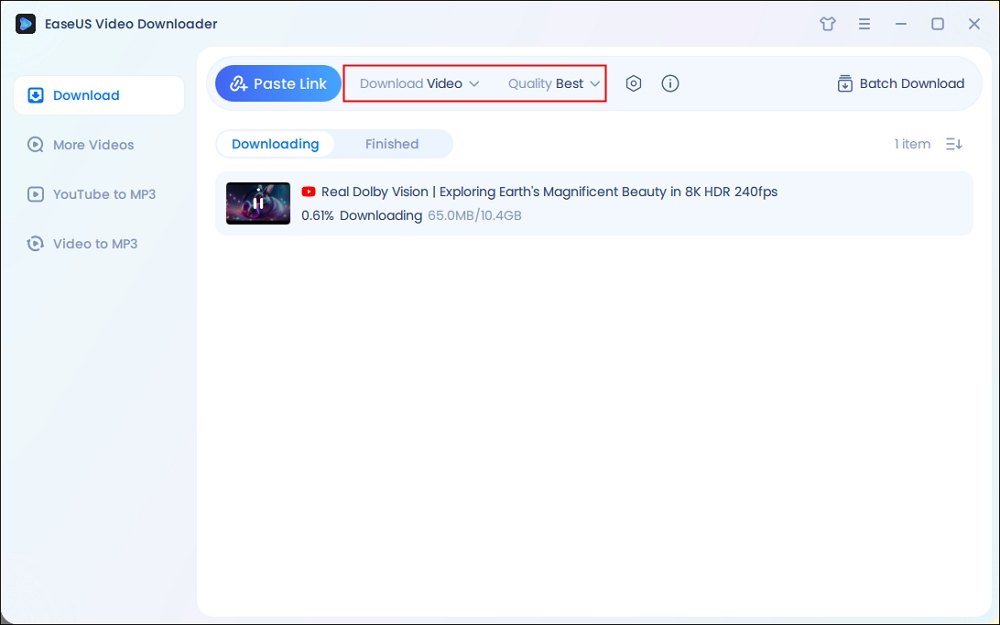
Step 1. Launch EaseUS Video Downloader, select the format and HD quality you need and click the gear button for downloading subtitles optionally.
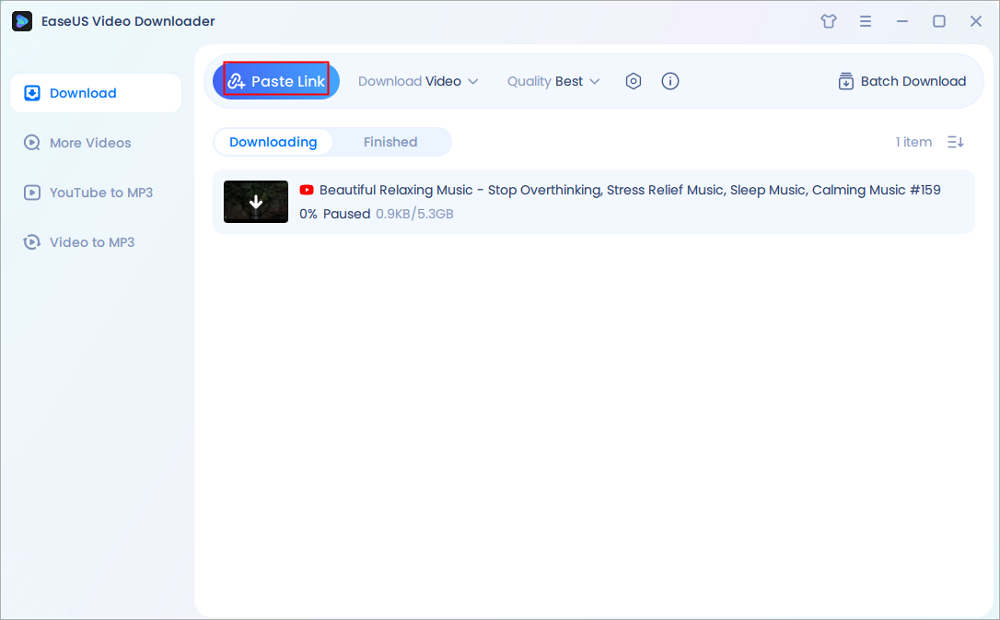
Step 2. Copy the URL of the YouTube video and then click "Paste Link." Then it will start converting the YouTube video to MP4.
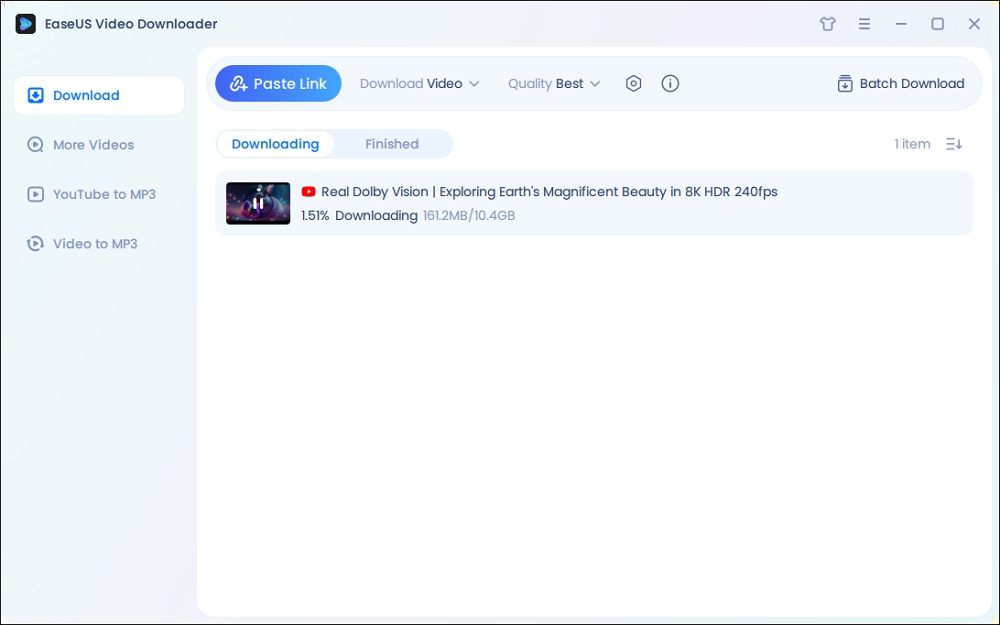
Step 3. Wait for the downloading process to finish. Afterward, you can check the video by clicking "Open File Location."
Disclaimer: EaseUS does not advocate saving any copyrighted content from YouTube for commercial or other illegal intentions. Before you download videos, you'd better check whether it's legal to download YouTube videos.
If you have subscribed to YouTube Premium, you can download YouTube videos ranging from 144p to 1080p resolution. First, ensure you have an active Premium subscription. Also, note that the downloaded Full HD videos can be watched offline but will expire after 30 days if you do not reconnect your device to the internet within that period. 4K or 8K video downloads are not supported for downloading via YouTube Premium.
Step 1. Open your YouTube app on your iPhone or Android.
Step 2. Open a 1080P video you want to download.
Step 3. Below the video player, tap the download button.

Step 4. Choose 1080P video quality from the list.
📝Extra tip: If you want to find the downloaded video on YouTube Premium, go to the "Library" tab and tap on "Downloads" to watch your saved 1080P videos offline.
You can only download YouTube videos directly on mobile phones using the official YouTube app. The YouTube website itself does not support video downloading. Thus, if you need to save videos on a desktop or a laptop, you will need a professional video downloader.
Secure Download
Secure Download
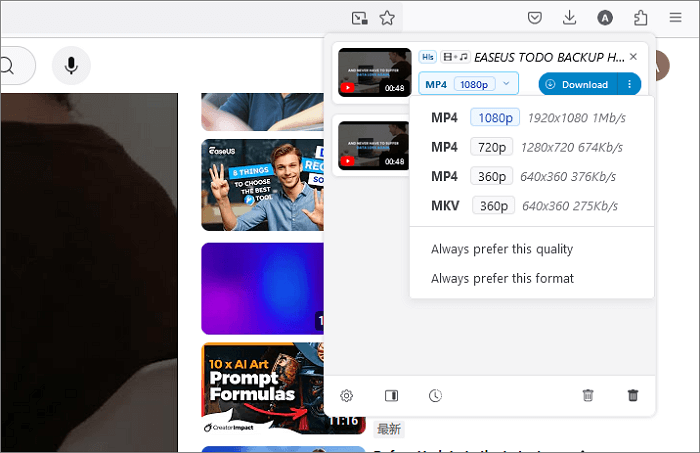
When it comes to video downloading, you may think of some 1080p YouTube video downloader extensions. Please note that YouTube download plugins may not be available on the Google Chrome Store due to some restrictions. However, you can still try some browser plugins to download HD YouTube videos on Firefox or Microsoft Edge. While Video DownloadHelper works on multiple browsers, some features may be more limited. Users may encounter ads or promotional messages.
How to download videos in 1080P from YouTube via Video DownloadHelper.
Step 1. Install Video DownloadHelper on your web browser.
Step 2. Open a 1080P YouTube video and click the Video DownloadHelper icon in the toolbar. (It is like a three-ball icon.)
Step 3. Select the 1080P video quality and click "Download."
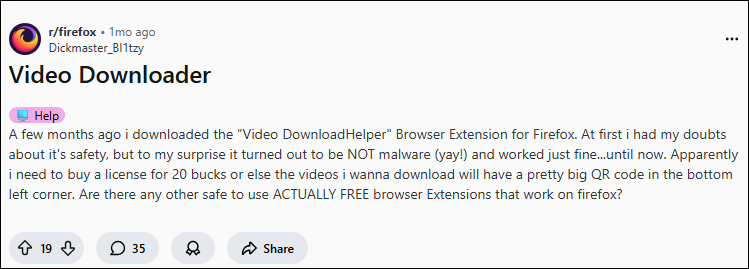
According to recent users' feedback, you need to pay for this extension; otherwise, a big QR code will be on your downloaded content. Guess you may need: an online watermark remover.
YouTube allows downloading for offline viewing only through its official YouTube Premium service, which provides a legal and authorized option. Downloading videos via third-party tools or websites typically violates YouTube's policies. For casual viewing, the safest and most straightforward option is using YouTube Premium's official download feature, which respects copyright and keeps you within the rules.
If you want to download others' videos or clips, ensure you get permission from the copyright holder to avoid any complications. Moreover, it's best to ensure your use is personal use, such as for education, commentary, or new reporting purposes. Any unauthorized distribution or commercial use is clearly illegal.
There are four ways in this article to download 1080P videos from YouTube. Choosing an online video downloader or a downloader app depends on personal needs. Online downloaders are suitable for fast and simple downloads. Downloader apps, like EaseUS Video Downloader, are suitable for users who need more features and higher efficiency.
Secure Download
Secure Download
Downloading YouTube videos may involve some risks. Downloads are for personal use only and cannot be redistributed.
Can I watch the downloaded videos on different devices?
Downloaded videos with YouTube Premium can only be watched on the device.
Can I download live-streaming videos on YouTube?
You cannot download live-streaming videos while they are still live. However, once a live stream has ended and is available as a recorded video, you may be able to download it.
Can I download 1080p videos with high-quality audio?
Yes, tools like EaseUS Video Downloader can download the original video and audio quality (320 kbps). However, some online video downloaders may download the video and audio separately, which is also useful if you want a separate, higher-bitrate audio track.
What file sizes should I expect for 1080p videos?
File sizes depend on length and encoding. For example, a 10-minute 1080p video in the MP4 format can range from 150MB to 300MB.
Do all YouTube videos support 1080p downloads?
No, some videos may only be available in lower resolutions due to uploader settings or content type.
Are there differences between 1080p at 30fps and 60fps?
Yes, 60fps videos provide smooth motion, especially for fast action content, but require higher bandwidth and storage compared to 30fps. However, when you download YouTube videos in 1080p, the downloaded files often do not come with detailed metadata like frame rate.
Share this post with your friends if you find it helpful!


Copyright Disclaimer
This article is for educational and technical reference only. Do not use the described methods to download or share copyrighted content without permission.
Users are fully responsible for any legal consequences. Please:

Respect content creators' rights

Use official or authorized platforms

Avoid unauthorized downloads

Use official or authorized platforms
Columnist
Sasha is a girl who enjoys researching various electronic products and is dedicated to helping readers solve a wide range of technology-related issues. On EaseUS, she excels at providing readers with concise solutions in audio and video editing.
Read Full Bio More Related Articles
How to Download a GoToStage Video in 2 Free Ways
How do you download a GoToStage webinar, meet, or record a video on your PC? Right-click the GoToStage video and select "Inspect," find the video URL, and right-click it to open it in a new tab. The download will start itself.
Sasha. Jun 25, 2026
3 min read
5 Simple Ways to Download YouTube Audio in High Quality
In this guide, we are going to introduce five simple methods to download YouTube audio in high quality. Each of the methods will be detailed with its features. Then, you can choose the way you prefer.
Sasha. Jun 25, 2026
3 min read
How to Download YouTube Videos to Computer [6 Ways]
If you are wondering how to download a YouTube video to a computer, you cannot miss the seven methods here teaching you how to download YouTube videos to a computer, be it a PC or laptop. Apply one of them to save YouTube videos to your computer with a few simple clicks.
Sasha. Jun 25, 2026
3 min read
4 Effective Ways to Download YouTube Playlist to MP3
If you found or created a playlist of YouTube music videos and would like to get them on your PC in MP3, you can use a YouTube playlist to MP3 converter or downloader to download YouTube playlist to MP3.
Sasha. Jun 25, 2026
3 min read