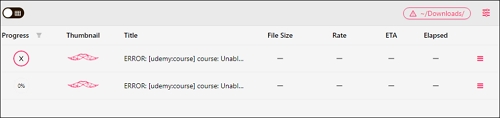


-
![]()
Download Video from Facebook Ads Library in 3 Free Ways
How to download videos from the Facebook ads library for free? This post lists four different ways for you: the code, an online downloader, a Chrome extension, and a desktop software. Keep reading.
Myra. Jun 25, 2026
3 min read
-
![]()
How to Download Rutube Videos [with Rutube Video Downloader on PC/Mac/Mobile]
Rutube is called the YouTube of Russia. There, you can find videos of various types and topics. If you want to download a video from Rutube for offline watching, you can refer to the two ways introduced in this article.
Myra. Jun 25, 2026
3 min read
-
![]()
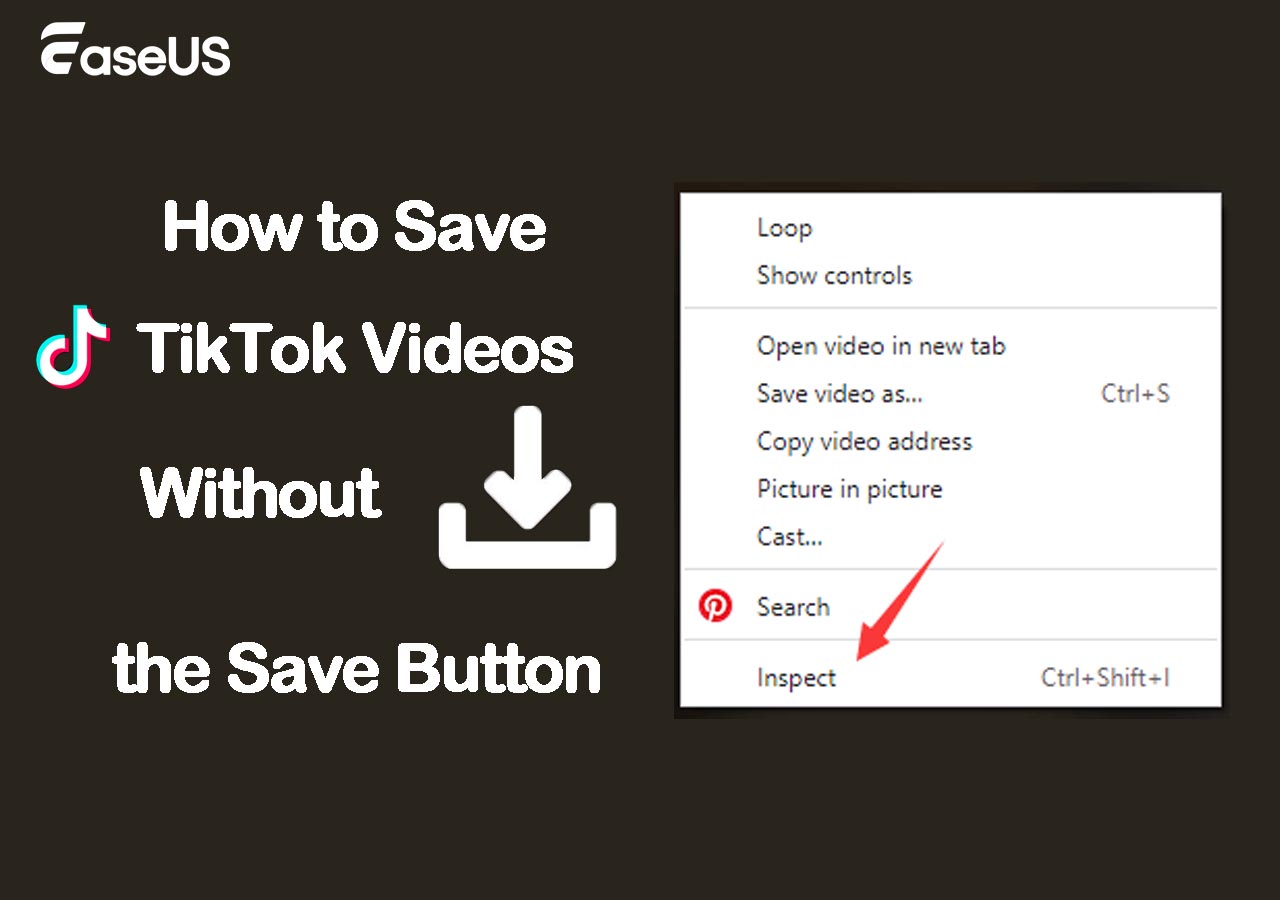
How to Save TikTok Videos Without the Save Button
Most videos on TikTok are available for download. You may find that the save button is disabled for certain videos. Why does this happen? We will explain the causes of the issue and provide you with easy ways to save TikTok videos without the save button.
Myra. Jun 25, 2026
3 min read
-
![]()
How to Download 1080P YouTube Videos in 3 Ways [Full Guide]
Do you want to save your favorite YouTube videos or movies in 1080P for offline viewing? Here, you will learn powerful software and online tools to save YouTube videos in 1080p.
Myra. Jun 25, 2026
3 min read
Page Table of Contents


Jun 25, 2026 0 mins read
👉Where to Download Udemy Courses for Free (for personal use only):
- ✅Use the Udemy mobile app on Android/iOS to download videos for offline viewing when the instructor has enabled downloads.
- ✅On a computer, open Developer Tools (F12), locate the video stream (such as the m3u8 file), and save the Udemy video to your PC.
- ✅If you are familiar with command‑line tools, use youtube‑dl or yt‑dlp to download videos from Udemy.
- ✅As a fallback, use a screen recorder to capture Udemy lectures for personal offline study.
Disclaimer: This guide is intended solely for educational purposes. Please download Udemy videos responsibly and respect copyright laws.
As one of the most popular and well-known online learning and teaching platforms, Udemy boasts over 220,000 courses in programming, science, marketing, data, etc., and 70 million students. With a plethora of learning resources, some may want to download Udemy courses for offline viewing or in case they're removed after the payment. However, one cannot save Udemy courses if the download lecture button is ineffective due to certain platform security measures. This article introduces several effective methods to easily download Udemy courses on PC, web, and mobile devices.
Legal and Ethical Considerations
When downloading Udemy courses, it is crucial to respect Udemy's terms of service and copyright laws. Udemy's content is protected intellectual property created by instructors who rely on course sales for their livelihood. Unauthorized downloading, redistribution, or sharing of paid course content is considered piracy and is illegal.
- Download only what you own: Ensure you have purchased or have legitimate access to the course before downloading.
- Use official channels: Prefer using Udemy's official apps and authorized methods for downloading content.
- Respect instructor rights: Do not share downloaded videos or course materials with others, as this undermines the creators' rights and revenue.
- Stay informed: Review Udemy's policies regularly to stay compliant with any updates regarding content usage.
#1. Download Courses from Udemy in an Official Way [for iOS/Android]
Udemy officially supports downloading course videos for offline viewing through its mobile applications, which are available for Android and iOS devices. However, this method only works when the source instructor has enabled the download option. This setting is determined by the instructor, not Udemy itself. If downloads are allowed, you can save videos for offline viewing on the mobile app.
- ✅ Downloading courses in the mobile app: Supported for most courses
- ✅ Downloading course materials/resources: Available in some courses
- ✅ Offline viewing of purchased courses: Allowed, but only within the app
- ❌ Exporting video files to local storage: Not allowed
- ❌ Direct download from desktop browser: Not allowed
| ⭕Pros | ❌Cons |
|---|---|
|
|
To download Udemy lectures to a computer, go to the video, click the gear icon, and select the video quality; then, you can press the "Download lecture" button if it is not grayed out.
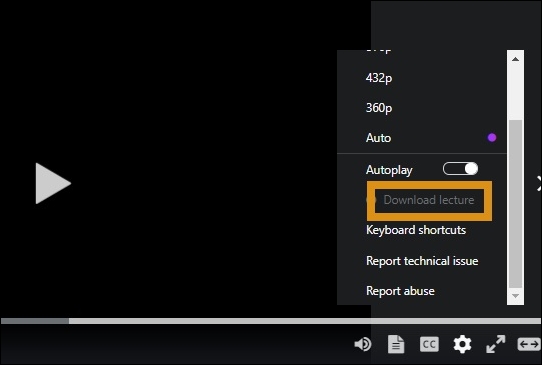
To save Udemy courses for offline viewing on your phone:
Step 1. Open your Udemy app and go to "My learning."

Step 2. Choose the course and tap the download button next to the "Lectures" for the entire course.

To download specific course sections, click the download icon next to it.

To download a course video from the section below, click the download button.
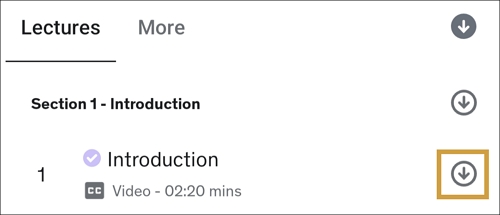
You can check the downloaded videos under the "Downloaded" tab.

Step 3. You can go to "Account" > "Video Preferences" > "Download Options" > "Video download quality" / "Download over Wi-Fi only" to change your preferences.
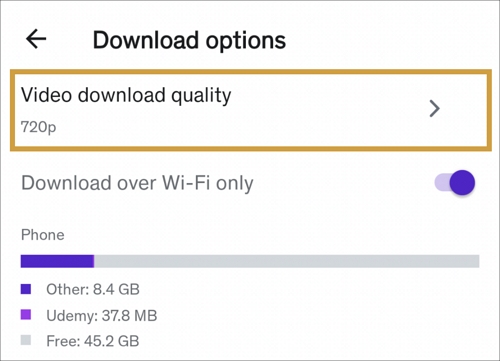
Important notes:
- Downloaded videos are encrypted and can only be played within the Udemy app. Not allowing for unauthorized sharing.
- Not all courses or lectures are available for download, depending on the instructor's settings.
- Download quality can be adjusted in the app settings to balance between video clarity and storage space.
- Offline access is typically valid for a limited time and requires a periodic internet connection to renew licences.
For more information about saving lectures from the mobile Udemy app to your mobile phone, refer to the following Udemy official support pages:
#2. Download Udemy Video to PC with Developer Tools [for Win/Mac]
You can download Udemy videos on your computer using the developer tools for free. It accesses content directly from a website's source, so basically, it can be used anywhere. However, websites like Udemy may employ encryption to prevent downloading, so it won't always work.
| ⭕Pros | ❌Cons |
|---|---|
|
|
Here's how to download Udemy courses on PC with Developer Tools:
Step 1. Go to the Udemy app or website and log in with your credentials.
Step 2. Find the course video and press the F12 or right-click to inspect. Go to "Network" and find the m3u8 file under the "All" tab.
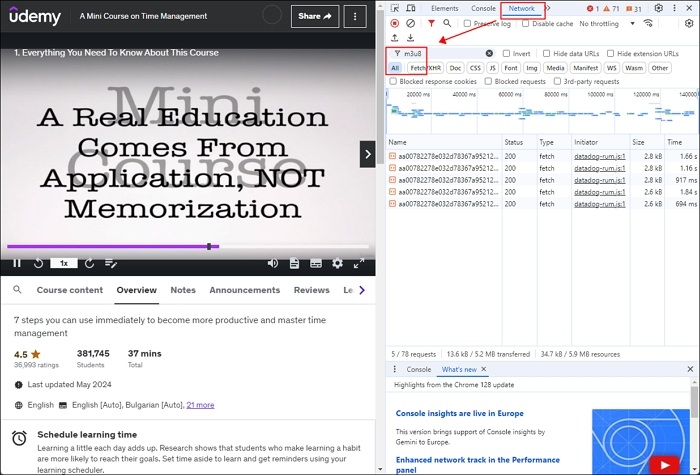
Step 3. Double-click it to download the courses. Or open it in a new tab to save it.
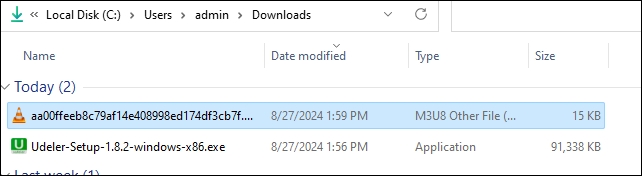
Important Notes:
- This method works best for free courses or videos that are not heavily protected by DRM or encryption. >>Learn how to find free courses
- Downloaded videos via this method may not include subtitles or supplementary materials.
- Always respect Udemy's terms of service and copyright laws; only download videos from courses you have purchased or have permission to access.
#3. Download Udemy Courses with youtube-dl or yt-dlp [for Win/Mac/Linux]
If you are familiar with the codes, you might have heard of YouTube-dl, an open-source command-line tool to download video and audio files from 1,000+ hosting websites. It runs on Windows, macOS, and Unix. You can set the proxy, bypass geo-restrictions, select video formats, and more using the free tool. The downside is obviously the knowledge required. You can turn to yt-dlp if it fails.
Prerequisites:
- Ensure you have purchased or have legitimate access to the Udemy course.
- You need to log in to Udemy and export your browser cookies to authenticate downloads.
| ⭕Pros | ❌Cons |
|---|---|
|
|
To learn how to download Udemy videos on PC with the command line, follow the steps below:
Step 1. Install youtube-dl on your system or upgrade it using the commands below if you have already installed it.
$ youtube-dl -U
Step 2. Get the Udemy course link and save the cookie using the Chrome (Cookie.txt) export extension to file udemy-cookies.txt.
Step 3. Download the course using the following commands:
$ youtube-dl {course_link} --cookies {path_to_cookies_file}
$ youtube-dl --cookies ./udemy-cookies.txt https://www.udemy.com/course-name/
If there's something wrong when you follow the solution, you can refer to a GitHub tutorial page directly: How to download your Udemy course videos using youtube-dl.
#4. Record Udemy Courses via a Third-party Screen Recorder
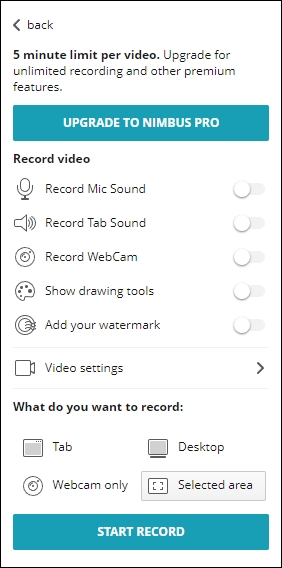
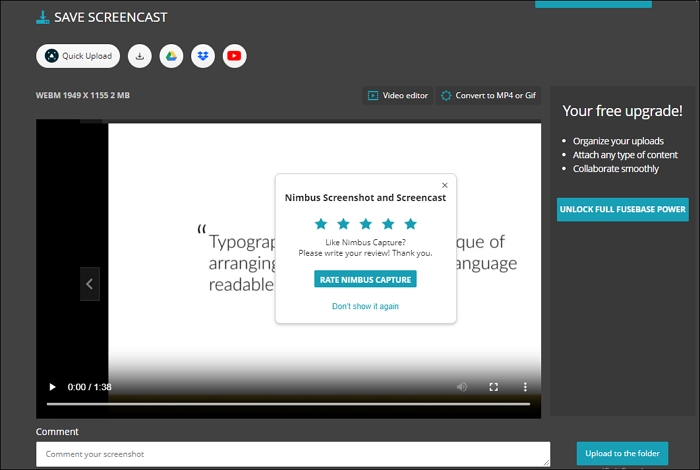
Screen recorders are workarounds for DRM-protected videos you bought. Nimbus Screenshot & Screen Video Recorder captures the entire or partial screen and sends videos to Google/Dropbox/local. It also converts WebM to MP4. However, some advanced features require a premium account.
| ⭕Pros | ❌Cons |
|---|---|
|
|
Step 1. Add the extension to your browser and go to the Udemy course.
Step 2. Enable the extension and choose the area to be captured.
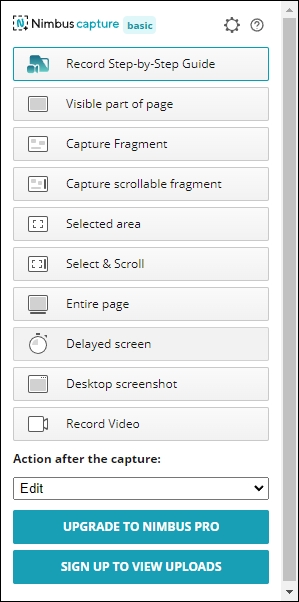
Click the settings icon for more.
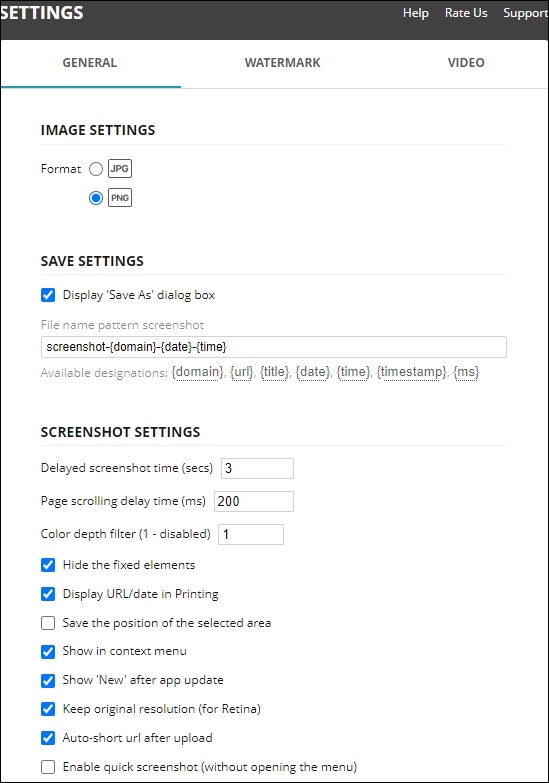
Step 3. After that, play the course, go to "Record Video," and define the sound, watermark, or other settings. Then click "START RECORD."
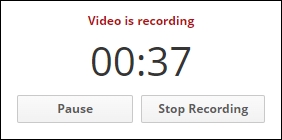
Step 4. Enable the extension from extensions and choose to pause or finish recording.
Step 5. Edit the video and choose how to save it.
Important Notes:
- Udemy employs security measures to prevent unauthorized copying, including disabling screenshots and restricting direct downloads.
- Screen recording is legal only if you have purchased the course or have permission to record it. Unauthorized recording and distribution violate Udemy's terms and copyright laws.
- Quality depends on your screen resolution and recording settings.
#5. Tested but Failed Udemy Course Downloaders
Previously, I've mentioned four effective ways to download Udemy videos on PC, Mac, or mobile devices. In fact, we've tested a dozen so-called Udemy course downloader apps, online services, and extensions in total, most of which are unavailable. Some tutorials claim to be able to download Udemy courses using the following tool, but I failed after trying them. If you are interested in all the possible ways to download Udemy videos, try to avoid the following:
- 1. Internet Download Manager (IDM)
-
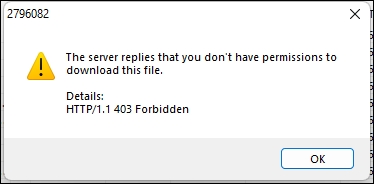
This video downloader extension is a powerful, paid download manager confined to the Windows system. But it constantly shows the "The server replies that you don't have permission to download this file" error.
![download-udemy-video-idm-fail.jpg]()
- 2. 4K Video Downloader
-
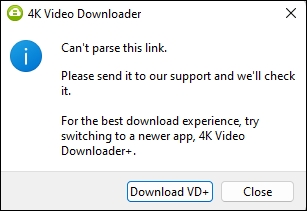
4K Video Downloader can download HD videos from 1000+ sites; however, after my test, it cannot parse Udemy links and download Udemy courses on PC.
![download-udemy-video-4k-fail.jpg]()
- 3. Watchfever Udemy Downloader Online
-
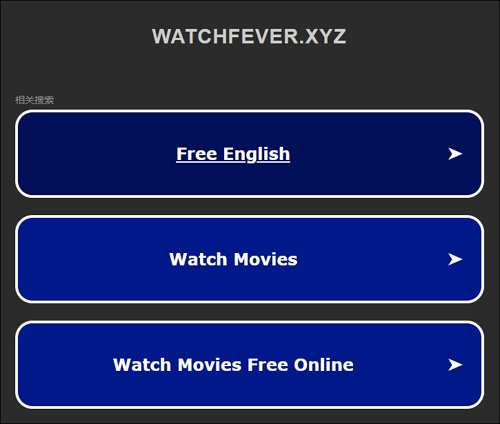
This Udemy video downloader online is a dedicated web-based course downloader. It used to be able to download Udemy courses, but now it's not available anymore.
![download-udemy-video-watchferver-fail.jpg]()
- 4. Udemy Downloader
-
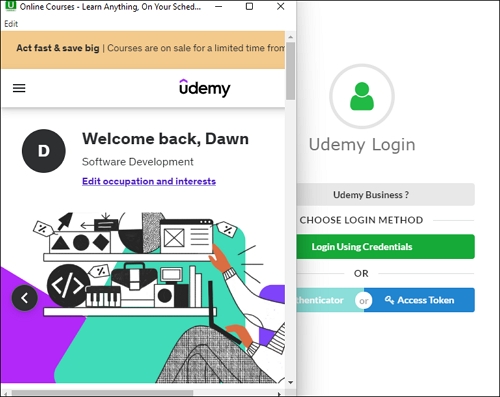
This so-called Undemy downloader cannot download DRM-protected videos or free courses. It guided me to log in, but nothing happened.
![download-udemy-video-udeler-fail.jpg]()
- 5. Video DownloadHelper Extension
-
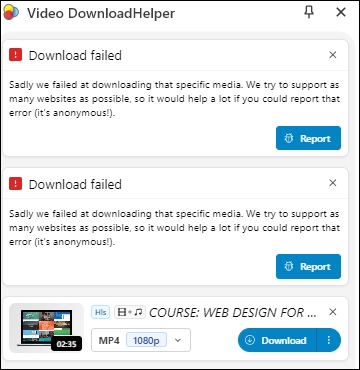
Udemy uses encrypted streaming (HLS/DASH with DRM) for most of its video content, especially for paid courses. Video DownloadHelper can only detect and download non-DRM, unencrypted media streams. Therefore, the extension fails to download the media file from Udemy.
![download-udemy-video-downloadhelper-fail.jpg]()
- 6. yt-dlp GUI Stacher
-
After our tests, yt-dlp GUI tools like Stacher are unable to download the forbidden webpage.
![download-udemy-video-stacher-fail.jpg]()
Share these proven methods to download Udemy videos with others!

#6. Extra Tip: All-in-one Video Downloader Available on 1,000+ Sites
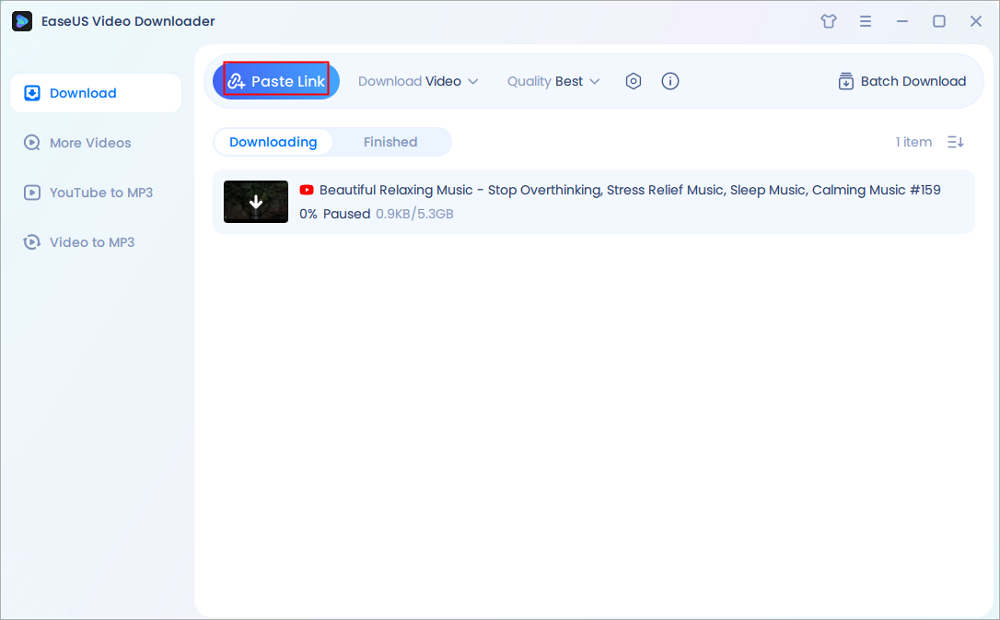
EaseUS Video Downloader is a powerful video downloader that is available on both Windows and macOS. It supports the bulk downloading of HD videos from 1,000+ sites, including YouTube, Instagram, TikTok, X, Facebook, etc. You can also save reels, stories, pictures, playlists, channels, and more content for backup. With an intuitive and straightforward UI, even beginners can download any videos easily without any guidance.
Key Features
- Download videos from 1,000 sites.
- Save videos, music, pictures, and more.
- Support 720P/1080P/HD/4K/8K.
- Bulk downloads up to 50 files at a time.
Secure Download
Secure Download
#7. Wrapping up
To sum up, there are several ways to download Udemy videos, each with its own pros and cons; you can choose the method that best fits your needs, technical skills, and respect for Udemy's terms of service.
- Official Udemy App: Best for most users as it's legal and easy to use. It allows you to download videos for offline viewing, but you can only watch them within the app, and not all videos are available for download.
- Developer Tools: Good for tech-savvy users who are comfortable with browser tools. It's free and doesn't require extra software, but it can be time-consuming and doesn't always work due to encryption or other protections.
- youtube-dl and yt-dlp: Suitable for advanced users who know how to use command-line tools. These tools offer a lot of flexibility but can be complex and might not always work, especially if Udemy changes its security.
- Screen Recording: This method works for any video, even if it's protected, but it requires you to manually record the screen, which can be slow and cumbersome.
#8. Udemy Course Downloader FAQ
Q1. How to find free courses on Udemy?
If you're looking to learn for free on Udemy, you're in luck—there are several reliable ways to discover high-quality courses without spending a dime:
- Official Free Courses Page (https://www.udemy.com/courses/free/): Udemy maintains a dedicated page that showcases all courses currently marked as "Free." You can explore a wide range of topics from programming and design to personal development.
- Use the Price Filter When Searching: After searching for any topic on Udemy, use the filters on the left-hand side of the page. Select Price > Free to display all related courses that are free of charge.
- Find Free Coupons from Online Communities: Many paid courses go free temporarily through coupon codes. You can find these through popular platforms such as:
- r/Udemy or r/FreeUdemyCourses on Reddit
- DiscUdemy, a site dedicated to listing free Udemy coupon codes
- Telegram and Facebook groups—just search for "Free Udemy Coupons"
Q2. Can I download videos from Udemy?
Downloading Udemy videos directly is against Udemy's terms of service, except for cases where Udemy provides a download option for offline viewing through its official app.
Q3. Can I download Udemy for PC?
You can download Udemy on your PC and mobile device to access your Udemy courses.
Q4. Where can I download Udemy courses for free?
To access Udemy premium courses for free, you can use free course coupons available on Udemy's website and social media, enroll in courses during sales when they're heavily discounted or sometimes free, or use third-party downloaders.