-
![]()
Joey Albert
Joey has been involved with tech ever since she joined the EaseUS editor team in March 2011 and now she is a senior website editor. She is good at solving various issues, such as video downloading and recording.…Read full bio -
![]()
Alin
Alin is a sophisticated editor for EaseUS in tech blog writing. She is proficient in writing articles related to screen recording, voice changing, and PDF file editing. She also wrote blogs about data recovery, disk partitioning, data backup, etc.…Read full bio -
Jean has been working as a professional website editor for quite a long time. Her articles focus on topics of computer backup, data security tips, data recovery, and disk partitioning. Also, she writes many guides and tutorials on PC hardware & software troubleshooting. She keeps two lovely parrots and likes making vlogs of pets. With experience in video recording and video editing, she starts writing blogs on multimedia topics now.…Read full bio
-
![]()
Gorilla
Gorilla joined EaseUS in 2022. As a smartphone lover, she stays on top of Android unlocking skills and iOS troubleshooting tips. In addition, she also devotes herself to data recovery and transfer issues.…Read full bio -
![]()
Rel
Rel has always maintained a strong curiosity about the computer field and is committed to the research of the most efficient and practical computer problem solutions.…Read full bio -
![]()
Dawn Tang
Dawn Tang is a seasoned professional with a year-long record of crafting informative Backup & Recovery articles. Currently, she's channeling her expertise into the world of video editing software, embodying adaptability and a passion for mastering new digital domains.…Read full bio -
![]()
Sasha
Sasha is a girl who enjoys researching various electronic products and is dedicated to helping readers solve a wide range of technology-related issues. On EaseUS, she excels at providing readers with concise solutions in audio and video editing.…Read full bio
Page Table of Contents

Myra
Updated on Jan 21, 2026
0 Views |
0 min read
Skype, once the dominant VoIP platform for international calls and video chats, officially shut down its consumer services in May 2025, leaving millions seeking a reliable replacement for global communication. In this article, we will introduce the top 8 Skype alternatives for business and personal use, whether you are calling family abroad, a freelancer coordinating with overseas clients, or a remote team needing scalable video conferencing.
Why These Alternatives Matter
After Skype's shutdown, Microsoft Teams serves enterprise users well, but lacks Skype's simple personal landline calling via credits. Messaging apps like WhatsApp cover free daily chats, while business platforms deliver professional phone systems and video tools, all tailored for today's remote teams and global connections.
Quick Overview
- Business Use: Microsoft Teams, Zoom, Google Meet, GoTo Meeting — enterprise-grade video, VoIP, and team tools.
- Personal Use: WhatsApp, Viber Out, Rebtel, Telegram — free/cheap calls to anyone worldwide.
Want to Prank Your Friends on a Phone Call?
Ready to surprise friends and family with your new international calling apps? EaseUS VoiceWave delivers hilarious real-time voice changing perfect for WhatsApp pranks, Discord gaming laughs, or Zoom call gags.
Skype Alternatives for Business or Global Team Work
Microsoft Teams
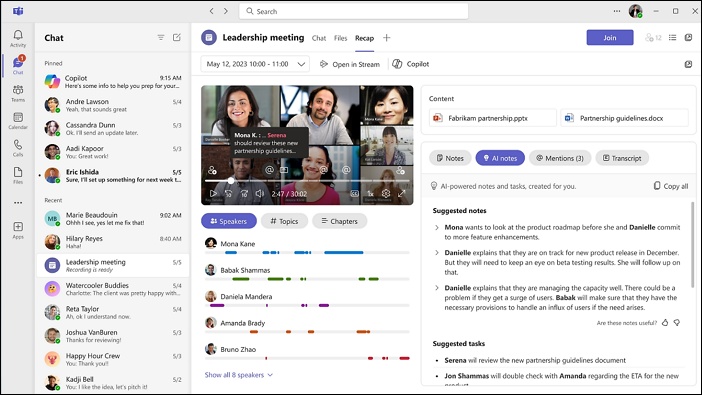
Microsoft Teams serves as a comprehensive collaboration hub, combining high-quality VoIP calls, persistent chat channels, file sharing, and app integrations into a single workspace. It's particularly suited for businesses with global teams, offering seamless connectivity across time zones through Microsoft 365.
Pricing: Free basic plan for small teams; Essentials at $4/user/month; Business Basic from $6/user/month; Premium plans up to $22/user/month for advanced telephony and AI features.
Available for: Windows, Mac, Linux, Android, and iOS
Pros:
- AI-powered Copilot for chat summaries, message drafting, and meeting recaps with real-time captions in 100+ languages.
- Unlimited group meetings up to 300 participants, VoIP calling to international numbers via add-ons, breakout rooms, and file sharing integrated with Microsoft 365.
- External collaboration via email-to-chat, smarter hybrid rooms with voice/face recognition, pop-up windows for multitasking, and workflow automation.
Cons:
- Higher costs for international calling add-ons and Teams Premium AI tools make it less ideal for budget-conscious small businesses.
Zoom
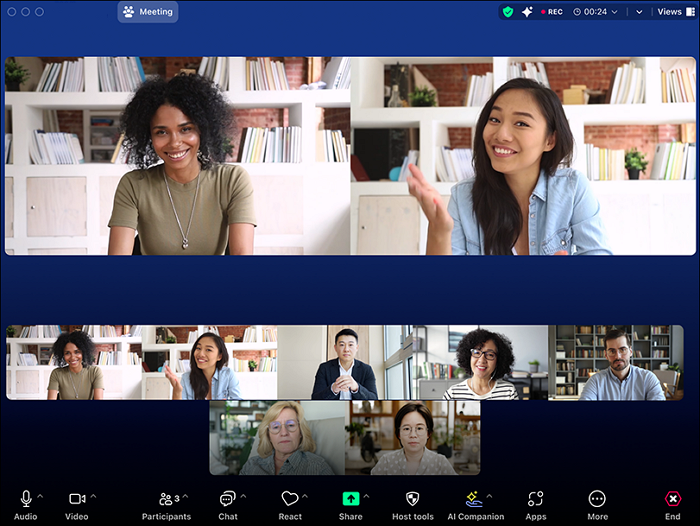
Zoom excels as a user-friendly video conferencing leader, delivering reliable HD meetings, webinars, and cloud phone services used by millions worldwide. Its straightforward interface supports everything from quick personal catch-ups to enterprise-scale events, with a strong emphasis on clarity for international audio or video calls.
Pricing: Free plan for basic use (40-minute group meetings, unlimited 1:1); Pro at $15.99/user/month (30-hour meetings); Business from $21.99/user/month; Enterprise custom pricing with phone and advanced features.
Available for: Windows, macOS, Linux, iOS, Android, and web.
Pros:
- Exceptional HD video/audio quality even on unstable connections, with features like noise suppression and virtual backgrounds.
- Intuitive one-click joining, breakout rooms, screen sharing, and webinars up to 1,000 participants.
- Strong mobile support and AI tools like summaries and real-time translation for global teams.
Cons:
- Free plan limits group meetings to 40 minutes; advanced calling/telephony requires paid upgrades.
- Past security vulnerabilities (e.g., "Zoombombing") have led to stricter default settings. Now, they have since been resolved.
Google Meet
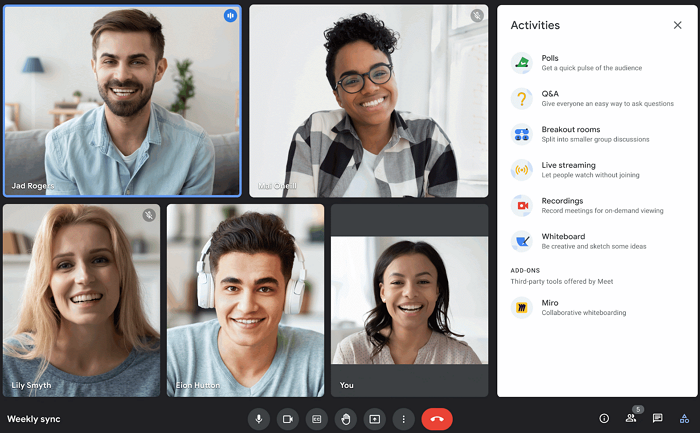
Google Meet provides instant, browser-based video meetings with smart AI features like live captions and automated notes, deeply integrated with Google Workspace apps such as Calendar, Gmail, and Docs. It shines for users needing effortless scheduling and real-time collaboration without downloads, making it ideal for distributed teams or casual global chats.
Pricing: Free plan for personal use (up to 100 participants, 60-minute limit); Google Workspace plans start at $6/user/month (Business Starter, up to 24 hours), with Enterprise options up to $18/user/month or more for premium features like attendance tracking.
Available for: Web browser (Chrome, Firefox, Edge, Safari), desktop apps (Windows, macOS, ChromeOS), mobile apps (iOS and Android).
Pros:
- Effortless browser access and Google ecosystem integration for quick scheduling and real-time collaboration on Docs/Sheets.
- AI features like Gemini note-taking, live captions in 100+ languages, noise cancellation, and breakout rooms enhance productivity.
- Reliable HD video for up to 1,000 participants on paid plans, with strong security such as end-to-end encryption.
Cons:
- Free plan limits group meetings to 60 minutes and lacks advanced recording/polls.
- In-meeting chat is public-only, with no private messaging or persistent post-meeting access.
GoTo Meeting
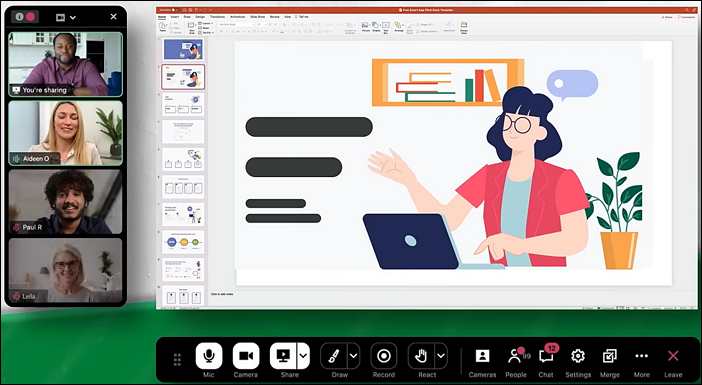
GoTo Meeting is a reliable web conferencing platform from GoTo, designed for secure online meetings, screen sharing, and collaboration, making it a solid Skype alternative for businesses handling international client demos, training sessions, and team huddles.
Pricing: Free plan for basic use (up to 3 participants); Professional at $12/user/month (150 participants, unlimited meetings); Business from $16/user/month (advanced recording, transcription); Enterprise custom pricing.
Available for: Windows and macOS; iOS and Android; web browser access.
Pros:
- Built-in recording, transcription, commuter mode, remote control, and drawing tools are strong for training and client demos.
- Known for very high uptime and stable audio/video quality, even for longer professional meetings.
- Encryption, meeting lock, and compliance features make it attractive for regulated industries and privacy-conscious teams.
Cons:
- The broader GoTo product family (Meeting, Connect, Webinar, Room) can be confusing, and some advanced options are spread across products or higher tiers.
- The free plan is much more restricted, pushing most serious use cases into paid tiers quickly.

Skype Alternatives for Personal Use
Viber Out
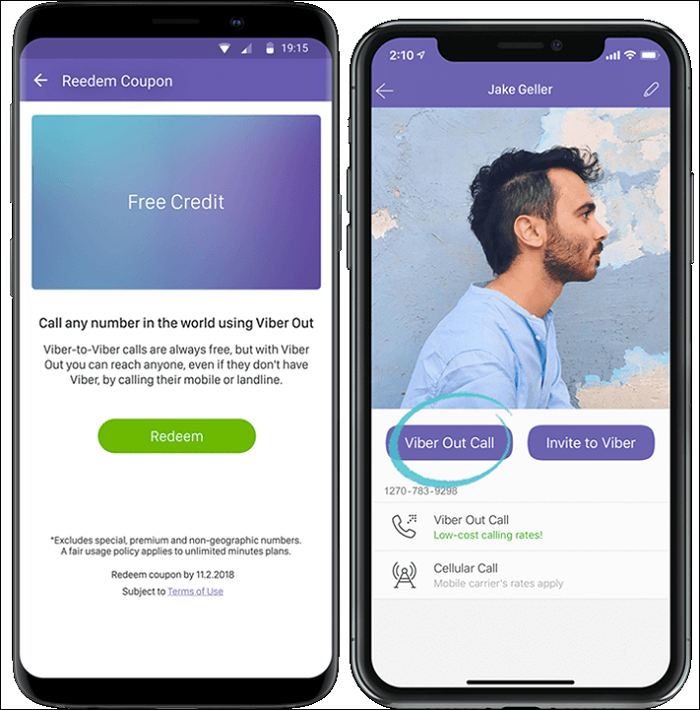
Viber Out is a cost-effective VoIP calling feature within the Viber app that lets users dial any landline or mobile worldwide directly from their device, ideal for expatriates calling family back home, travelers coordinating with local contacts, or friends splitting long-distance catch-ups without carrier fees.
Pricing: Pay-as-you-go credits from $4.99 (e.g., 1.9¢/min to USA); monthly unlimited plans ~$5.99 for 60+ countries.
Available for: iOS, Android, Windows, macOS, Linux apps with cross-device syncing.
Pros:
- Clear voice calls rivaling landlines, with low latency even on 3G/4G networks and automatic quality optimization.
- Call any landline/mobile number in 230+ countries; recipients need no app or internet — just dial from Viber contacts.
- End-to-end encryption for call setup, real caller ID display, and GDPR-compliant payment processing.
Cons:
- Limited to one-on-one voice calls to phones; lacks video, conferencing, or screen sharing found in competitors.
- Unavailable in some countries (e.g., China mainland).
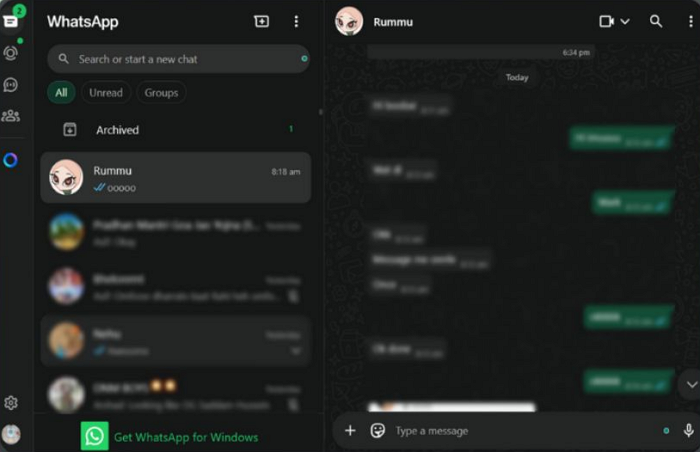
WhatsApp is the world's leading messaging app with over 3 billion monthly active users, offering free text, voice, video calls, and file sharing over internet connections, making it essential for staying connected across borders in personal and family networks.
Pricing: Completely free for personal use (no subscription fees); WhatsApp Business app is also free, with optional API plans for enterprises starting around $0.01/message depending on region and volume.
Available for: iOS, Android; Windows, macOS; web.whatsapp.com via browser.
Pros:
- Zero cost for unlimited global calls/messages using Wi-Fi/data; group video up to 32 people.
- Supports 180+ countries, 60+ languages with end-to-end encryption.
- Seamless contact sync, high-quality HD calls, and backups to Google Drive/iCloud.
Cons:
- Strictly internet-dependent; no landline calling.
- Group limits and no built-in polling.
- Business features limited without paid API for scaling.
Telegram
Telegram is a privacy-focused messaging app renowned for its speed, massive group support (up to 200,000 members), and secure end-to-end encrypted voice/video calls, making it ideal for personal networks staying connected internationally without data limits.
Pricing: Free core app; optional Telegram Premium at $4.99/month or $48.99/year for extras like 4GB file uploads, ad-free channels, and faster downloads.
Available for: iOS, Android, Windows, macOS, Linux desktop apps; web.telegram.org browser access with full sync.
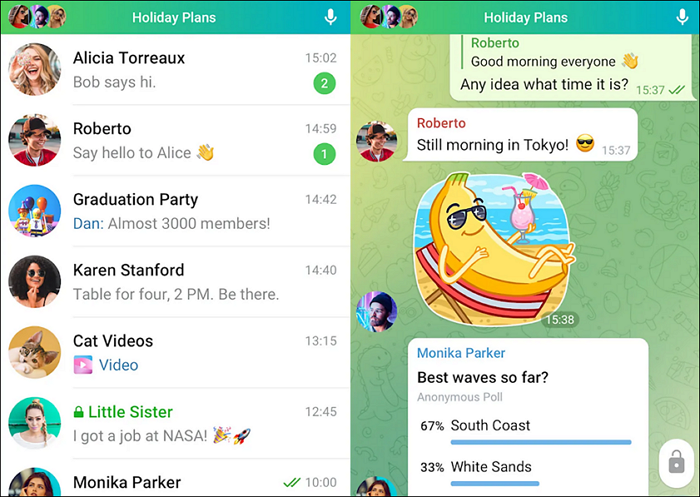
Pros:
- Large file sharing. You can send files of any type up to 2 GB (4 GB for Premium users).
- Telegram offers unlimited cloud storage for all users.
- You can connect with people using a username, which helps protect your contact information from strangers in groups.
- The app is available on a wide array of platforms, and its desktop app works independently without needing your phone to be connected.
Cons:
- Secret chats are limited to mobile only.
- While the total storage is unlimited, there is a limit on the size of a single file upload.
Rebtel
Rebtel is another Skype alternative that provides crystal-clear calls to any phone number worldwide via smart local access numbers or app-to-app VoIP, specifically built for individuals who regularly call family members or friends abroad.
Pricing: Pay-as-you-go credits or monthly subscriptions ($10-60/month); rates like 2¢/min USA, unlimited country plans from $10/month.
Available for: iOS, Android apps primarily; web dashboard for credits; works via local dial-in numbers globally.
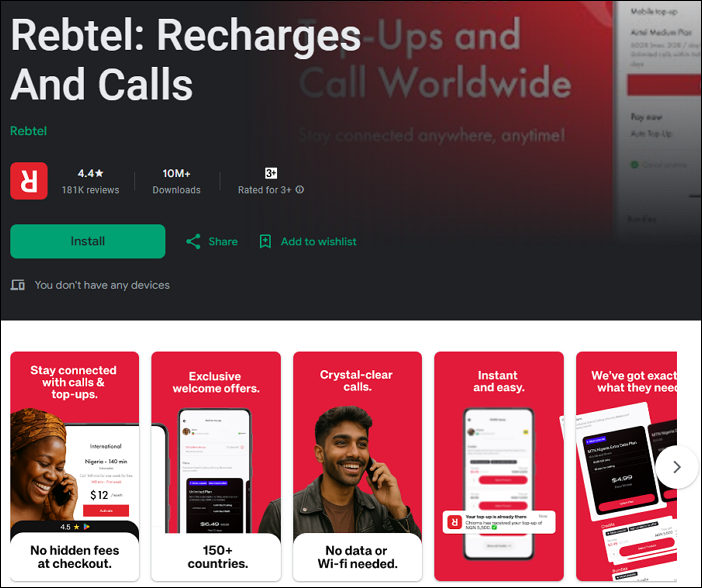
Pros:
- Lower rates for international calls, which can be a huge saving compared to traditional carriers.
- Deliver excellent and stable call quality, even in areas with fluctuating internet access.
- Integrate with your existing contacts and provide local numbers for international contacts, making dialing as easy as a local call.
- Calls can be made to both mobile phones and landlines, regardless of whether the recipient uses the Rebtel app.
Cons:
- Mainly mobile phone-based.
- When using the "local number" method, the service uses your local carrier minutes to connect the call to the Rebtel system, which can result in high charges if your mobile plan does not include unlimited local calls.
Add Instant Fun to Your Call with Playful Voice Changer
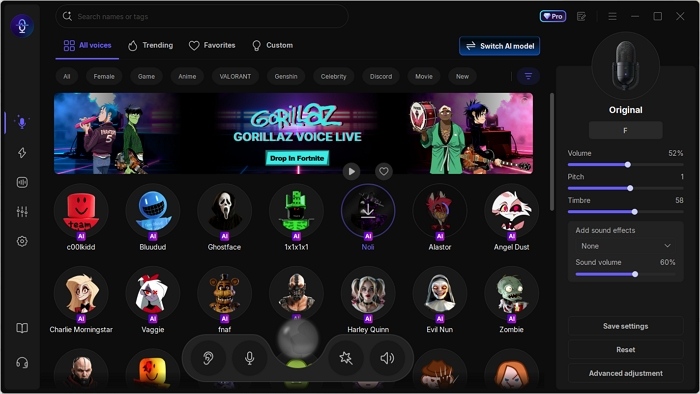
Ready to spice up conversations on these Skype alternatives? EaseUS VoiceWave adds real-time effects to WhatsApp and Zoom, perfect for laughs with family abroad or playful gaming chats. It can transform your voice with hundreds of effects in real time, from robotic tones to celebrity impressions. Minimal lag, privacy-focused processing, and one-click activation make it the ideal companion for your new calling setup.
Main Features:
- Instant celebrity, anime, robot, or cartoon voices with realistic quality.
- Tweak pitch, timbre, and thickness to build your signature sound.
- Trigger hotkey sounds (laughs, memes, alerts) for hilarious moments.
- Works seamlessly with Discord, Zoom, Roblox, Valorant, OBS, etc.
Conclusion
Skype's 2025 shutdown marked the end of an era, but these 8 Skype alternatives deliver everything from free family calls to enterprise-grade business tools. WhatsApp and Viber Out handle personal connections effortlessly, while Teams, Zoom, and others power professional global teams. Choose based on your needs, cost, scale, or simplicity.