-
![]()
Joey Albert
Joey has been involved with tech ever since she joined the EaseUS editor team in March 2011 and now she is a senior website editor. She is good at solving various issues, such as video downloading and recording.…Read full bio -
![]()
Alin
Alin is a sophisticated editor for EaseUS in tech blog writing. She is proficient in writing articles related to screen recording, voice changing, and PDF file editing. She also wrote blogs about data recovery, disk partitioning, data backup, etc.…Read full bio -
Jean has been working as a professional website editor for quite a long time. Her articles focus on topics of computer backup, data security tips, data recovery, and disk partitioning. Also, she writes many guides and tutorials on PC hardware & software troubleshooting. She keeps two lovely parrots and likes making vlogs of pets. With experience in video recording and video editing, she starts writing blogs on multimedia topics now.…Read full bio
-
![]()
Gorilla
Gorilla joined EaseUS in 2022. As a smartphone lover, she stays on top of Android unlocking skills and iOS troubleshooting tips. In addition, she also devotes herself to data recovery and transfer issues.…Read full bio -
![]()
Rel
Rel has always maintained a strong curiosity about the computer field and is committed to the research of the most efficient and practical computer problem solutions.…Read full bio -
![]()
Dawn Tang
Dawn Tang is a seasoned professional with a year-long record of crafting informative Backup & Recovery articles. Currently, she's channeling her expertise into the world of video editing software, embodying adaptability and a passion for mastering new digital domains.…Read full bio -
![]()
Sasha
Sasha is a girl who enjoys researching various electronic products and is dedicated to helping readers solve a wide range of technology-related issues. On EaseUS, she excels at providing readers with concise solutions in audio and video editing.…Read full bio
Page Table of Contents

Gorilla
Updated on Jan 27, 2026
0 Views |
0 min read
About OmeTV
OmeTV is a free online video chat platform that connects users from around the world for random, real-time conversations. It works similarly to Omegle, allowing you to meet strangers via webcam with just one click. Unlike Omegle, however, OmeTV comes with a cleaner interface, built-in moderation, and app versions for iOS and Android.
Is OmeTV safe? While OmeTV includes moderation features and a report system, its safety largely depends on how responsibly users behave. As with all random video chat apps, it's possible to encounter inappropriate content. Users are advised to follow safety guidelines and avoid sharing personal information.

Is OmeTV the new Omegle? Since Omegle shut down in 2023, many users have migrated to OmeTV as a substitute. While it’s not officially affiliated with Omegle, OmeTV serves a similar purpose and is now one of the most popular Omegle alternatives.
Is OmeTV down? If you're experiencing connection issues, it's possible the platform is undergoing maintenance or facing regional restrictions. You can check sites like DownDetector or OmeTV's social media channels for real-time status updates.
How to use OmeTV? Using OmeTV is straightforward. Just visit the OmeTV website or download the mobile app. Allow access to your webcam and microphone. Then click "Start" to begin chatting. No registration is needed, though you can create an account to access more features.
Best 6 OmeTV Video Chat Alternatives
If you're not satisfied with OmeTV or simply want to explore more apps like OmeTV, you're in luck. There are many websites like OmeTV that offer random video chat features, each with its own unique twist. Whether you're looking for better moderation, more customization, or just a different vibe, these OmeTV video chat alternatives are worth checking out.
Here are 6 of the best OmeTV alternatives:
📺#1. Emerald Chat – Safe, interest-based random chat with browser access and better moderation for meaningful conversations.
🎥#2. Uhmegle – Classic Omegle-style platform, lightweight, anonymous, and easy to start chatting without registration.
📺#3.Monkey – Mobile-first, fast-paced video chat with swipe-style matching and fun global social interactions.
🎥#4. Omegleapp.me – Recreates the traditional Omegle experience online, simple interface, browser-friendly, and quick access.
📺#5. Chitchat – Moderated and clean random chat platform, themed chat rooms, filters, and safer interaction environment.
🎥#6. Azar– Global video chat app with translation, location/gender filters, and interactive features like virtual gifts.
To disguise your voice on OmeTV or other online cam sites, skip to the Voice Changer part.
#1. Emerald Chat
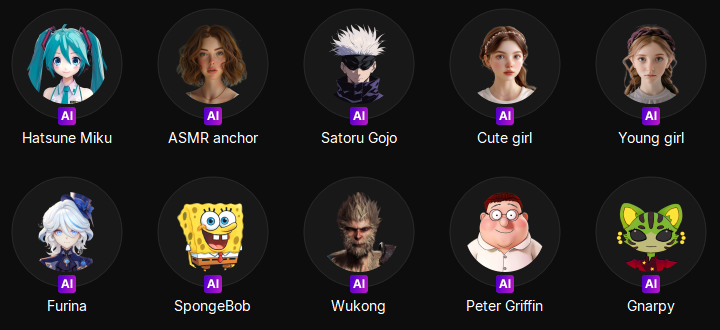
Emerald Chat stands out among websites like Ometv by focusing on user safety and meaningful connections. It pairs users for random video or text chats but also allows interest‑based filtering so you’re more likely to connect with people who share your hobbies or topics of conversation. It runs directly in the browser with no heavy app download required, making it fast and accessible.

UGC and platform feedback highlights Emerald’s better moderation and cleaner experience compared with many random chat sites, thanks to trust‑score systems and filters that reduce bots and low‑quality matches. The site attracts users looking for genuine conversation rather than chaotic skip loops, though some users note occasional bugs or wait times during off‑peak hours.
Pros
- Interest tags and soft trust‑score system improve match quality
- Quick, browser‑based access with minimal setup
- Generally cleaner and safer than many random chat alternatives
Cons
- Smaller user base can mean longer waits at times
- Fewer advanced features compared to big social apps
- Some users report occasional minor bugs
#2. Uhmegle
Uhmegle revives the classic Omegle alternative experience, offering simple, anonymous video and text chat with strangers worldwide. You can use interest tags to help guide matches, and the lightweight browser platform means there’s no app‑store download or account needed to get started.
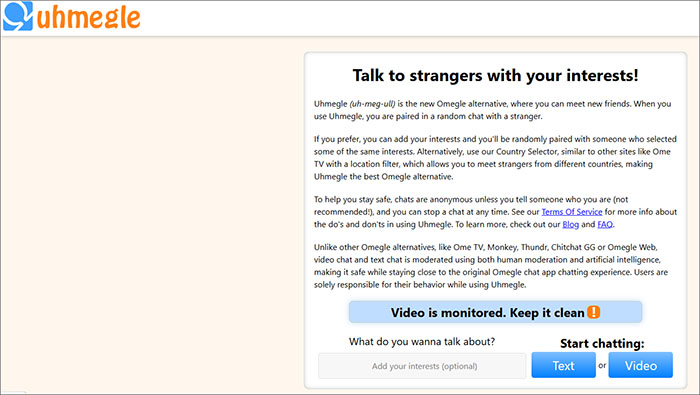
Users often appreciate Uhmegle’s straightforward, nostalgic interface that echoes the original Omegle feel while adding modern moderation layers. However, its community size is smaller than some larger platforms, and safety features like reporting tools are more basic, which can lead to occasional inappropriate content or slower matchmaking.
Pros
- Instant, no‑signup random video and text chat
- Interest filters help tailor match topics
- Works in any browser on desktop or mobile
Cons
- Smaller community can mean longer match times
- Safety and moderation are more limited
- Features are more basic than larger alternatives
#3. Monkey
Monkey is a mobile‑oriented random video chat app that lets you connect with strangers around the world instantly. It pairs you for short one‑on‑one video conversations that can be extended if both people “like” each other, and you can input interests or age‑range preferences to refine matches. Its swipe‑style, fast‑paced design and profile customization make it feel more dynamic than some basic OmeTV alternatives.
Many users praise Monkey for being easy to use and engaging, with real‑time video and discovery features that foster global social connections. Reports also note strong ratings on app stores and a lively community vibe. However, safety concerns crop up due to occasional inappropriate content and the lack of robust age verification, and the random nature of matches can lead to superficial or awkward interactions.
Pros
- Instant global video connections with interest matching
- Fun, mobile‑friendly interface that feels social and energetic
- Free to use with optional in‑app features
Cons
- Safety and content moderation can be inconsistent
- Limited advanced filters without additional features
- Interactions can be superficial or brief
#4. Omegleapp.me
Omegleapp.me is a newer OmeTV alternative that aims to capture the simplicity of classic Omegle with modern security measures like AI monitoring and human moderation. Its fully optimized platform works across desktop, tablet, and mobile devices, offering a smooth experience without heavy apps or installations.
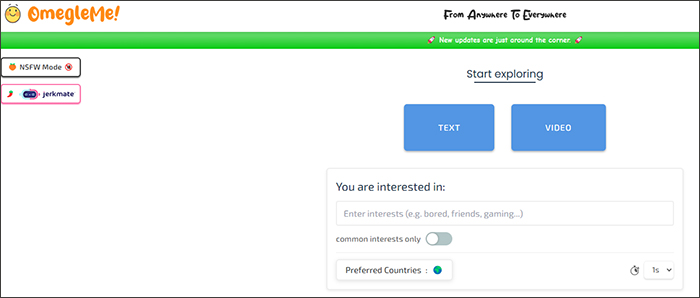
Users who have tried Omegleapp.me often cite its ease of use and consistent experience across devices, making it a promising choice for those who want something familiar yet tuned up compared to older clones. However, because it’s relatively new, its user base isn’t as large, which can occasionally affect match speeds and availability.
Pros
- Strong security and moderation compared with some clones
- Smooth experience on all major device
- Simple, recognizable interface
Cons
- Smaller community means fewer active matches
- Fewer advanced features than bigger rivals
#5. Chitchat
Chitchat.gg is gaining traction as a safer and more refined OmeTV alternative that focuses on meaningful interactions rather than chaotic skip cycles. It offers random video and text chat with AI‑assisted moderation, one‑click reporting and blocking, and a clean, ad‑free interface that many users prefer over older platforms.
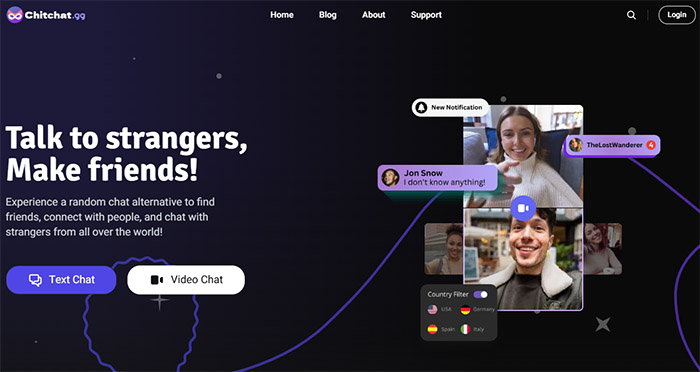
Community feedback often highlights Chitchat’s stable performance and safety controls, plus its minimalist design that makes chatting straightforward and less cluttered. Some users note that the demographic skews younger and matches can sometimes feel repetitive, but overall it’s seen as a solid choice for anyone tired of bot‑heavy or poorly moderated platforms.
Pros
- Strong moderation and safety features
- Browser‑based with no signup required
- Cleaner community vibe compared to older random chat sites
Cons
- Match quality depends on time and region
- Younger user demographic may not suit everyone
- Some occasional connection glitches reported
#6. Azar
Azar is one of the more polished OmeTV alternative apps, blending random video chat with a richer set of features like language translation, virtual gifts, and preference filters for gender and location. Its swipe‑to‑connect system quickly pairs you with others, and the UI is generally considered clean and smooth on mobile devices.
Users appreciate Azar’s global reach and real‑time translation, which lets you communicate beyond language barriers, and its interactive tools like beauty filters and follow options add charm to conversations. However, many reviews point to heavy monetization — filters and advanced options often require in‑app purchases — and occasional inappropriate behavior or safety concerns, making it a mixed experience overall for some.
Pros
- AI‑powered language translation and fun video effects
- Large global user base and smooth UI
- Features beyond basic chat (gifts, filters)
Cons
- In‑app monetization can feel pushy
- Safety and moderation issues still possible
- Mix of genuine and low‑quality interactions
Get More Fun for Conversation on OmeTV
OmeTV is all about random video and voice chats, connecting you instantly with strangers around the world. While this spontaneity is fun, some users may prefer not to use their real voice—whether to maintain privacy or anonymity, protect personal identity, or simply for playful pranks. In these situations, a voice changer can enhance your OmeTV experience by letting you sound completely different while chatting.
One of the best tools for this purpose is EaseUS VoiceWave, a top-rated tool for changing your voice in real-time during video calls on platforms like OmeTV. It allows you to modify your voice effortlessly during OmeTV sessions, offering a range of entertaining and practical options.
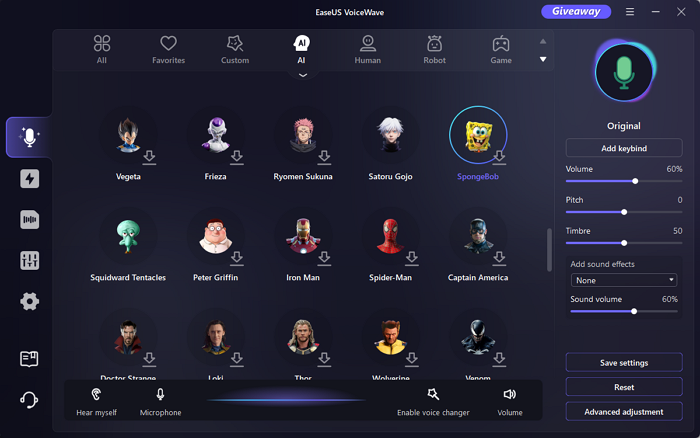
Key Advantages of Using EaseUS VoiceWave:
- Real-time voice transformation: Change your voice instantly during live video chats.
- AI-powered presets and custom voices: Choose from 300+ voice effects like deep, robot, or cartoon characters, or create your own unique style.
- Low Latency: Designed for live interactions without lag.
- Privacy and fun combined: Protect your identity or add humor and creativity to conversations.
- Easy setup: Integrates smoothly with OmeTV, Zoom, Discord and other online chat platforms.
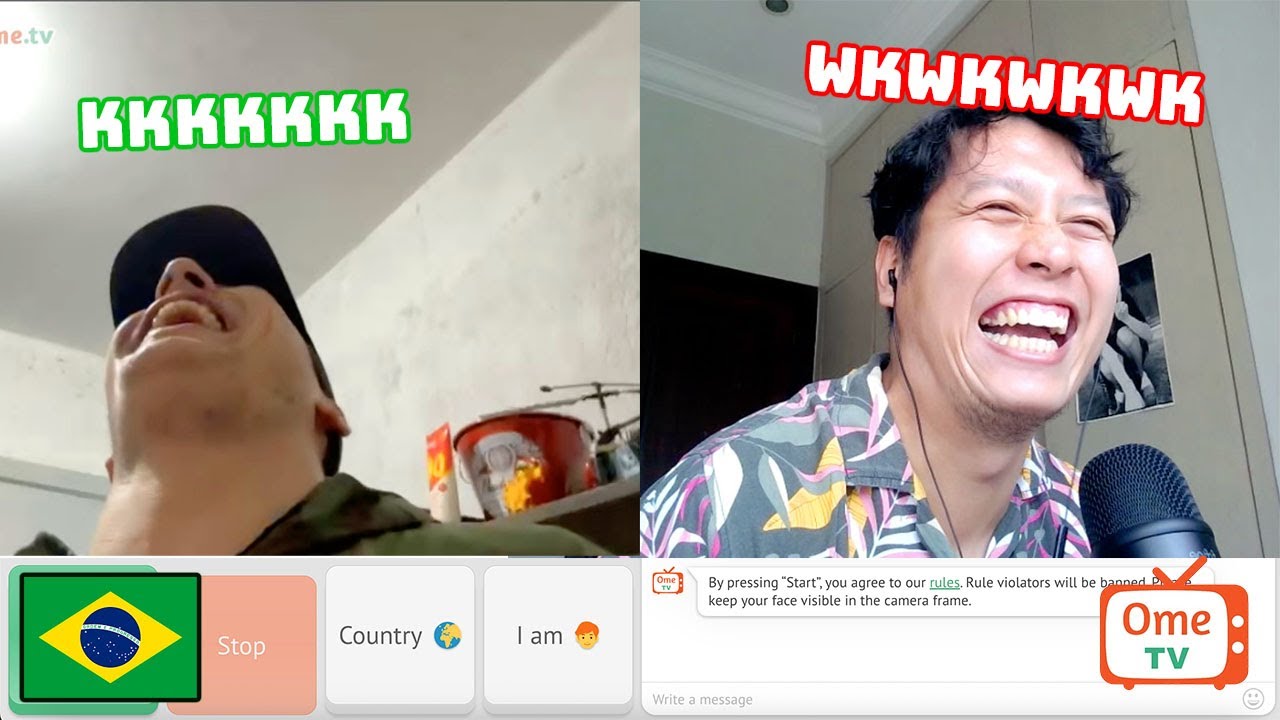
By using a voice changer like EaseUS VoiceWave, you can enjoy random chats on OmeTV with added privacy, safety, and entertainment—perfect for casual users, streamers, and content creators alike.
Summary
OmeTV offers a quick and spontaneous way to connect with strangers via video and voice chat, but its random nature may not suit everyone. For those seeking alternative experiences, platforms like Monkey, Emerald Chat, Uhmegle, Azar, Omegleapp.me, and Chitchat provide unique features—ranging from interest-based matching and safer moderation to global reach and themed chat rooms—making them excellent OmeTV alternatives.
Additionally, users who want to enhance privacy or add a playful twist to their conversations can use a voice changer. Tools like EaseUS VoiceWave allow real-time voice transformation, offering both fun and protection during live chats. Whether you want to experiment with AI-powered voices, maintain anonymity, or simply enjoy a more entertaining chat experience, using a voice changer adds a new layer of flexibility to your online interactions.

OmeTV FAQs
1. Why is my OmeTV not loading?
If OmeTV is not loading, it could be due to browser issues, slow internet, or temporary server problems. Try clearing your browser cache, updating your browser, or using a different device. If the problem persists, consider trying an OmeTV alternative like Emerald Chat or Chitchat to continue your video chat experience without interruption.
2. OmeTV camera not working on iPhone, how to fix?
To fix camera issues on iPhone, ensure that your browser has camera permissions enabled. Check for iOS updates and restart your device. Switching browsers, or using a mobile-friendly OmeTV alternative such as Azar or Monkey, can also help if your camera still does not work.
3. How to change name on OmeTV?
OmeTV allows you to set a display name before starting a chat. To change it, refresh the site or reopen the app and enter a new name in the profile or name field. Some OmeTV alternatives, like Uhmegle, provide similar options for customizing your username for a more personal experience.
4. How to delete OmeTV account?
OmeTV does not require registration for basic use, so you may not have an account to delete. If you used an email or social login, check your settings to remove linked accounts. For a fully controlled experience, you can switch to an OmeTV alternative that allows account management, like Emerald Chat or Chitchat.
5. How to use OBS on OmeTV?
To use OBS (Open Broadcaster Software) with OmeTV, set OBS as a virtual camera input and select it in OmeTV’s camera settings. This allows you to overlay effects or custom content during video chats. The same setup works for most OmeTV alternatives, enabling creative live interactions or content streaming safely.
6. How can I protect my privacy while using OmeTV or its alternatives?
You can protect your privacy by not sharing personal details and using tools like EaseUS VoiceWave to modify your voice in real-time. This way, you can maintain anonymity while chatting. Additionally, consider using platforms with better moderation or account controls, such as Emerald Chat or Chitchat, to ensure safer interactions.