Voice is the core of Mimesis. In a game where trust is fragile and deception is everything, how you sound can matter even more than how you play.
That's why more and more players are searching for Mimesis AI voice, not because the game includes a built-in AI voice generator, but because using AI voice tools while playing Mimesis can dramatically amplify fear, confusion, and psychological pressure.
This guide explains what Mimesis is, how voice works in gameplay, and how AI voice changers can take your experience to the next level.
Quick Answer:
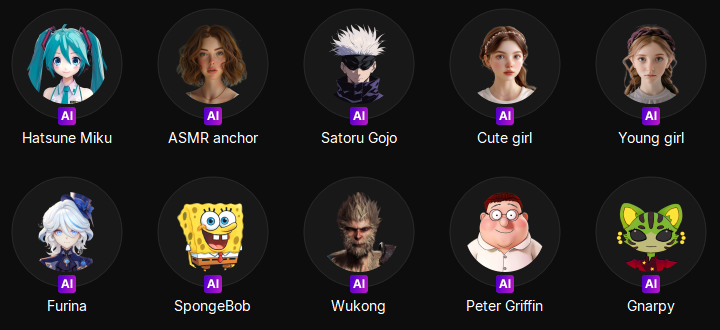
Recommended AI Voices for Mimesis: horror/monster voices, low & emotionless male voices, whispering / breathy voices, NPC-style or "not quite human" voices, and male to female voices.
Recommended AI Voice Changer: EaseUS VoiceWave — includes 300+ built-in voice effects covering all the above AI voice types, allowing real-time voice transformation during gameplay.
What Is Mimesis
Mimesis is a multiplayer psychological horror game built around social deduction, similar to Werewolf-style gameplay. One or more players are secretly replaced or manipulated, while the rest must cooperate, communicate, and survive.
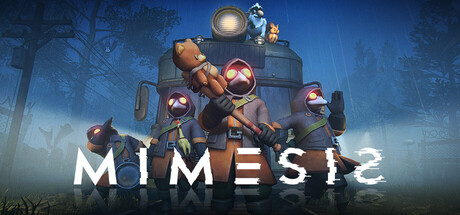
Unlike traditional horror games, Mimesis doesn't rely on jump scares alone. Instead, it creates tension through voice-based interaction, uncertainty about identity and subtle behavioral and audio cues.
Voice chat isn't just a feature—it's a core gameplay mechanic. Every conversation could reveal who's real and who isn't.
Why Voice Matters So Much in Mimesis
- Players constantly talk to coordinate and verify each other
- Suspicious tone, hesitation, or unnatural speech can trigger distrust
- A single voice can turn allies against each other
This is exactly why using AI voice tools while playing Mimesis often results in a more immersive and chaotic experience.
Best Mimesis AI Voice for Gameplay [Real-time]
Mimesis is not about fast reactions—it's about psychological warfare. By using an AI voice changer, players can:
- Sound less human or more unsettling
- Hide familiar vocal traits that friends recognize
- Role-play suspicious or threatening characters more convincingly
In a game where players judge identity largely by voice, controlling how you sound becomes a strategic advantage.
👉Recommended AI Voice Effects for Mimesis
Not all voices work equally well. Based on gameplay dynamics, these AI voice styles are especially effective:
- 😨Horror/Monster Voices: Deep, distorted, or growling tones instantly create fear and confusion.
- 😑Low, Emotionless Male Voices: Calm but unnatural voices make players uneasy without being obvious.
- 🤫Whispering or Breathy Voices: Perfect for proximity-based conversations and psychological pressure.
- 🤖NPC-Style or "Not Quite Human" Voices: Makes teammates question whether they're speaking to a real player.
- 👥Male to female Voices: Switching between male and female tones can effectively mask your identity, confuse teammates, and enhance role-playing or deception in social deduction scenarios.
After listing the recommended AI voice types for Mimesis, you might wonder how to actually get these voices during gameplay. That's where EaseUS VoiceWave comes in.
👉Best Mimesis AI Voice Changer: EaseUS VoiceWave
This powerful AI voice changer includes 300+ built-in voice effects, covering all the types we just mentioned, making it easy to switch voices in real time while playing Mimesis.
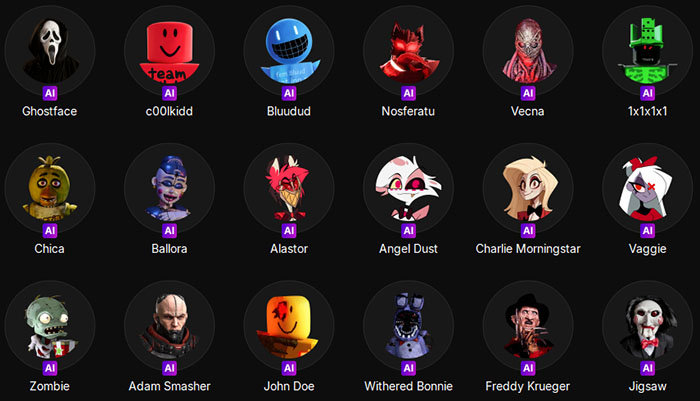
With this powerful real-time AI voice changer, you can:
- Instantly switch between horror, whispering, or distorted voices
- Maintain immersion in tense, psychological gameplay
- Experiment with multiple voice styles without pausing the game
Whether you're trying to confuse your teammates, spook other players, or simply enhance your role-playing, EaseUS VoiceWave makes it effortless. Its intuitive interface and quick-switch functionality mean you can focus on gameplay while your voice adapts seamlessly to any situation.
By integrating EaseUS VoiceWave into your Mimesis sessions, you're not just changing your voice—you're elevating the entire psychological horror experience, making each interaction unpredictable and immersive.
Bonus: Mimesis Voice Chat Not Working
Earlier versions of the game experienced voice chat and microphone issues, leading to a surge in searches and Reddit discussions about in-game voice failures. Many players encounter the common issue — Mimesis voice chat not working and can't access the microphone.
According to Steam patch notes, the developers have acknowledged and addressed several voice-related bugs in later updates.
Is the voice chat still broken? For most players, the core issues have been fixed. However, problems can still occur due to:
- Incorrect microphone permissions
- Steam input device conflicts
- Network or region-related voice services
Quick things to check:
- Make sure your microphone is selected correctly in Steam
- Confirm microphone access is allowed in your system settings
- Restart the game or rejoin the lobby if voice drops
Because voice is so essential in Mimesis, many players still prefer using external voice solutions or AI voice changers for stability and control.
The Bottom Line
Mimesis is a game built on voice, deception, and psychological tension. While the game includes native voice chat, Mimesis AI Voice is about going beyond the default experience—using AI-powered voice tools like EaseUS VoiceWave to heighten fear, hide identity, and manipulate perception. If you want deeper immersion, stronger mind games, and more memorable moments, AI voice isn't just an add-on—it's a gameplay upgrade.
FAQ on Mimesis AI Voice
1. Do you need a microphone to play Mimesis?
Yes. Voice communication is a core part of the game, and playing without a microphone significantly limits the experience.
2. Is Mimesis AI Voice built into the game?
No. Mimesis uses standard in-game voice chat. ''AI Voice” refers to third-party AI voice changers used during gameplay.
3. Is using an AI voice changer allowed in Mimesis?
Currently, there are no official restrictions against using voice changers. Many players use them for role-playing and immersion.
4. What type of AI voice works best in Mimesis?
Horror, deep, distorted, and emotionless voices tend to be the most effective for deception and tension.
5. Why does my Mimesis voice chat sometimes stop working?
This can be caused by system permissions, Steam settings, or temporary server issues. Keeping your game updated and checking audio settings usually helps.