Download Any Video in High Quality, Anytime
Download publicly available videos from YouTube, Facebook, Twitter, Instagram and more for personal use.
Affiliate
Earn commissions when you drive sales through your affiliate links.
Resellers
Sell EaseUS products as a distributor.

Creators & Influencers
Partner with us on YouTube, TikTok, Twitch to earn commissions.
OEM & Outsourcing Service
Put your brand on EaseUS software, or get custom solutions.

Refer & Earn
Earn rewards when you refer others to EaseUS solutions.

Education
Verified students and teachers get exclusive discounts.
Page Table of Contents

Jun 25, 2026 0 mins read
At EaseUS, we fully respect intellectual property rights and strongly oppose any form of copyright infringement. YouTube videos are protected by copyright, and downloading them without the creator's permission may violate YouTube's Terms of Service and applicable laws. However, there are situations where downloading YouTube videos on PC can be completely legitimate. For example, saving your own uploaded content, educational materials, or royalty-free videos. In this article, we will introduce a safe and reliable YouTube video downloader for PC Windows 10/11 while keeping copyright compliance in mind.
If you are looking for a reliable and effective YouTube HD video downloader for PC Windows 10, you may want to try EaseUS Video Downloader. With this all-in-one video downloader and converter tool, you can easily download YouTube videos & audio on PC, with the highest resolution up to 4K/8K.
Download Any Video in High Quality, Anytime
Download publicly available videos from YouTube, Facebook, Twitter, Instagram and more for personal use.
With this versatile YouTube video downloader for Windows PC, you can save YouTube videos, audio, playlists, and YouTube Shorts videos with one click efficiently.
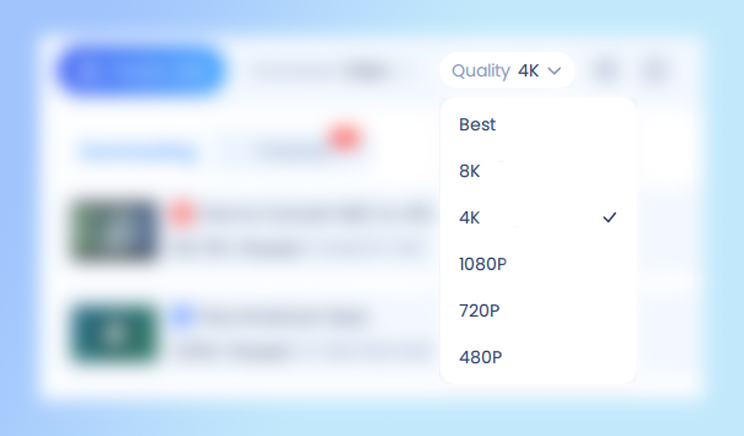
Download YouTube videos in laptop in stunning HD or ultra-clear 4K/8K resolution without losing any quality. Perfect for offline viewing on large screens, presentations, or personal collections. Supports multiple resolutions so you can choose the best balance between quality and file size for any device.
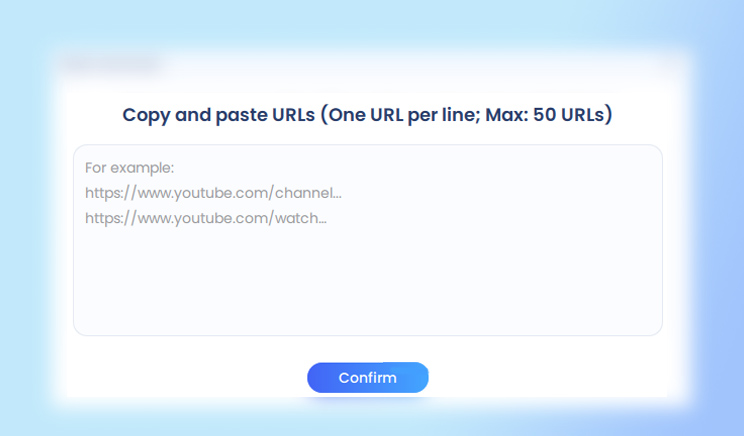
Save time by downloading multiple videos or entire playlists at once. Whether it's an educational series, a music collection, or a set of tutorials, you can quickly get all videos in one click using this YouTube playlist downloader for Windows. Supports batch processing with flexible output formats and resolutions to meet your needs.
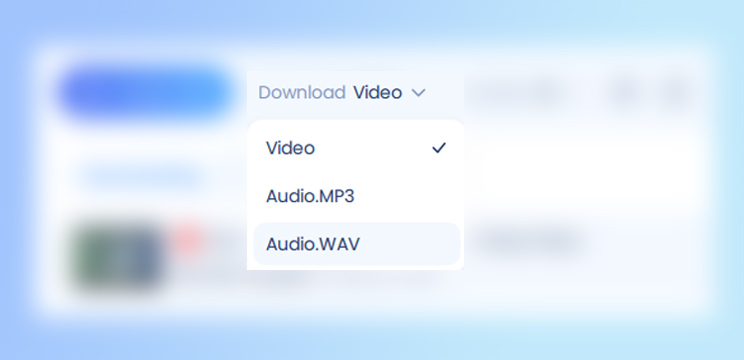
Easily convert any YouTube video to MP4 video format or MP3/WAV audio format without losing quality. Save videos for offline viewing or extract audio tracks for music, podcasts, or personal use. Supports multiple resolutions and audio bitrates to fit any device or preference.
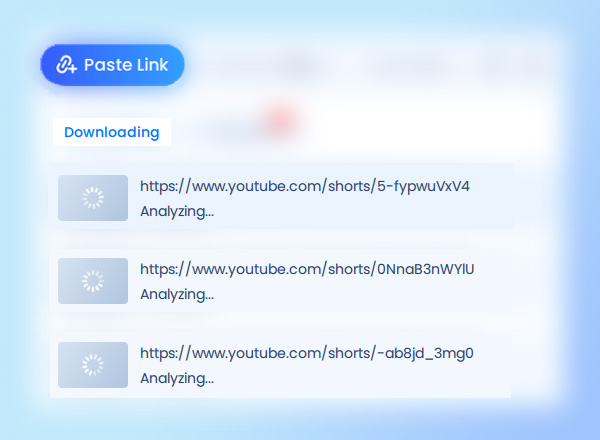
Quickly download YouTube Shorts videos in high quality for offline viewing or sharing. Perfect for saving short clips, tutorials, music snippets, or trending content. Supports multiple resolutions and formats, making it easy to enjoy Shorts on any device anytime.
Not just for YouTube to easily download videos from Facebook, Instagram, Twitter, TikTok, and many other popular platforms. Perfect for collecting content from multiple sources in one place, whether it's social media clips, streaming shorts, or entertainment videos. Just paste a video's URL and try it out!
Play downloaded videos and audio instantly without switching to another app. The built-in AI-powered media player optimizes playback quality, supports multiple file formats, and offers smart features like subtitle display, translation, summary.
Download videos right now
With EaseUS Video Downloader, save any video in seconds - download copyright-free video from public websites.
Step 1. Launch EaseUS Video Downloader
Open the software on your Windows PC and select your preferred download settings, such as output format and video quality.
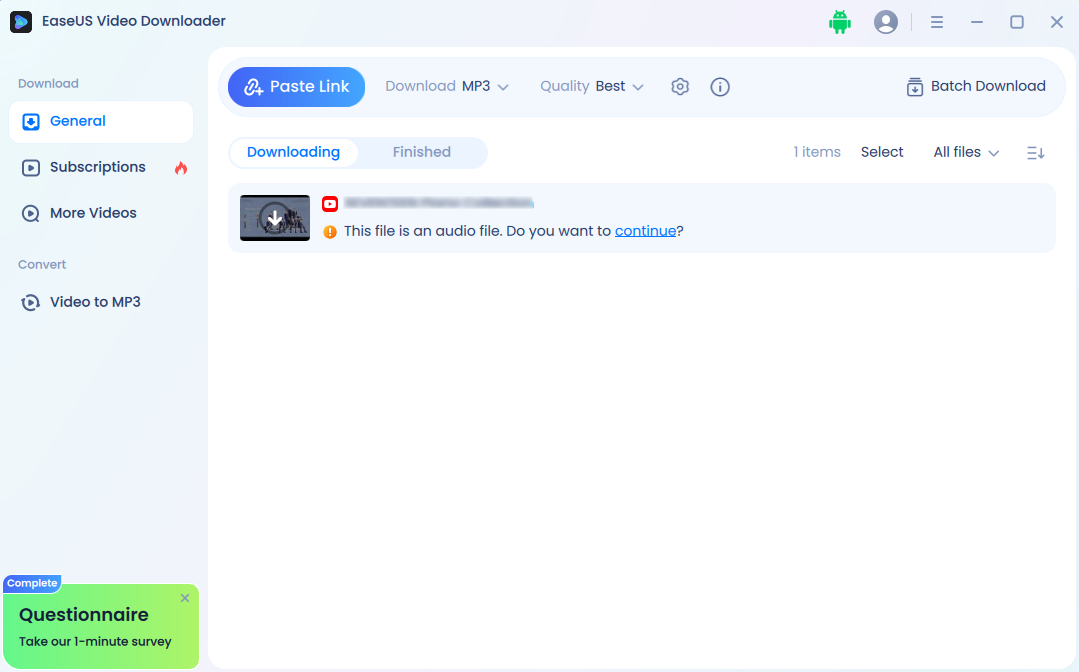
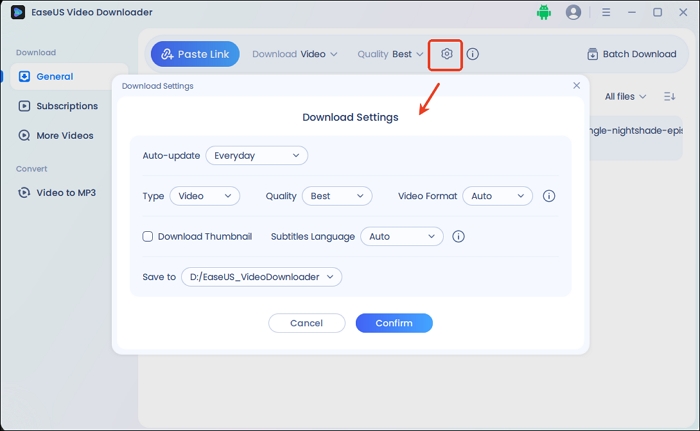
Step 2. Choose Format and Quality
Select the desired video resolution (HD, 4K) or audio format (MP4, MP3/WAV). You can also choose multiple videos for batch downloading.
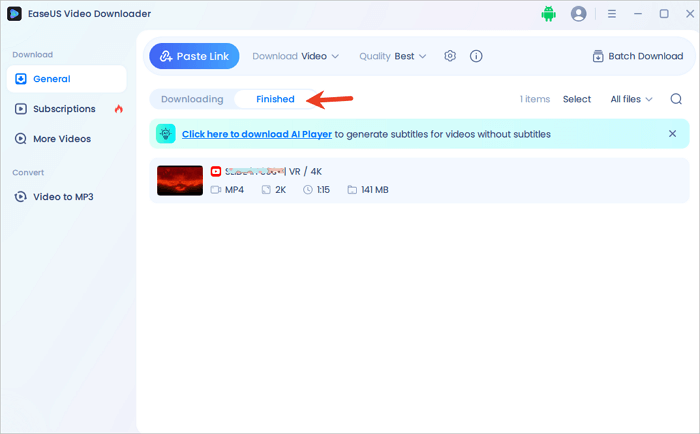
Step 3. Copy the YouTube Video URL & Start Downloading
Go to YouTube, copy the link of the videos or playlist you want to download, and paste the URL(s) into the downloader's input box. The software will automatically start downloading videos from YouTube to your computer.
⚠️ Legal Note: Downloading copyrighted videos without permission may violate YouTube's Terms of Service. This guide is for educational purposes only. Always respect copyright laws and use downloaded content for personal, non-commercial purposes.
Disclaimer
This article and metioned tool are intended for informational and educational purposes only. Downloading copyrighted videos from YouTube to computer without permission may violate YouTube's Terms of Service and local copyright laws. Please ensure that you only download videos for personal use and that you have the legal right or authorization to do so. EaseUS does not promote or encourage copyright infringement in any form.
For more information on YouTube video downloader for PC Windows 10 or 11, check the frequently asked questions below one by one.
EaseUS Video Downloader is designed for personal use only. Downloading copyrighted content without permission may violate YouTube’s terms of service. We recommend using it for content you own or have the right to download.
Yes. EaseUS Video Downloader supports resolutions up to 8K, including 4K and HD, so you can enjoy videos in the best available quality on Windows 11.
Yes. In addition to YouTube, the tool supports downloading videos from Facebook, Instagram, Vimeo, TikTok, and many other platforms.
Yes. The built-in conversion feature allows you to save videos as MP3, WAV, or other audio formats while maintaining high sound quality.
Yes. The batch download feature allows you to download full playlists or multiple videos at once, saving time and effort.
EaseUS Video Downloader is optimized for high-speed downloading and supports multi-threaded connections, making it faster than most standard downloaders.
This streaming video downloader is designed to download publicly available videos from YouTube, Facebook, TikTok, Instagram, Twitter, or other websites. In addition to common videos, it enables users to download interesting GIFs and live streaming (especially for some game live videos). With this reliable video downloader service, downloading copyright-free video/audio playlists, channels or user profile videos are universally available.
Finally, we would appreciate it if you enjoyed this post and would like to share it with your friends to help more people in this dilemma.

Copyright Disclaimer
This article is for educational and technical reference only. Do not use the described methods to download or share copyrighted content without permission.
Users are fully responsible for any legal consequences. Please:

Respect content creators' rights

Use official or authorized platforms

Avoid unauthorized downloads

Use official or authorized platforms
Columnist
Gorilla joined EaseUS in 2022. As a smartphone lover, she stays on top of Android unlocking skills and iOS troubleshooting tips. In addition, she also devotes herself to data recovery and transfer issues.
Read Full Bio More Related Articles
Download All Media from a Twitter Account for Free
How to download all media from a Twitter account to archive some digital assets for memory? Dive into this article and figure out the steps.
Gorilla. Jun 25, 2026
3 min read
5 Methods to Download Telegram Videos on PC
Want to download videos from Telegram, which is rather tricky? Then, follow our guide to learn about multiple methods to download and watch the videos offline. We have also discussed a powerful video downloader that can simplify things.
Gorilla. Jun 25, 2026
3 min read
How to Convert URL to MP3 (5 Fast & Safe Tools for 2026)
When you want to download MP3 from a URL you get from YouTube or other sites, you can use a URL to MP3 converter. With it, you can download MP3s from the URL easily.
Gorilla. Jun 25, 2026
3 min read
How to Download 1080P YouTube Videos in 3 Ways [Full Guide]
Do you want to save your favorite YouTube videos or movies in 1080P for offline viewing? Here, you will learn powerful software and online tools to save YouTube videos in 1080p.
Gorilla. Jun 25, 2026
3 min read