
Download Any Video in High Quality, Anytime
Download publicly available videos from YouTube, Facebook, Twitter, Instagram and more for personal use.
Affiliate
Earn commissions when you drive sales through your affiliate links.
Resellers
Sell EaseUS products as a distributor.

Creators & Influencers
Partner with us on YouTube, TikTok, Twitch to earn commissions.
OEM & Outsourcing Service
Put your brand on EaseUS software, or get custom solutions.

Refer & Earn
Earn rewards when you refer others to EaseUS solutions.

Education
Verified students and teachers get exclusive discounts.
Page Table of Contents


Oct 23, 2026 0 mins read
Before we dive into the blog, please note that the methods described in this article are intended for personal, non-commercial use only. You should only save videos that you own, that your friends have shared with permission, or that are free from copyright restrictions. Downloading or redistributing copyrighted content from Facebook without authorization may violate the platform's terms of service and applicable copyright laws.
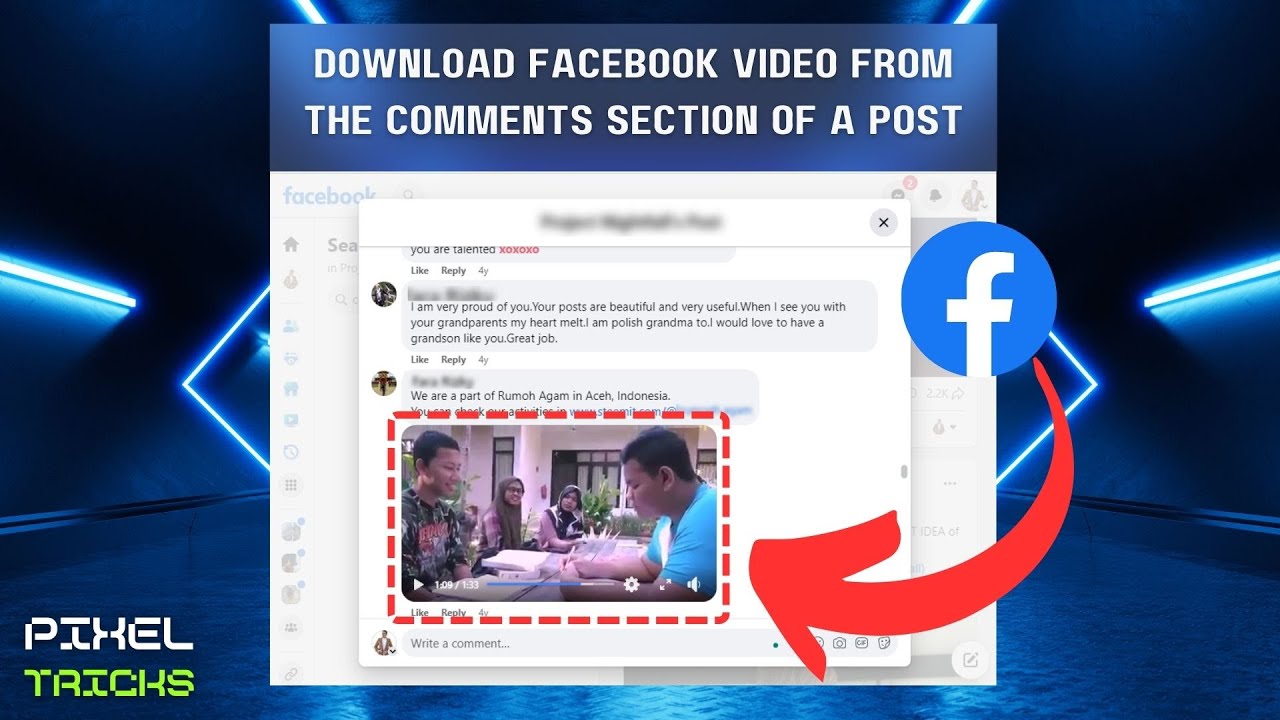
Sometimes, there are informative and interesting videos in the comment box on Facebook; you want to save them for offline viewing or share them with your friends who may not have access to Facebook. Facebook doesn't include any built-in features or tools to do so.
Luckily, you can still download videos from Facebook if they're public. Computer users can get the videos by either changing the copied link or installing a reliable desktop tool like EaseUS Video Downloader, while Android and iPhone users can save Facebook videos using online services or mobile apps. Now, let's get into the details.
▶️To download a Facebook comment without third-party software or tools, use the Inspect option of your browser to access the URL of the source video.
▶️To download a Facebook comment video on a computer, open EaseUS Video Downloader, log into Facebook, play the comment video, select the quality, and hit download.
▶️To download a Facebook comment video on Chrome, add Video Downloader for Facebook, play the comment video on Facebook, and it will automatically detect and tap download.
▶️To download a Facebook comment video on Firefox, install Video DownloadHelper on Firefox, open the Facebook comment video, click the extension, and download it in your preferred resolution.
Rreminder: Always make sure you have permission to download and use any video content, as downloading copyrighted or private videos may violate Facebook's terms of service or local laws.
| Methods📝 | Platform💻 | Quality🎞️ | Pro✅ | Con❌ |
|---|---|---|---|---|
| Developer Tools | Web | Up to 8K | Without third-party software | Cumbersome steps |
| EaseUS Video Downloader | Windows & macOS | Up to 8K | Download HD videos from Facebook in bulk. | Two free trials. |
| Toolzu | Web & Phone | 720p | Online video downloader. | Annoying ads. |
| Video Downloader for Facebook | Chrome | HD | Download high-quality videos. | It cannot choose video resolutions. |
| Video DownloadHelper | Firefox | 1080P | Quick and easy Facebook video downloader. | May require a companion app installation. |
If you want to save a video from the Facebook comment section without using third-party software, you can try the built-in browser developer tools. This method works in Chrome, Edge, and most modern browsers.
This method should only be used for personal, non-commercial purposes, such as saving a video you or your friends uploaded. Downloading copyrighted content without permission may violate Facebook's policies.
Here's the video guide and step-by-step text content below:
Step 1. Open the Facebook post and scroll to the comment that contains the video you want to keep.
Step 2. Right-click anywhere on the page and choose Inspect (or press F12 on your keyboard). This will open the developer tools.
Step 3. Go to the Network tab. If it asks to record data, refresh the page (Ctrl + R).
Step 4. In the filter bar, type mp4 to quickly find video files.
Step 5. Play the target video in the comment section for a few seconds. The corresponding video file will appear in the list.
Step 6. Right-click on the video file, and then choose Copy > Copy URL.
Step 7. Paste the URL into a new browser tab. The video will open in full. You can then right-click and save it to your device.
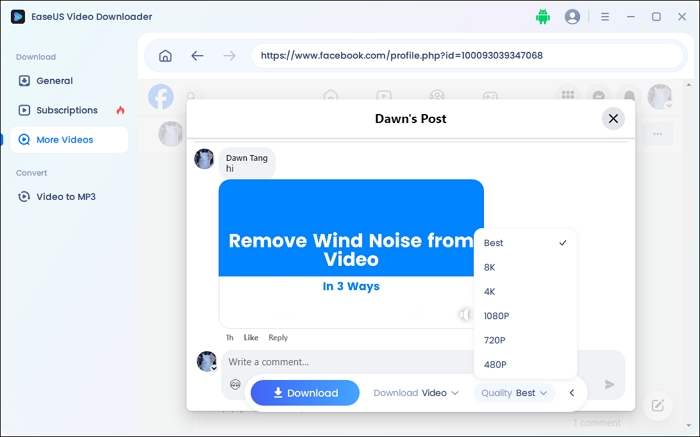
For Windows & macOS users, EaseUS Video Downloader is the go-to choice with high compatibility with 1000+ sites, including Facebook. One can download videos from Facebook ads library, comments, reels, Tab, posts, and more in bulk. Facebook users can download multiple video resolutions from 360P to 8K in the comment box.
This Facebook downloader for PC and Mac exports high-quality Facebook videos easily and enables the downloading of thumbnails and original subtitles.
Key Features
With a user-friendly UI, anyone can operate it easily. Free download the tool now.
Download Any Video in High Quality, Anytime
Download publicly available videos from YouTube, Facebook, Twitter, Instagram and more for personal use.
Follow the steps to save videos from Facebook comment:
Step 1. Launch EaseUS Video Downloader and select "More Videos." Tap the Facebook button.
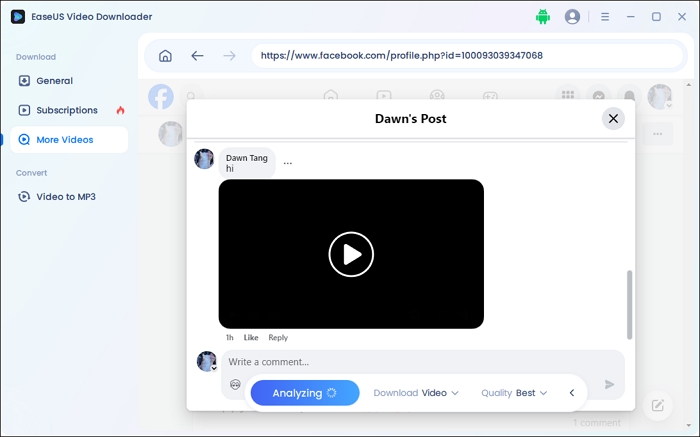
Step 2. Log into your Facebook account and play the video in the comment you want to download.
Step 3. Choose the video quality and format, and press the download button.
Online free Facebook video downloaders are quick fixes to the problem. Let's dive in right now!
Toolzu Facebook Video Downloader is a free online tool that allows users to download Facebook videos from the comments easily and save private Facebook videos.
It supports multiple content, including videos, images, and live streams. With its simple and user-friendly interface, users can quickly download videos in just a few steps. However, users cannot choose the video quality.
Step 1. Copy the Facebook video link. Open Toolzu Facebook Video Downloader in your browser.
Step 2. Paste the link into the input field. Click "Download" to process the video.
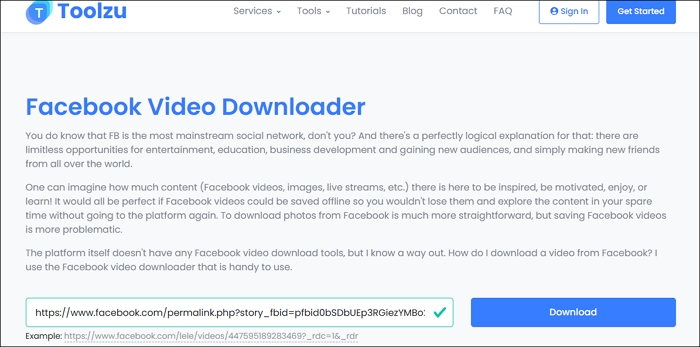
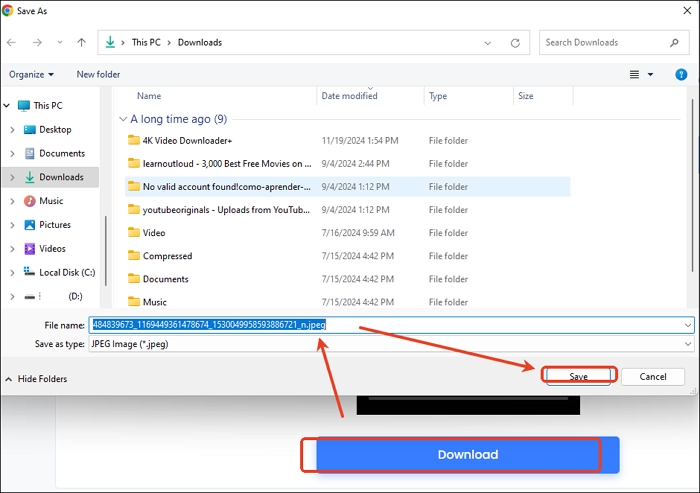
Step 3. Choose your preferred location and save the video.
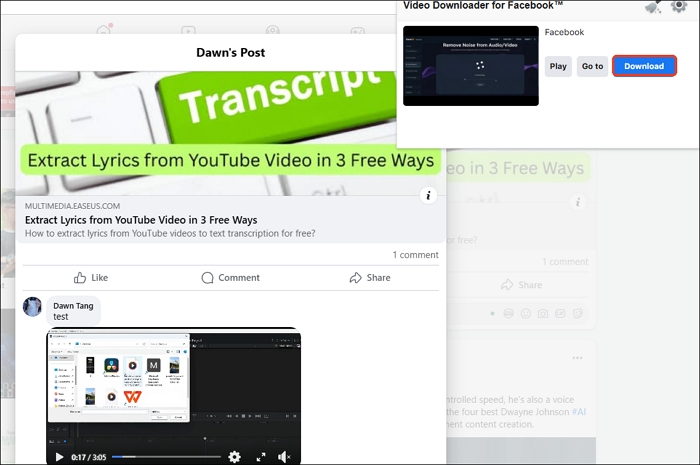
Video Downloader for Facebook lets you download embedded Facebook videos along with their titles. It works on Facebook itself or any webpage with an embedded Facebook video.
Just activate the extension and play the video — it will automatically detect it for download. The videos come without a watermark, but you won't be able to choose the video quality.
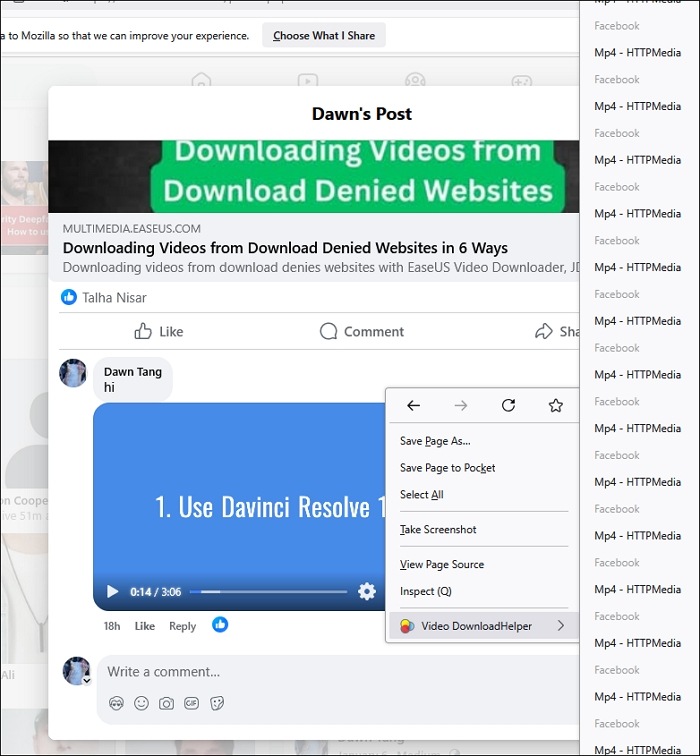
One of the best Facebook video downloader Chrome extensions for Firefox is Video DownloadHelper. It is a handy extension that allows you to download and save videos and audio from websites to your computer with multiple options. With support for different resolutions, you can enjoy high-quality viewing.
Step 1. Add Video DownloadHelper to your Firefox.
Step 2. Expand the comment with the video you want to download. Tap the extension button.
Step 3. Click the extension and download the video.
Share the article with others if it helps!
These Facebook video download methods used to be popular in online communities and how-to articles, but they no longer work. I'm listing them here so you don't waste your time trying them.
The results may vary due to tested environment, device, region or other factors. The following conclusions are for reference only.
As of June 4, 2025, this method is no longer functional.
Facebook has made video downloading harder by encrypting content with DRM, breaking videos into small chunks, and hiding or expiring the video links, so you can no longer find a clear .mp4 file in the Network tab.
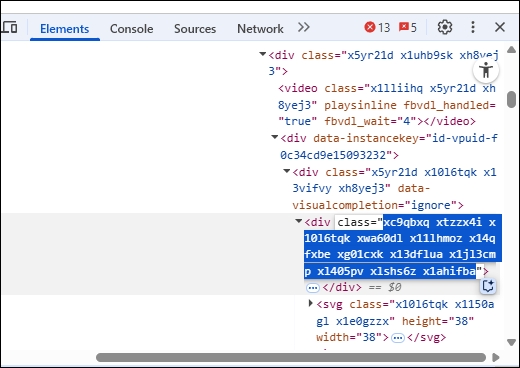
Step 1. Right-click the video in the comment box and select "Inspect."
Step 2. Access the "Network" tab, press "Ctrl + R" to refresh the page, and enter MP4 into the filter. Meanwhile, click the video in the comment on the left side of your screen and play it. Then, you can see the available video.
Step 3. Double-click on the video, and it will show on a new page. Click the three dots to download Facebook videos.
As of June 4, 2025, this method is no longer functional.
Opera Mini is a lightweight mobile web browser for Android, iOS, Windows Mobile, etc. You can also use the tool to download Facebook videos. But now it won't work any more.
Step 1. Log into your Facebook account on your mobile and copy its link. Install Opera Mini and open it. Log into the app again and access the copied link.
Step 2. Tap the video and select "Download" from the pop-up window.
As of June 4, 2025, this method is no longer functional.
You can open the Facebook app on your iOS or Android devices to download the video directly to your device for offline viewing.
Here's how to download Facebook videos on Android and iPhone:
Step 1. Open Facebook on your mobile browser (Chrome recommended) and access the comment. I cannot access the Facebook video in the comment box now.
Step 2. Double-tap the video, press, and hold it.
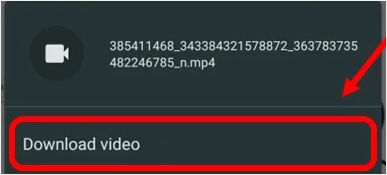
Step 3. Click "Download video."
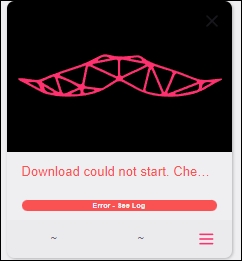
Satcher is a simple and free GUI for the powerful command-line tool yt-dlp. However, when I pasted a Facebook comment video link into the tool, it failed to download the video.
In conclusion, these five free methods offer convenient ways to download videos from Facebook comments, enabling users to access their favorite content offline and on various devices.
Whether using online tools, browser extensions, or desktop applications, individuals can now easily save and enjoy Facebook videos at their convenience. With these options at hand, accessing and preserving valuable video content from Facebook has never been simpler.
Yes, you can download comments from Facebook by accessing and downloading your Facebook information.
Yes, you can download a public Facebook video by copying its URL, pasting it into EaseUS Video Downloader, selecting your preferred quality and format, and then tapping "Paste Link" to start the download.
To download a live video from someone else's Facebook, copy the video link and paste it into the box of an online Facebook video downloader to download it.

Copyright Disclaimer
This article is for educational and technical reference only. Do not use the described methods to download or share copyrighted content without permission.
Users are fully responsible for any legal consequences. Please:

Respect content creators' rights

Use official or authorized platforms

Avoid unauthorized downloads

Use official or authorized platforms
Columnist
Dawn Tang is a seasoned professional with a year-long record of crafting informative Backup & Recovery articles. Currently, she's channeling her expertise into the world of video editing software, embodying adaptability and a passion for mastering new digital domains.
Read Full Bio More Related Articles
How to Download Rutube Videos [with Rutube Video Downloader on PC/Mac/Mobile]
Rutube is called the YouTube of Russia. There, you can find videos of various types and topics. If you want to download a video from Rutube for offline watching, you can refer to the two ways introduced in this article.
Dawn Tang. Oct 23, 2026
3 min read
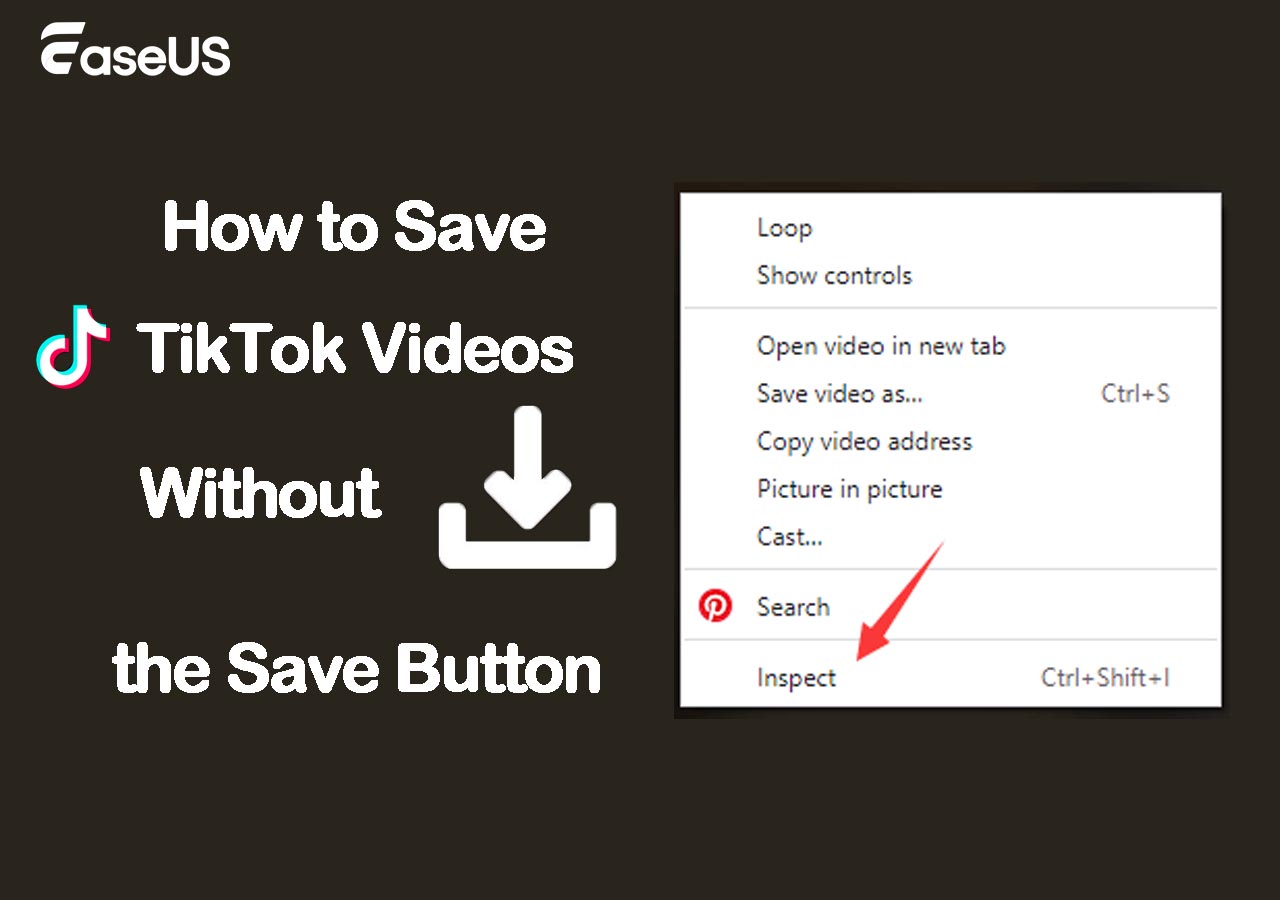
How to Save TikTok Videos Without the Save Button
Most videos on TikTok are available for download. You may find that the save button is disabled for certain videos. Why does this happen? We will explain the causes of the issue and provide you with easy ways to save TikTok videos without the save button.
Dawn Tang. Oct 23, 2026
3 min read
Bluesky Video Downloader: Free & High-Quality Downloads
Download your favorite Bluesky videos with the best Bluesky video downloaders for Chrome, PC, or iPhone.
Dawn Tang. Oct 23, 2026
3 min read
4 Best Ways to Download Private Videos from Facebook [2026 Guide]
In this post, you will learn a few Facebook private video downloader tools. With these efficient ways, you can download private videos from Facebook or you can also save public videos posted by others. Let's get right to it now!
Dawn Tang. Oct 23, 2026
3 min read