Download Any Video in High Quality, Anytime
Download publicly available videos from YouTube, Facebook, Twitter, Instagram and more for personal use.
Affiliate
Earn commissions when you drive sales through your affiliate links.
Resellers
Sell EaseUS products as a distributor.

Creators & Influencers
Partner with us on YouTube, TikTok, Twitch to earn commissions.
OEM & Outsourcing Service
Put your brand on EaseUS software, or get custom solutions.

Refer & Earn
Earn rewards when you refer others to EaseUS solutions.

Education
Verified students and teachers get exclusive discounts.
Page Table of Contents

Jun 25, 2026 0 mins read
Bluesky is a microblogging social networking platform where users can share text posts, images, and videos in a decentralized environment. While the platform is still growing, many users are looking for ways to save interesting or important video content for offline viewing. Unfortunately, Bluesky doesn't offer a built-in download option for videos. That's where this post comes in handy. In this article, we'll introduce several Bluesky video downloaders, including Bluesky download extensions, helping you quickly and easily save your favorite content with just a few clicks.
📢!!!
The information provided in this article is for educational and informational purposes only. We do not endorse or promote the unauthorized downloading, redistribution, or use of copyrighted content from Bluesky or any other platform. Downloading videos for personal use is generally permissible, but sharing or commercial use of downloaded videos without permission may violate intellectual property rights. Always respect content creators' rights and use downloader tools responsibly.
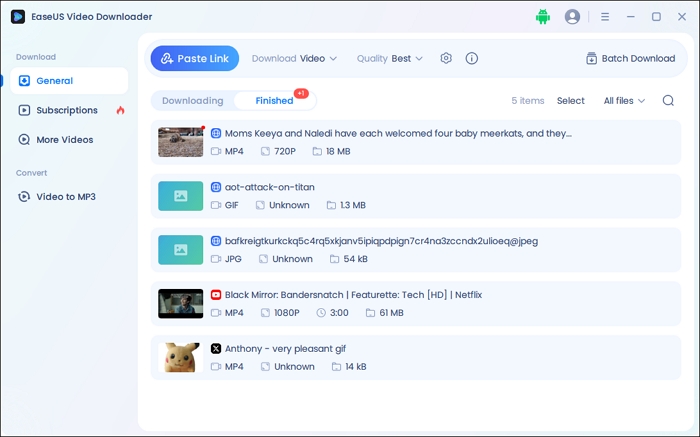
EaseUS Video Downloader supports high-quality downloads in 720p, 1080p, 4K, and even 8K, with output formats including MP4, MKV, and AVI. Its user-friendly interface allows you to simply paste the URL of the Bluesky post containing a video and instantly save it to your device. With advanced features like Batch Download, you can paste up to 50 URLs at a time and download all of them automatically without extra effort.
Moreover, its fast download speed makes grabbing, analyzing, and downloading Bluesky videos efficient and time-saving. It's not limited to Bluesky either — it works with over 1,000 platforms, including YouTube, Instagram, TikTok, Vimeo, and more. Whether you are downloading clips for offline viewing or content repurposing, EaseUS Video Downloader combines ease of use with robust functionality, making it an ideal choice as a Bluesky video downloader.
Secure Download
Secure Download
Pros:
Cons:
Bluesky Media Downloader effortlessly downloads high-quality Bluesky images and videos to your computer without an add-on and easily saves multiple files simultaneously. It is easy, simple, and fast. Once added, you can play your Bluesky video, and there will be a download button below the video. Tap the download button to start downloading.

Pros
Cons
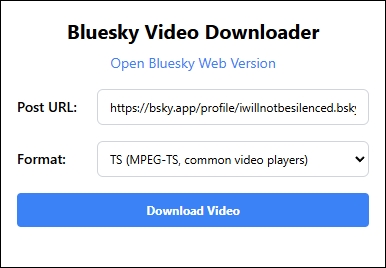
Bluesky Video Downloader makes it easy to save your favorite Bluesky videos in high quality. It supports both TS and MP4 formats, which you can select from a simple dropdown menu. The process is straightforward — no extra steps needed. Just visit the Bluesky website, find the video you want, copy the post URL, choose your preferred format, and click "Download video."
Pros
Cons
Bluesky Media Downloader is both an online tool and an iOS shortcut that lets you download Bluesky videos, images, and GIFs in their original quality. It even supports saving media from replies only. The best part? It's completely free and has no download limits.
Pros:
Cons:
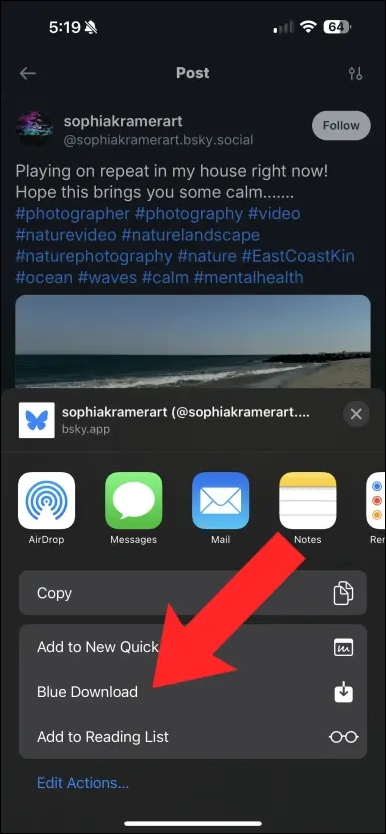
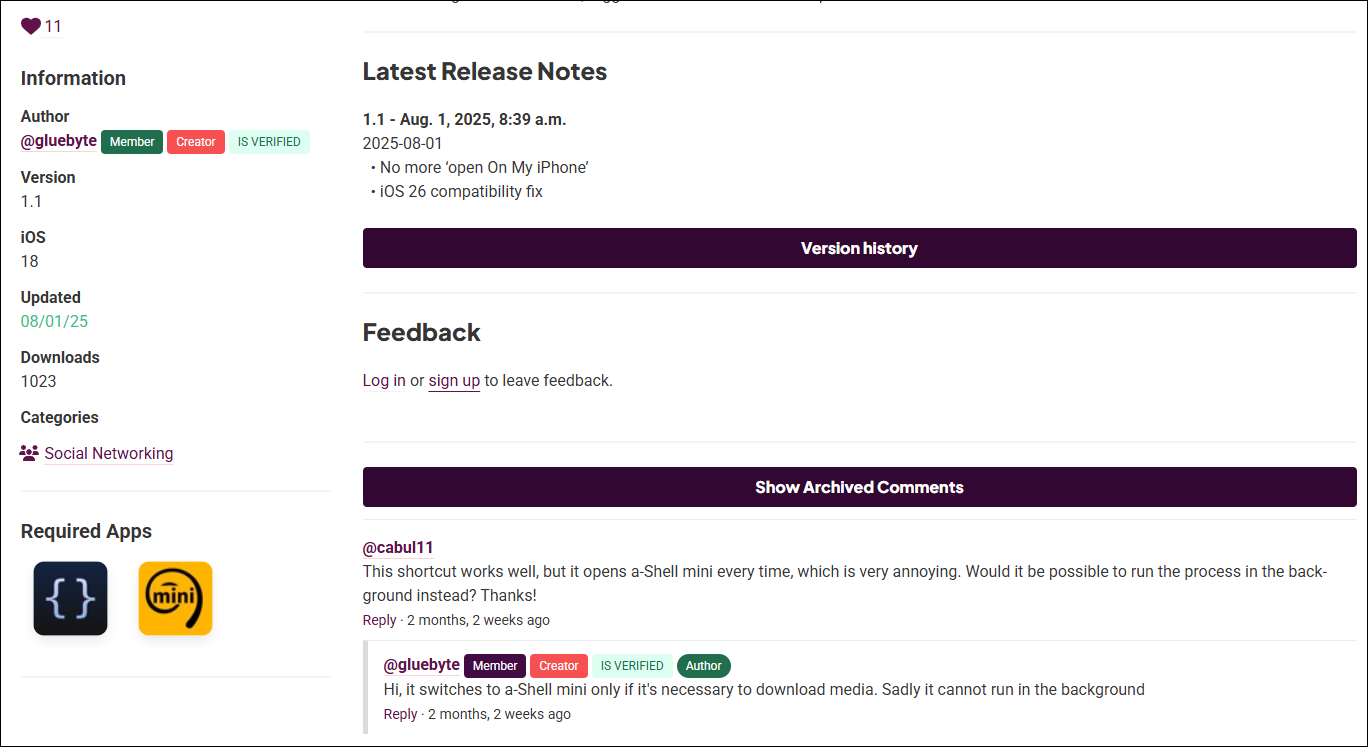
Bluesky Download shortcut available on RoutineHub is an iOS shortcut designed for downloading photos, GIFs, and videos directly from Bluesky. It runs on iOS 15.1 or later and requires two free apps, Scriptable and a-Shell mini, to function properly. This shortcut integrates smoothly with the Bluesky app, allowing users to share a post to the shortcut and save the media content offline.
It provides a simple way for iPhone and iPad users to capture and save Bluesky media without needing separate downloader software or complicated processes. This tool is especially convenient for iOS users who want quick offline access to Bluesky content.
Pros:
Cons:
If you're looking to save Bluesky videos for offline viewing, these three Bluesky video download extensions offer the most convenient and reliable solutions. Whether you're using a PC or iOS device, there's an option that suits your needs — be it a quick browser extension, an iOS shortcut, or a powerful bulk downloader like EaseUS Video Downloader.
While each tool has its pros and cons, they all get the job done with minimal effort. Try one out and start downloading your favorite Bluesky content today.
Download Any Video in High Quality, Anytime
Download publicly available videos from YouTube, Facebook, Twitter, Instagram and more for personal use.
1. Can I download private videos from Bluesky?
No, video downloaders only support videos from public Bluesky posts. Private or restricted posts cannot be accessed for downloading due to privacy protections.
2. What video formats are supported for Bluesky downloads?
Most Bluesky video downloaders save videos in MP4 format, which is widely compatible with devices and media players.
3. Is downloading videos from Bluesky legal?
Downloading videos for personal use generally complies with copyright laws, but sharing or commercial use may require permission from the content owner. Always respect Bluesky's terms of service.

Copyright Disclaimer
This article is for educational and technical reference only. Do not use the described methods to download or share copyrighted content without permission.
Users are fully responsible for any legal consequences. Please:

Respect content creators' rights

Use official or authorized platforms

Avoid unauthorized downloads

Use official or authorized platforms
Columnist
Dawn Tang is a seasoned professional with a year-long record of crafting informative Backup & Recovery articles. Currently, she's channeling her expertise into the world of video editing software, embodying adaptability and a passion for mastering new digital domains.
Read Full Bio More Related Articles
How to Use YT-DLP | Beginner Guide
Understanding how to use YT-DLP is easy once you install it on your PC. However, it requires extensions and other elements to work correctly, which you'll find in this article.
Dawn Tang. Jun 25, 2026
3 min read
How to Fix Telegram Videos not Playing on Web and Phone?
Receiving a funny video on Telegram but not opening and playing it can be really heartbreaking. Don't worry. This post will guide you on how to fix the problem of Telegram videos not playing on your phones. Read the whole content and solve the problem by following the instructions.
Dawn Tang. Jun 25, 2026
3 min read
How to Download All Facebook Photos 2026 [4 Proven Ways]
It is easy to download all Facebook photos, but many users are unaware of that. We have discussed some effective methods to do this task and let you download even the entire albums from Facebook.
Dawn Tang. Jun 25, 2026
3 min read
How to Download YouTube Videos to Computer [6 Ways]
If you are wondering how to download a YouTube video to a computer, you cannot miss the seven methods here teaching you how to download YouTube videos to a computer, be it a PC or laptop. Apply one of them to save YouTube videos to your computer with a few simple clicks.
Dawn Tang. Jun 25, 2026
3 min read