Download Any Video in High Quality, Anytime
Download publicly available videos from YouTube, Facebook, Twitter, Instagram and more for personal use.
Affiliate
Earn commissions when you drive sales through your affiliate links.
Resellers
Sell EaseUS products as a distributor.

Creators & Influencers
Partner with us on YouTube, TikTok, Twitch to earn commissions.
OEM & Outsourcing Service
Put your brand on EaseUS software, or get custom solutions.

Refer & Earn
Earn rewards when you refer others to EaseUS solutions.

Education
Verified students and teachers get exclusive discounts.
Page Table of Contents


Oct 23, 2026 0 mins read
Medal.TV is a platform designed for gamers to record, save, and share their gaming highlights. It lets users capture their best gaming moments, like Roblox and Minecraft, and easily share them with friends. So, here's how to download Medal clips easily.
EaseUS Video Downloader is a powerful PC tool that lets you download any Medal clips using just a link. With this software, you can save videos in multiple resolutions, from standard definition up to 4K, all without watermarks. It also allows you to convert Medal clips into MP4, MKV, MP3, and other formats. Additionally, the bulk download feature enables you to download up to 50 videos from Medal.TV at once. Get it from here!
Download Any Video in High Quality, Anytime
Download publicly available videos from YouTube, Facebook, Twitter, Instagram and more for personal use.
Key Features of EaseUS Video Downloader:
How to Download Medal Clips Using EaseUS Video Downloader
Step 1. Download and launch the EaseUS Video Downloader on your PC.
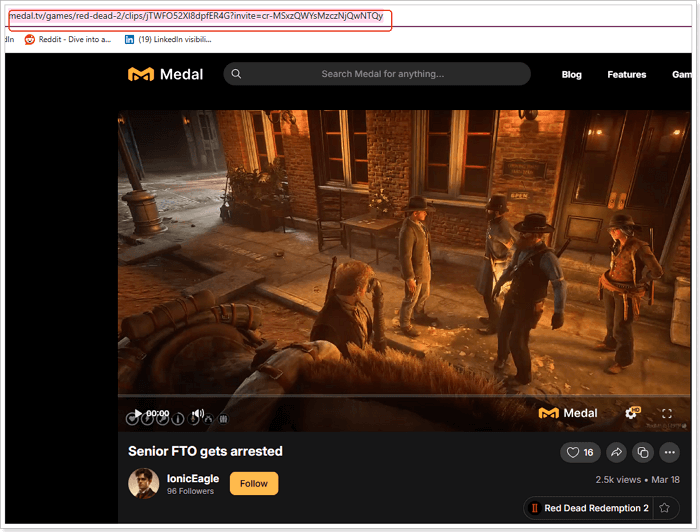
Step 2. Copy the video URL from Medal.TV by navigating to the desired clip and copying the link from the address bar.
Step 3. Paste the link into EaseUS Video Downloader by clicking the "Paste Link" button. Choose your preferred video format and resolution.
Step 4. Start the download—the tool will automatically fetch and save the video. Once complete, find your downloaded videos in the "Finished" tab.
Medal.TV offers a built-in download feature for its users to quickly download their videos onto their devices. You can download it from PC, iOS, and Android.
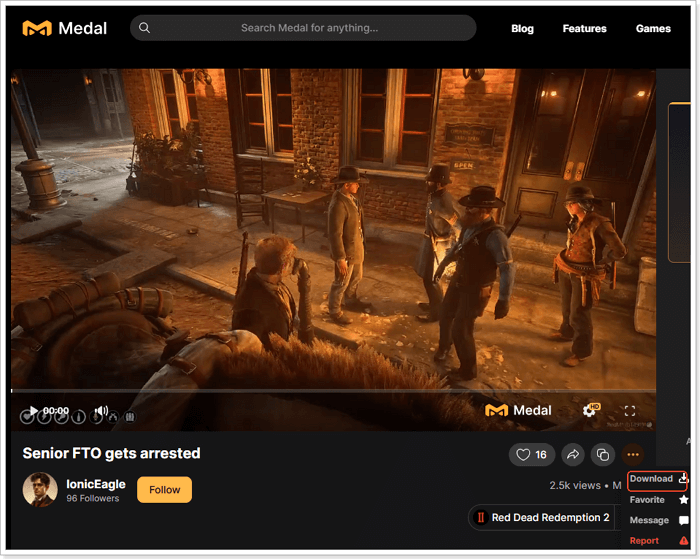
Go to the Medal video you need to download, click the three dots at the bottom right corner of the video, and click "Download" to save it on your computer.
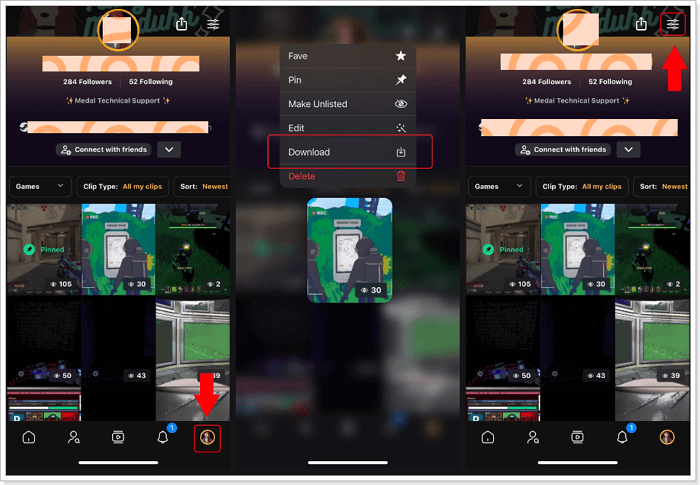
To save clips from your clip library:
Step 1. Go to your clips library in the Medal app.
Step 2. Long-press the clip you want to download, then choose and click the "Download" button.
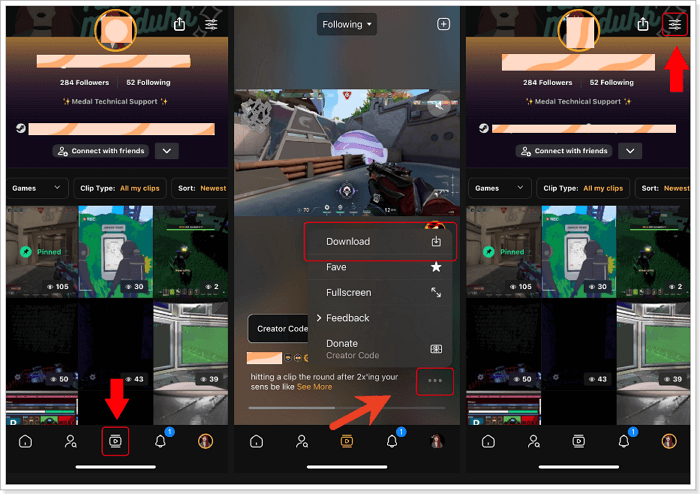
To save Medal clips from other users:
Step 1. Click on the clip feed button in the app.
Step 2. Find the video you want to download, click the three dots in the lower right-hand corner, and then click "Download."
Step 3. Hit the "Setting" icon in the top right and select "Downloads" to access all your downloaded clips.
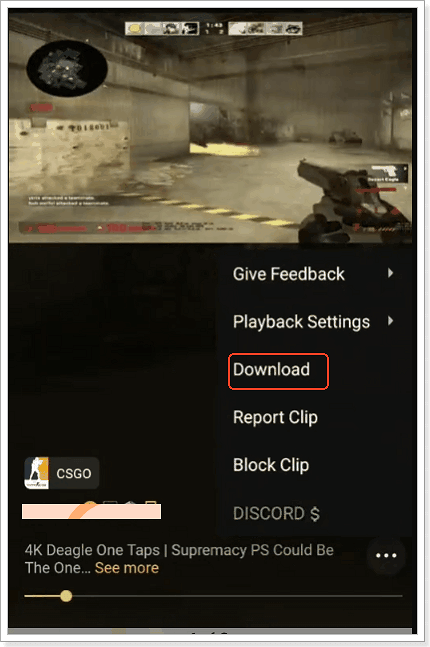
Step 1. Open the video you want to download, and tap the three dots button.
Step 2. Click "Download" in the menu.
Step 3. Select if you want to save it with or without a watermark on your clip.
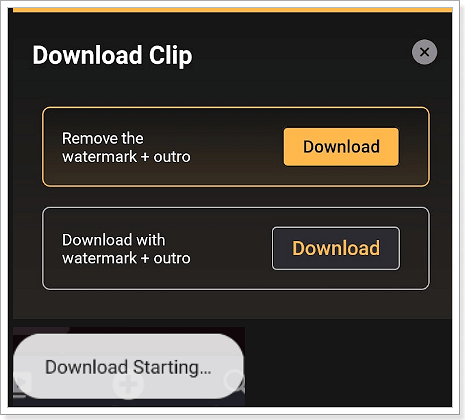
Step 4. It starts downloading.
FetchFile allows you to download videos, audios and photos from Medal.TV simply by pasting the video URL into its input form. It works well on saving videos from platforms like YouTube, Instagram, Facebook, Vimeo, and other popular sites.
Using this online free Medal clips downloader is simple:
Step 1. Copy and paste the link to the medal clip into its input form.
Step 2. Click "Download" and wait for its parsing.
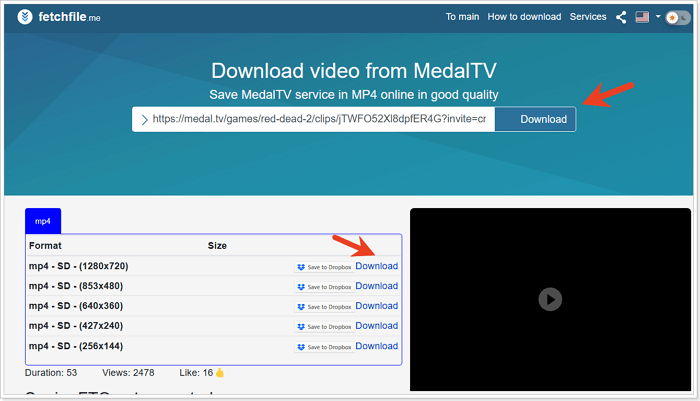
Step 3. Select the format you like, and click the "Download" button next to it.
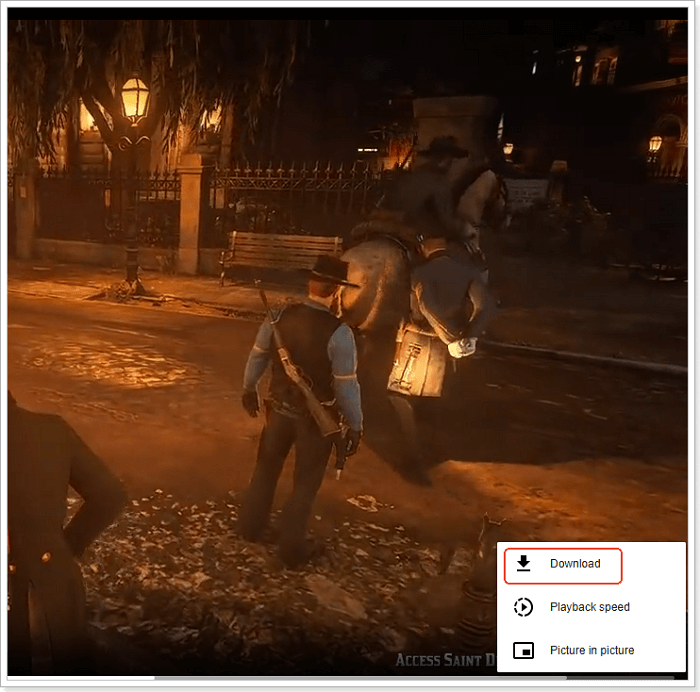
Step 4. Then, it will open a new window. Click the three dots in the lower right corner and select "Download."
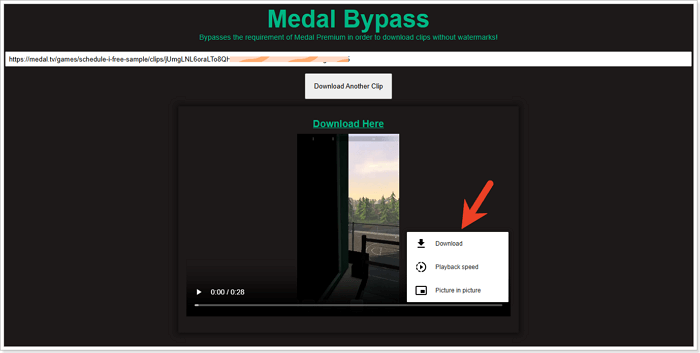
Medal Bypass allows you to download clips without watermarks without the limitation of Medal Premium. It has a similar download process as FetchFile.
Step 1. Go to the Medal Bypass site.
Step 2. Copy and paste the clip link into it, then click "Download."
Step 3. Click the three dots > "Download" to start saving the video clip.
Share it on:
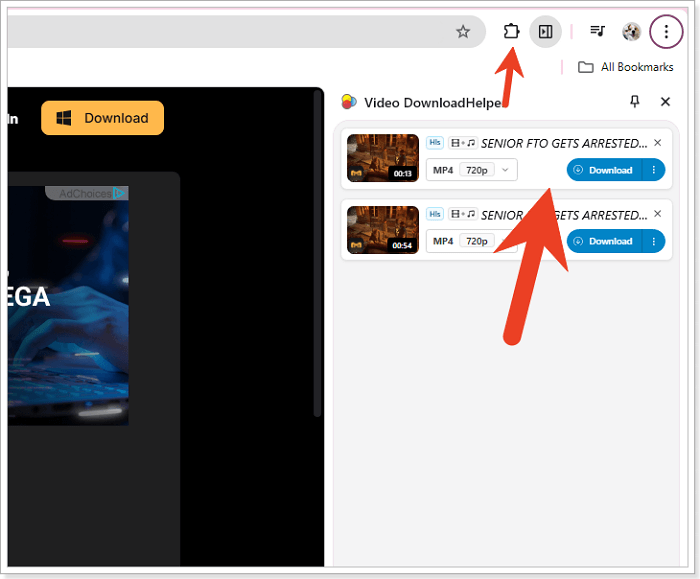
You can also save those Medal clips with Chrome extensions like Video DownloadHelper. This lightweight Medal clip downloader helps download videos from almost all major hosting websites like TikTok, Facebook, Loom, Xiaohongshu, etc., without glitches or reduction in quality. For Medal.TV clips, it saves them in 720P in MP4 for free.
Follow those steps to save the Medal.TV clips in Chrome:
Step 1. Add this extension to your Chrome.
Step 2. Refresh the video page and play it.
Step 3. Click the extension from the Chrome toolbar, and it will show the download options. Choose one you like and click to download.
We offer 4 ways and 5 Medal clip downloaders to help you save clips, like gaming clips, on your device. If you need no-app installation downloads, use online downloaders and Chrome extensions. If you'd like to save these clips on your device, try the built-in download options. For users who are looking for steady downloads without a watermark, consider EaseUS Video Downloader.
Download Any Video in High Quality, Anytime
Download publicly available videos from YouTube, Facebook, Twitter, Instagram and more for personal use.
The fastest way to download clips from other people, whether they enable downloads, is to use a reliable video downloader, like EaseUS Video Downloader. You copy and paste the clip link into it, and you can get it on your device.
Medal provides you with deleted clips restoration. Local clips deleted from your computer can be recovered via your computer's recycle bin using the "Use Recycle Bin" feature. Medal's "Recently Deleted" album allows you to restore your uploaded clips within 30 days of deletion.
To transfer your local clips to another drive:
Step 1. Go to "Settings"> "Recorder"> "Capture Folder Location" and set the new folder as the new Capture Folder Location
Step 2. After setting it up, a button called Move Clips will show up. Click it so Medal can start moving your Local Clips to the new location correctly.
Step 3. When it has finished this procedure, check your library and see if the clips still play normally. [Resource from Medal Support]

Copyright Disclaimer
This article is for educational and technical reference only. Do not use the described methods to download or share copyrighted content without permission.
Users are fully responsible for any legal consequences. Please:

Respect content creators' rights

Use official or authorized platforms

Avoid unauthorized downloads

Use official or authorized platforms
Columnist
Gorilla joined EaseUS in 2022. As a smartphone lover, she stays on top of Android unlocking skills and iOS troubleshooting tips. In addition, she also devotes herself to data recovery and transfer issues.
Read Full Bio More Related Articles
How to Delete Liked Videos on YouTube | 2026 Updated
Tired of old liked videos on YouTube? Learn how to delete them quickly and easily with this quick step-by-step guide.
Gorilla. Oct 23, 2026
3 min read
Download YouTube Video Without Losing Quality [720P/1080p/4K]
If you want to keep the resolution intact while saving a video from YouTube, you have landed in the perfect place. In this write-up, you will walk through the three best & most efficient methods on how to download YouTube videos without losing quality.
Gorilla. Oct 23, 2026
3 min read
How to Save TikTok Videos Without the Save Button
Most videos on TikTok are available for download. You may find that the save button is disabled for certain videos. Why does this happen? We will explain the causes of the issue and provide you with easy ways to save TikTok videos without the save button.
Gorilla. Oct 23, 2026
3 min read
YouTube Multi Downloader: Download YouTube Playlist/Channel/URLs [Personal Use Only]
When you want to download YouTube playlists or channels, you will need a YouTube multi downloader that allows you to download YouTube video or audio files in bulk. You will get a reliable YouTube multi downloader for both PC & Mac from this guide. With it, you will be able to download YouTube playlists or channels for personal use.
Gorilla. Oct 23, 2026
3 min read