Download videos right now
With EaseUS Video Downloader, save any video in seconds - download copyright-free video from public websites.
Affiliate
Earn commissions when you drive sales through your affiliate links.
Resellers
Sell EaseUS products as a distributor.

Creators & Influencers
Partner with us on YouTube, TikTok, Twitch to earn commissions.
OEM & Outsourcing Service
Put your brand on EaseUS software, or get custom solutions.

Refer & Earn
Earn rewards when you refer others to EaseUS solutions.

Education
Verified students and teachers get exclusive discounts.
Page Table of Contents


Oct 23, 2026 0 mins read
With the advent of digital technology, we have become increasingly dependent on the Internet for various tasks. One of the most common activities we engage in is downloading files from the Internet. These files range from important documents and images to software programs and videos.
Whether you're a tech enthusiast or a casual user, these straightforward steps will empower you to effortlessly grab the content you desire. In this post, I will guide you through these steps and show you how to easily download files from a URL or zip files from a URL online.
Website Downloader is part of a broader service designed to download entire websites or individual pages in various formats, including HTML, PDF, DOCX, TXT, and XLIFF. There's no need to install any software, and you can customize your downloads to include either full sites or specific pages. Free users get 2 website scans, with up to 10 subpages per site.

| ✅Pros | ⚠️Cons |
|---|---|
|
|
👣Steps:
See also:
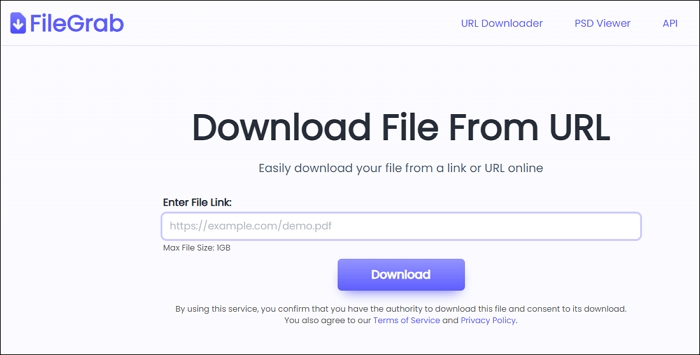
FileGrab.net is a simple, user-friendly online tool that lets you download files directly from any URL—no software or sign-up required. Whether it's documents, images, videos, or audio files, just paste the file URL, hit "Download," and you're done.
FileGrab.net supports downloading a wide range of file types, including documents (PDF, DOCX, HTML, TXT, JS, CSS), images (JPEG, PNG, SVG), videos (MP4, AVI, TS), audio files (MP3, WAV, OGG), and more.
| ✅Pros | ⚠️Cons |
|---|---|
|
|
👣Steps:
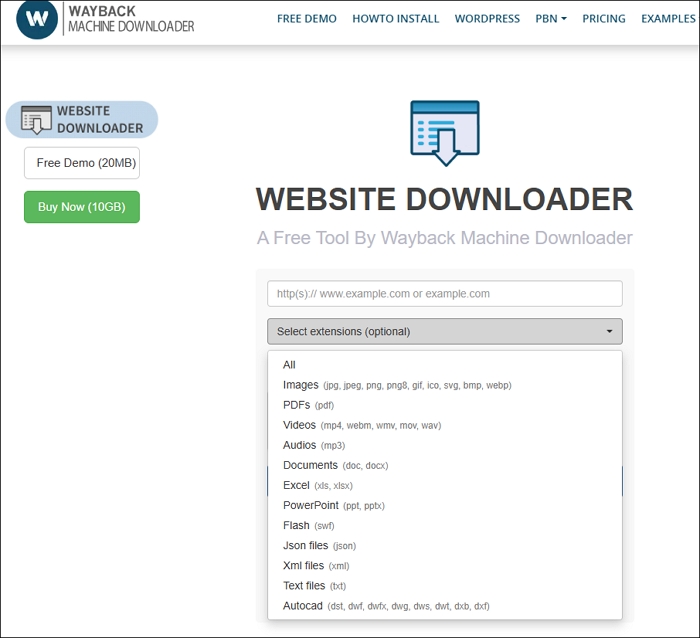
Wayback Machine Downloader is a user-friendly online tool that lets you easily extract a wide range of files—such as images, documents, videos, and more—from websites archived on the Wayback Machine. There's no need to install anything, and it allows a free download of the first 10MB of data.
You can download an entire website for offline use or focus on specific file types, making it a versatile option for archiving, backing up content, migrating static sites, or conducting competitive research. Unlike more complex tools like HTTrack, this downloader is web-based, straightforward, and offers support to simplify the process.
| ✅Pros | ⚠️Cons |
|---|---|
|
|
👣Steps:
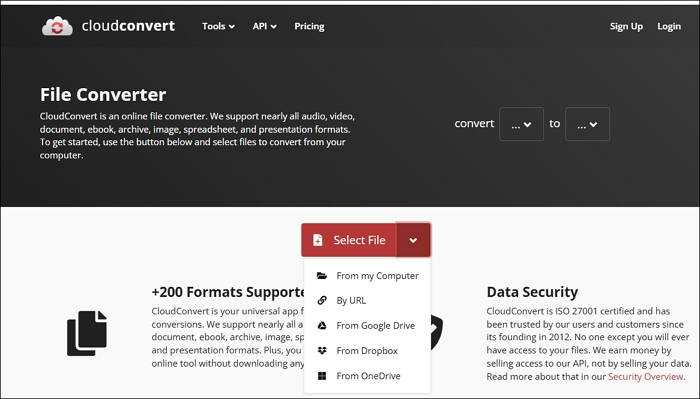
CloudConvert is a powerful and flexible online file converter that supports over 200 formats across audio, video, documents, images, ebooks, archives, spreadsheets, and presentations. It runs entirely in your browser, so there's no need to install software. With a focus on privacy and quality, it's designed for users who need fast, secure, and customizable file conversions.
The platform ensures data security with ISO 27001 certification and does not sell user data. Conversion settings can be tailored to your needs, and for developers, it offers a robust API with pay-as-you-go pricing and Amazon S3 integration.
| ✅Pros | ⚠️Cons |
|---|---|
|
|
👣Steps:
There are so many online video downloaders that fail to download video files from URL. Since spending time searching for a safe one, why not try a reliable video downloader app? Here, we will suggest you go with EaseUS Video Downloader. This advanced and reliable video downloader tool has valuable features, which we will discuss below.
Download videos right now
With EaseUS Video Downloader, save any video in seconds - download copyright-free video from public websites.
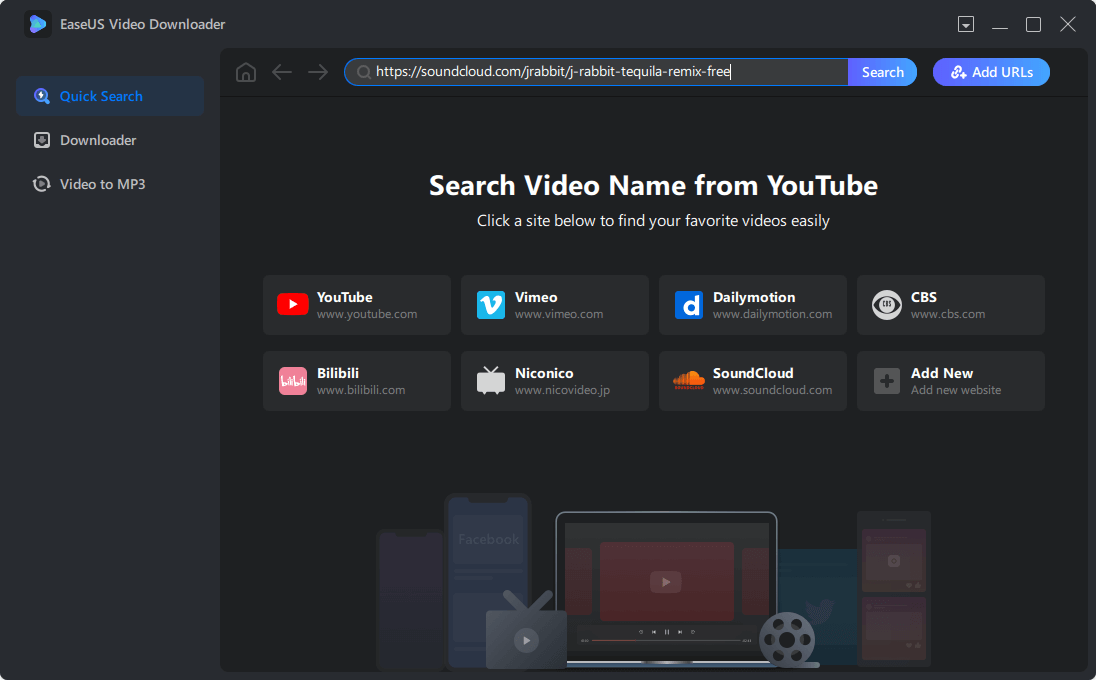
As we already mentioned, EaseUS Video Downloader is one of the top-rated URL downloader apps that can help you download videos and audio from links. Here are some of its unique and valuable features.
Download videos right now
With EaseUS Video Downloader, save any video in seconds - download copyright-free video from public websites.
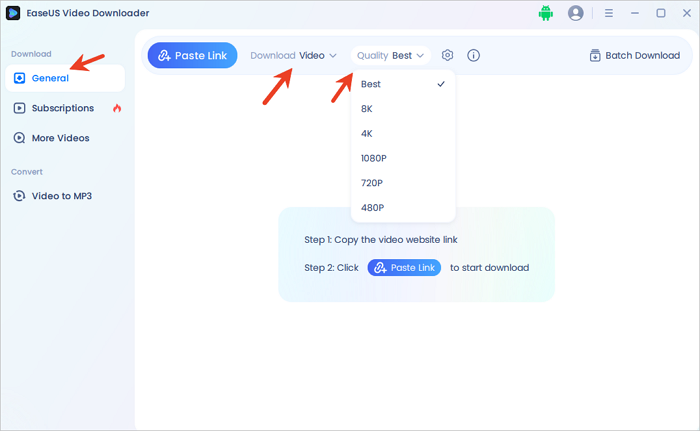
Step 1. Launch EaseUS Video Downloader on your PC. Go to "General" > "Download" to select the output format and press "Quality" for the resolution.
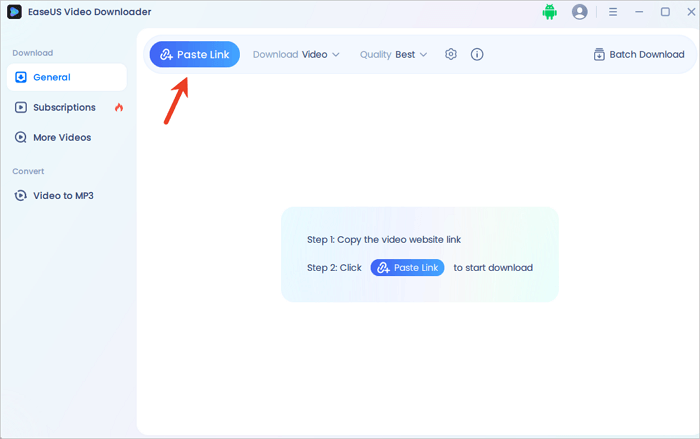
Step 2. Copy and paste the URL of the video you want to download and click "Paste Link" to proceed.
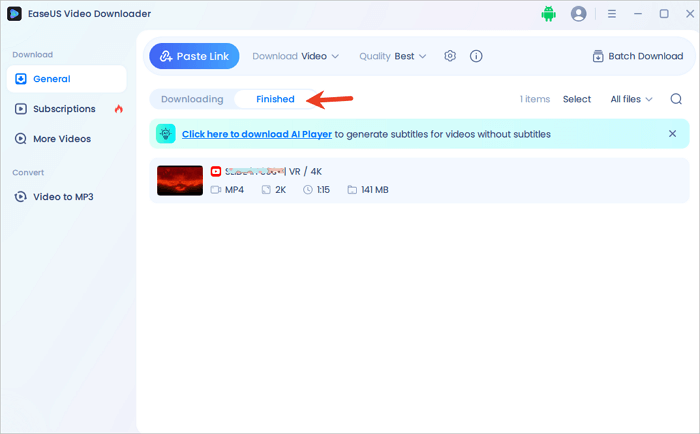
Step 3. After the downloading process finishes, you can check the downloaded video in the option "Finished."
Disclaimer: The information provided in this guide is for personal use. EaseUS is in no way collaborated or affiliated with the video-sharing site and will never approve any copyright infringement action. The end-user should be solely responsible for their behavior.
This article is intended for informational and educational purposes only. Downloading files from URLs should comply with copyright laws and the terms of service of the respective websites. We do not support or encourage the unauthorized downloading of copyrighted or private content. Always ensure you have the right to access and download any file you retrieve using the tools mentioned.
Here, we have discussed how you can download files from free online websites on Chrome and also given you an overview of EaseUS Video Downloader, along with its features and steps on how it works. Hopefully, you will like our post, and yes, download this tool only from its official website for safety purposes.
However, always respect the terms and conditions of a website, and consider reaching out to the content owner for permission if you have specific needs. Unauthorized downloading raises ethical concerns and can lead to legal consequences.
To find the URL of a downloaded file, follow the below steps.
The reasons why your Chrome browser is not permitting downloads may vary. These reasons include security settings, insufficient disk space, outdated browsers, conflicting extensions, unstable network connectivity, corrupted user profiles, or firewall/antivirus interference.
To download a file, your browser sends a request to the server hosting the file. The server finds and sends the file back in small data packets, which your browser reassembles and stores on your device. The download time depends on file type, size, and internet speed. HTTPS secures the connection. After downloading, you can use the file on your device.

Copyright Disclaimer
This article is for educational and technical reference only. Do not use the described methods to download or share copyrighted content without permission.
Users are fully responsible for any legal consequences. Please:

Respect content creators' rights

Use official or authorized platforms

Avoid unauthorized downloads

Use official or authorized platforms
Columnist
Dawn Tang is a seasoned professional with a year-long record of crafting informative Backup & Recovery articles. Currently, she's channeling her expertise into the world of video editing software, embodying adaptability and a passion for mastering new digital domains.
Read Full Bio More Related Articles
How to Use JDownloader 2 | Beginner Guide
Unlock the full power of JDownloader 2 with this easy beginner's guide. Learn proven tips and tricks to download faster and smarter — start now!
Dawn Tang. Oct 23, 2026
3 min read
How to Use YT-DLP | Beginner Guide
Understanding how to use YT-DLP is easy once you install it on your PC. However, it requires extensions and other elements to work correctly, which you'll find in this article.
Dawn Tang. Oct 23, 2026
3 min read
How to Download View-Only Video from Google Drive Easily
In this guide, we will discuss how to download a video from Google Drive through a public video link. If you want to download a video shared by your family or friends from Google Drive, you can follow the guide in this article to save the video from GDrive to your device efficiently.
Dawn Tang. Oct 23, 2026
3 min read
Download YouTube Video Without Losing Quality [720P/1080p/4K]
If you want to keep the resolution intact while saving a video from YouTube, you have landed in the perfect place. In this write-up, you will walk through the three best & most efficient methods on how to download YouTube videos without losing quality.
Dawn Tang. Oct 23, 2026
3 min read