-
![]()
Download Video from Facebook Ads Library in 3 Free Ways
How to download videos from the Facebook ads library for free? This post lists four different ways for you: the code, an online downloader, a Chrome extension, and a desktop software. Keep reading.
Jerry. Feb 28, 2026
3 min read
-
![]()
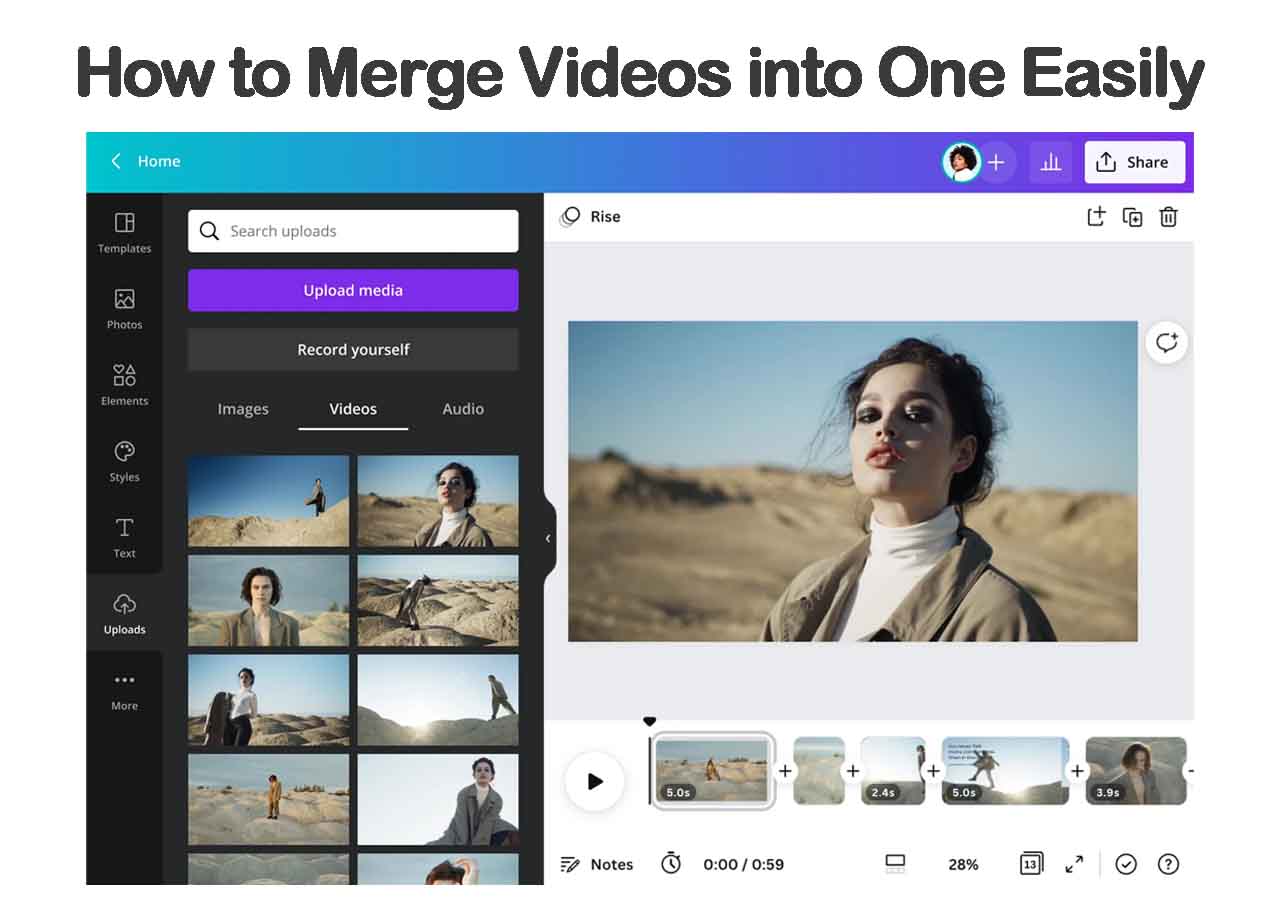
9 Free Ways | How to Combine/Merge Videos into One Easily
How to merge videos in Windows 10, Windows 11 and Mac for free? How to combine multiple MP4 files into one video on iPhone or Android phones? Here, you can find several methods to merge videos for free. Try it yourself.
Jerry. Feb 28, 2026
3 min read
-
![]()
Cannot Download Videos from Facebook? See Reasons & Fixes
This blog covers some practical methods to fix the can't download Facebook video issue. If you're experiencing the same problem, don't hesitate to use the methods introduced in this guide to fix it.
Jerry. Feb 28, 2026
3 min read
-
![]()
Facebook Downloader for PC Windows 10/11/7/8 [2026 Update]
The Facebook video downloader for PC - EaseUS Video Downloader will help you download a Facebook video to your computer or mobile device at no cost. Get this Facebook video downloader for Windows and apply it to download Facebook videos with ease.
Jerry. Feb 28, 2026
3 min read
Page Table of Contents


Feb 28, 2026 0 mins read
According to statistics, nearly 3.5 billion internet users watch videos monthly, a number that continues to grow. As audiences increasingly prefer video over text, businesses, educators, and creators are making it their primary communication channel.
However, publishing videos in just one language limits your reach. Translating your video content helps break language barriers, expand market reach, and significantly boost engagement and conversions. While many recognize the importance of video translation, doing it effectively can be challenging. This guide explains how to dub a video in another language with a step-by-step guide, tools, and tips included.
What Is Video Dubbing?
Video dubbing is the process of translating and replacing a video's original audio track with a new voiceover in a different language. The newly recorded or AI-generated audio is carefully synchronized with the visuals, background sounds, and timing of the original content to create a natural and immersive viewing experience.
For example, if you have an English marketing video and want to target Spanish-speaking viewers, dubbing replaces the English narration with a Spanish version. With proper editing and timing adjustments, the final result appears as though the video was originally produced in Spanish.
Originally popular in the film industry, video dubbing is now widely used in:
- Digital marketing campaigns
- Online courses and e-learning
- Social media and influencer content
- Corporate training materials
- Product demonstrations
The biggest advantage of dubbing a video into another language is accessibility. When viewers can listen in their native language, they are more likely to engage, trust your message, and take action - whether that means subscribing, purchasing, or sharing your content.
Best Tool Recommended for Video Dubbing
When it comes to dubbing videos into another language, using an AI-powered video editing tool can save hours of effort and produce professional results - even if you're a beginner.
EaseUS Video Dubbing Tool is an all-in-one video dubbing solution that makes dubbing a video in another language easier than ever. It combines AI voice translation, subtitle editing, and visual editing in one intuitive interface. It lets you translate or dub videos into any language using AI-powered technology while preserving the original speaker's voice, tone, emotion, timing, and lip sync.
Why EaseUS AI video tool stands out:
- Easily and quickly dub videos with EaseUS's online dubbing tool. It automatically detects speech and delivers high-quality, natural, and accurate voiceovers.
- AI-powered voice translation for natural-sounding dubbed audio
- Supports multiple languages for global audiences
- Works for marketing videos, tutorials, social media clips, and more
- Dub your video using authentic voice cloning, with access to a library of over 300+ AI voices spanning various accents, ages, and styles.
With EaseUS video tool, you don't need professional studios or voice actors - the AI does the heavy lifting.
How to Dub a Video in Another Language Online
Although AI dubbing tools are still emerging, they are already transforming the video creation industry by automating complex dubbing tasks with remarkable accuracy and precision. Here's a simple step-by-step on how to dub a video into another language online with EaseUS AI video dubbing tool:
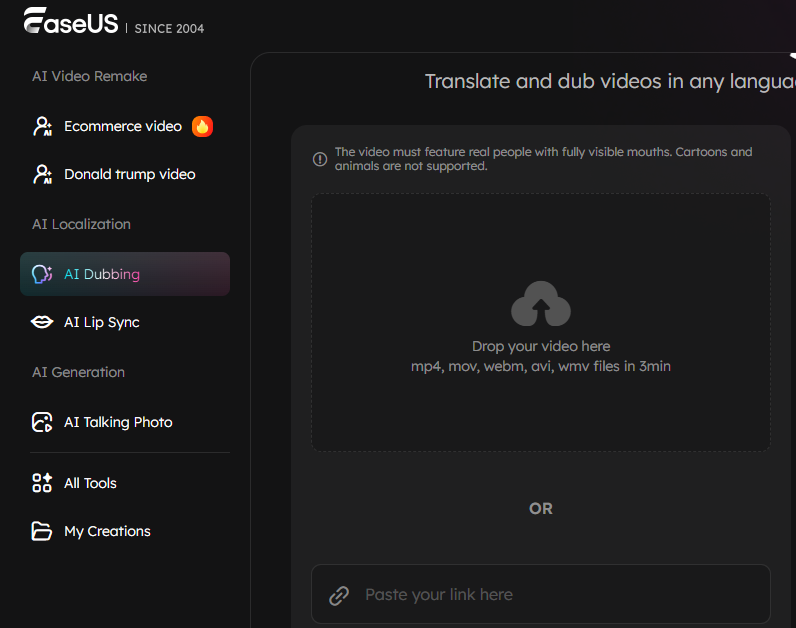
Step 1. Upload Your Video
Start by uploading the original video file or pasting your video URL into the EaseUS AI dubbing tool. You can upload any format, such as MP4, MOV, AVI, etc.
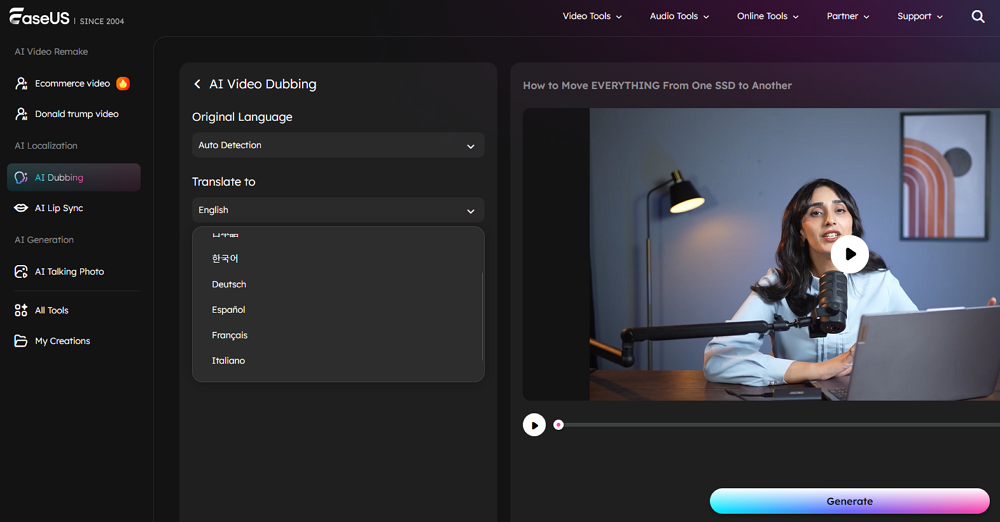
Step 2. Dub Your Video
Select the language you want, select a voice or tone, and select a subtitle template to start dubbing your video.
Step 3. Review and Export
Once finished, you can preview, adjust text and dubbing parameters, or optimize subtitle layout. After that, you can export the video in a preferred format.
With EaseUS VideoFlow, the entire process of how to dub a video in another language becomes fast, intuitive, and professional - no advanced skills required.
Conclusion
Dubbing is one of the most effective ways to make your videos accessible to audiences worldwide. Whether you're a content creator, marketer, or educator, mastering how to dub a video in another language can unlock new opportunities for engagement and growth.
EaseUS video dubbing tool stands out as the best solution for video dubbing thanks to its powerful AI tools, multi-language support, and easy workflow. With it, you can transform your videos into localized content that resonates with viewers everywhere.
Frequently Asked Questions on Video Dubbing
1. What is the easiest way to dub a video in another language?
The easiest way to dub a video is by using an AI-powered tool like EaseUS Video Dubbing Tool. You simply upload your video, select your target language, and the system handles the dubbing, voice cloning, and lip-syncing automatically.
2. What's the difference between dubbing and subtitles?
Subtitles display translated text on the screen, while dubbing replaces the spoken audio with new language audio. Dubbing improves accessibility for viewers who prefer listening.
3. Can I dub videos in multiple languages with EaseUS AI Video Dubbing Tool?
Yes! EaseUS video dubbing tool supports dubbing into many languages, making it ideal for reaching global audiences. Most importantly, you can dub your video into another language with only 3 steps.
4. Do I need professional audio equipment to dub videos?
No. With AI-powered tools like the EaseUS dubbing tool, you can generate high-quality dubbed audio without recording studios or voice actors.
5. Is dubbing expensive?
Traditional dubbing can be costly, but using AI tools significantly reduces time and cost, making it accessible for creators of all levels.